
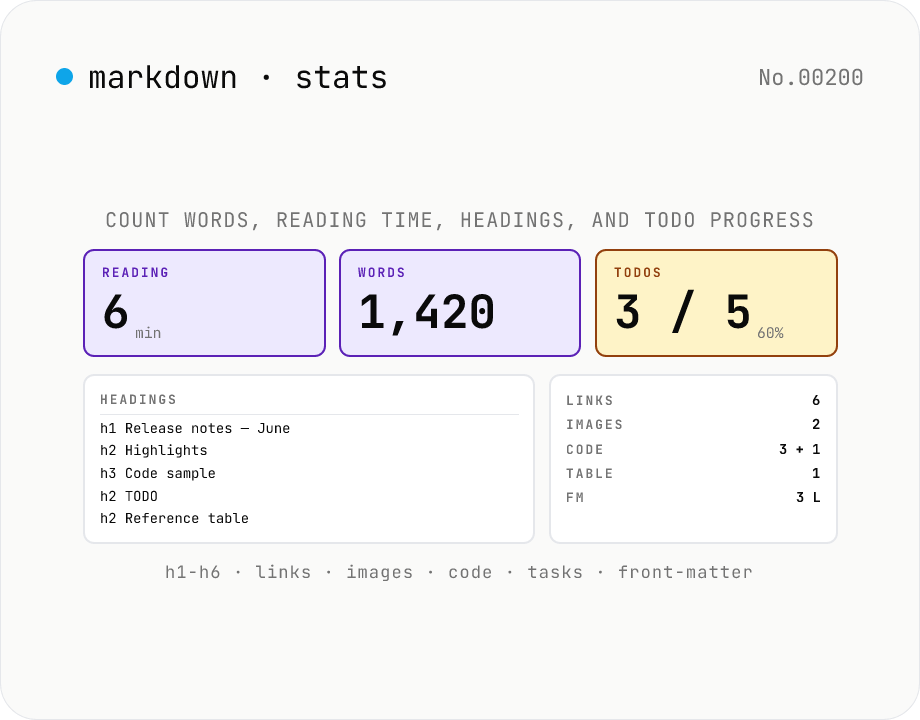
Markdown Stats — Word count, reading time, headings, TODOs
Paste a Markdown document and get every count at a glance: **characters** (with / without spaces), **words** (Latin tokens by whitespace + CJK characters as 1 word each — matches typical 日本語 reporting), **reading time** (235 wpm), **paragraphs**, **sentences**, **headings** (h1–h6 breakdown plus a navigable outline with GitHub-style anchor slugs), **links** (inline / reference / autolink with URL list), **images**, **code blocks** (fenced ``` / 4-space indented / inline `\`code`\``), **blockquotes**, **lists** (ordered / unordered / task), **TODO checkboxes** (`- [ ]` open / `- [x]` done with completion %), **tables**, and **front-matter** detection (the `---` … `---` block at the top). Great for SEO word-count checks, Notion / Obsidian / Hugo / Astro Markdown documentation audits, and visualising TODO progress. Pure browser-side — your Markdown is never uploaded. Own parser (~430 lines, zero dependencies).
How to use
Paste Markdown (or pick a `.md` / `.markdown` / `.mdx` file) and stats update automatically — **no analyse button**. You get cards for **reading time / words / characters / paragraphs / sentences / heading breakdown (h1–h6) / links / images / code blocks / blockquotes / lists / TODOs / tables / front matter / inline HTML**, plus a **heading outline** (indented by level with GitHub-style anchor slugs), a **TODO progress bar** (`- [ ]` vs `- [x]`), and a **link URL list**. Use **Sample** to load a blog-post-style Markdown with front matter.
In depth
What Markdown documents get analysed
Reading-time and structure checks are most useful before publishing — which means the input is almost always an unpublished draft. Pre-publication blog posts, README reviews before a repo push, internal documentation audits, and OSS project changelogs under review are all typical inputs. The content is at a stage where the author has not yet chosen to share it.
TODO progress tracking (- [ ] / - [x]) is designed for PROJECT.md and TODO.md files, which typically contain task assignments, project status, and team context — internal information by nature.
Online word counters and the drafts they receive
Online word-count and reading-time tools process submissions server-side. A draft blog post, a design document under review, or a project status file submitted for a word count lands in the server’s request log. The statistics requested are trivial to compute locally; the draft content is not trivial to expose.
MDX files add another dimension: they may contain React component names, prop values, and import statements alongside the prose. An analysis tool that receives a full MDX file receives application code structure as well as document content.
A zero-dependency scanner running in the browser
This tool’s ~430-line custom scanner — no marked, no remark, no external parser — runs entirely in browser JavaScript. ATX headings (# foo) and Setext headings are detected. Fenced code blocks (```) and 4-space indented blocks are excluded from word and link counts. Frontmatter (--- … ---) is separated from body content. TODO checkboxes are counted. GitHub-style anchor slugs are generated for the heading outline. All of this is local.
Input Markdown lives only in page memory. Drafts, internal project files, and MDX source code can all be analysed without leaving the browser.
Content quality workflow before publishing
Typical checks before hitting publish: Is the reading time appropriate? Is the heading hierarchy correct (no H3 without H2)? Are the external links correctly listed? Is TODO progress at the expected level? The heading outline can be fed directly to markdown-toc to generate a table of contents, and case-counter covers the case when you only need plain character / line counts. All of these checks run on the draft before it goes anywhere.
Word-count semantics: Latin tokens vs. CJK, and the 235 wpm convention
Word counting is fundamentally different across writing systems. English and other Latin-script languages have explicit inter-word whitespace, so tokenising “It is a test.” into 'It', 'is', 'a', 'test' gives a defensible count of 4. Japanese, Chinese, and Korean (CJK) have no word boundaries — there is no native concept of “word” without running a morphological analyser like kuromoji or MeCab. This tool’s compromise is to count each CJK character as one word; in practice the resulting numbers track close to MeCab token counts for typical Japanese prose, which feels more intuitive to writers than a character-only count.
Reading time uses 235 words per minute, the figure popularised by Medium. Academic literature varies — Carver, Coon, & Davis (1990) report 250-300 wpm for oral reading; Brysbaert (2019) places silent reading at 175-300 wpm with substantial individual variation; 235 sits near the centre. Japanese reading speed depends on the kanji / kana mix and cannot be mapped cleanly to Western wpm, but 235 functions as a widely accepted convention for “approximate reading time” on blog posts. Highly technical material reads more slowly; short-form social copy reads faster. Treat the figure as a rough guide and adjust mentally for the genre.
The traps in naive Markdown statistics: code blocks, frontmatter, and tables
The biggest pitfall in word counting is treating code inside fenced blocks as prose. Lines like for (let i = 0; i < arr.length; i++) mix symbols and identifiers in a way that wildly inflates a naïve word count. This tool excludes content inside ``` fences and 4-space indented code blocks from the word total. Many online word counters do not — which is why technical articles tend to show absurd word counts in those tools.
Frontmatter blocks (----delimited YAML metadata at the top of a file) cause similar errors when treated as body: title: My Article would be counted as a heading or two words rather than metadata. This tool detects and separates frontmatter before counting. GFM tables (| col1 | col2 |) present an ambiguity — should the cell separators count? — and this tool counts cell text as words while excluding the | characters themselves. If you want consistent numbers between this tool and a build-time count in Hugo / Astro / Next.js, run a custom script that applies the same exclusions; wc -w from the Unix toolchain does not distinguish frontmatter or fences and produces overestimates for Markdown.
FAQ
- Is my input uploaded?
- No — our own ~430-line zero-dependency scanner runs entirely in your browser.
- How is reading time computed?
- We divide words by 235 wpm and round up (Nielsen Norman Group's median English reading speed). Japanese text counts each CJK character as 1 word, so 4700 characters works out to ~20 min. Treat this as a rough indicator — technical docs read slower; magazines read faster.
- How are Japanese word counts handled?
- Word boundaries in Japanese are fuzzy, so we count each CJK character (kanji / hiragana / katakana / fullwidth) as one word — matching note.com and most blog-platform indicators. For a strict morphological count, use the wakati-tokenize tool.
- What happens to front matter?
- The top `---` … `---` block is detected and excluded from body counts so that `title:` / `date:` / `tags:` don't pollute your word count. Hugo / Astro / Jekyll / Eleventy and most SSG conventions are covered.
- Are code blocks counted?
- Their contents are excluded from word / character / link / image counts (so they don't bias reading time). The block totals themselves (fenced / indented / inline) are reported as standalone stats.
- How is TODO completion measured?
- We count every `- [ ]` / `- [x]` line — including nested ones — and divide done by total. Plain list items without checkboxes are excluded. Useful for `PROJECT.md` / `TODO.md` audits.
- How is the heading outline rendered?
- ATX (`# Heading`) and Setext (`Heading` + `===` / `---`) styles are both detected, listed in document order, indented by level, and decorated with GitHub-style anchor slugs you can feed to the markdown-toc tool.
- How does this relate to other markdown-* tools?
- **markdown-stats** counts; **markdown-preview** renders; **markdown-toc** builds a TOC; **markdown-link-extract** lists links; **markdown-frontmatter** parses YAML front matter; **markdown-table-format** prettifies tables; **markdown-html-convert** converts ↔ HTML. Pick whichever fits.
- How is this different from case-counter?
- case-counter is for plain text — letter / digit / symbol breakdowns. markdown-stats understands Markdown syntax, so it can also report headings / links / TODOs / code blocks.
- Does it handle MDX (React-embedded Markdown)?
- Yes, but React components are ignored — `<MyComponent prop="value" />` counts as one inline-HTML hit; its children fall through as plain text. Import statements and prop values are not Markdown and aren't analysed (use a separate tool for that).
How to verify nothing is uploaded
This tool never sends your input outside your browser. The pages below explain how it works, how to audit it, and how the site is run.
Related tools
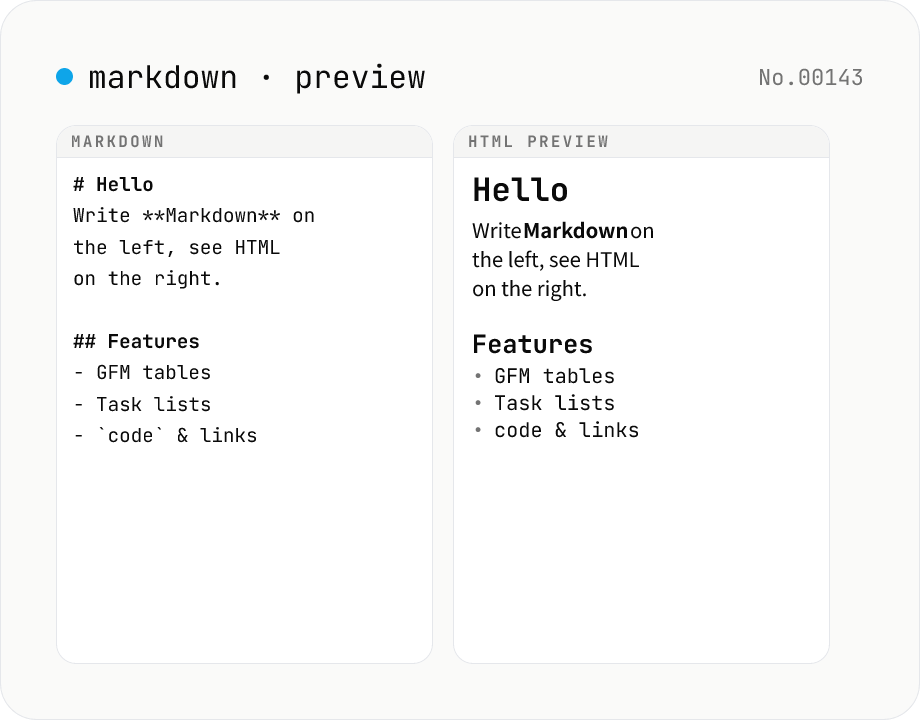
Markdown preview — live rendering of GFM
Type Markdown on the left and see the rendered HTML on the right in real time. Supports GFM (tables, task lists, autolinks) and single-newline → <br>. Copy or download the rendered HTML. Everything runs locally in your browser.
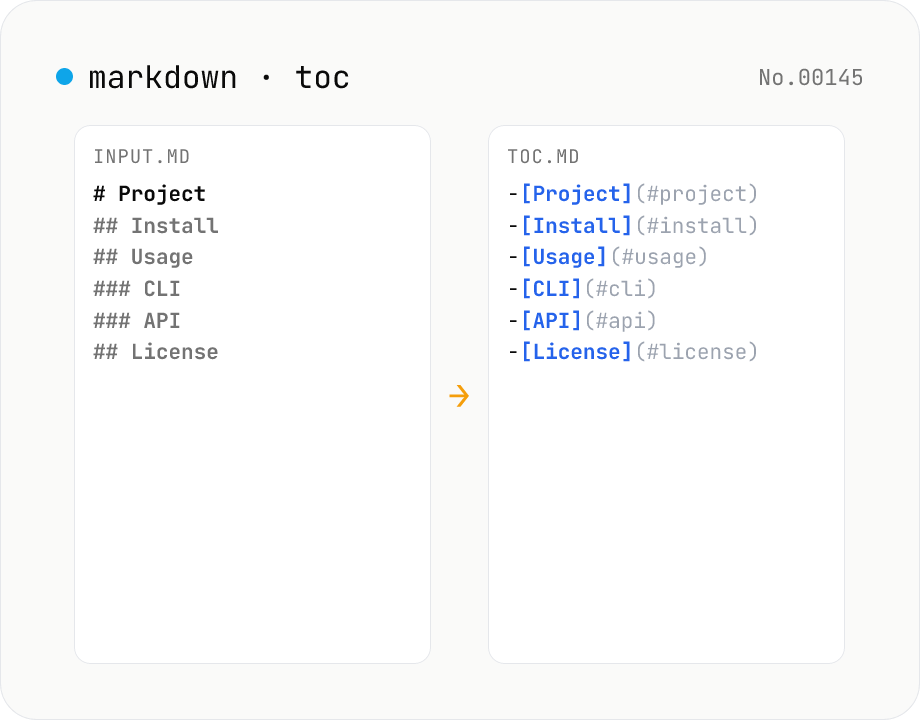
Markdown TOC — extract anchors from headings
Scan Markdown headings (#, ##, …) and emit a table of contents with GitHub-style anchor links. Toggle between nested and flat list, change the maximum heading level, and choose whether to include H1. Headings inside fenced code blocks are skipped automatically. Copy the Markdown or save as .md and paste it anywhere. Runs entirely in your browser.
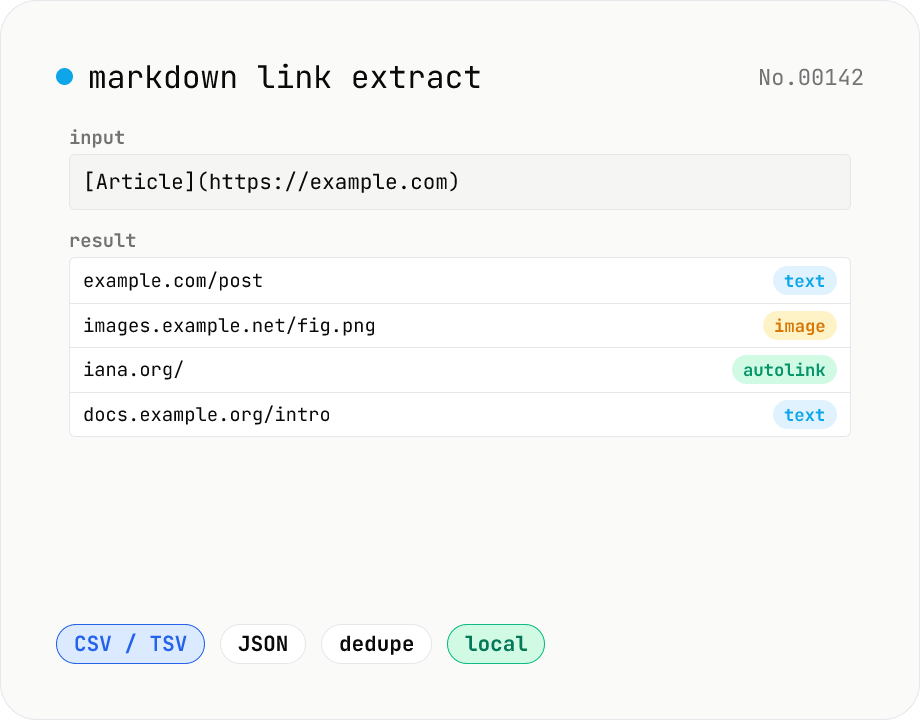
Markdown link extractor — pull URLs from Markdown / HTML / text
Extract every URL or Markdown / HTML link from a chunk of Markdown, HTML, or plain text. Detects `[label](url)`, ``, `<a href>`, `<img src>`, and bare URLs, then classifies each result (text / image / autolink). Includes deduping, type filters, host grouping, and CSV / TSV / JSON export. Great for auditing links in an article, listing image sources, mapping internal-link structure for SEO, or harvesting references for a social post. Everything runs in your browser.
Character counter — chars / bytes / lines / words
Count characters, words, lines, paragraphs, and UTF-8 byte size in real time. Toggle whether whitespace and newlines are included. Progress bars show your text against common limits (tweets, 400-character genkō, etc.) — everything stays in your browser.