
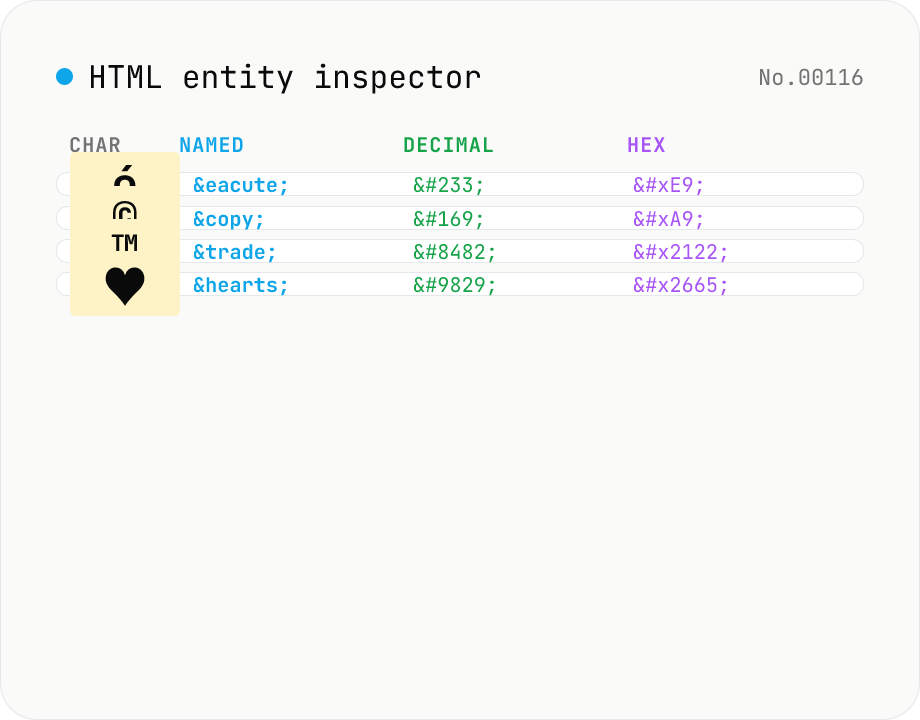
HTML entity inspector — named / decimal / hex / Unicode name side by side
Paste a string containing HTML entities (`&`, `é`, `é`, `é`, ` `, `©`, etc.) and get a table of every entity it contains, listing the **decoded character / named entity / decimal numeric / hex numeric / Unicode code point**. Reverse lookup also works: type `é` and the tool shows `é`, `é` and `é` at once. All 2125 named entities defined in the HTML5 spec are bundled (from `&` through `∳`). Fills the gap between `html-encode` (bulk encode / decode) and `unicode-inspect` (per-codepoint detail) — perfect for "what's the name for this character?" and "what's the numeric form of `™`?". Everything runs in your browser; nothing is uploaded.
How to use
Paste a string containing entities (`é © —`) or raw characters (`é © —`). For each detected entity / character, the table lists the decoded character / named entity / decimal numeric / hex numeric / Unicode code point. The summary shows count of detected items split by source (named / decimal / hex / raw). Click *Copy* on any cell to put that representation on the clipboard.
In depth
The text you inspect for entities often contains operational content
The need to inspect HTML entities arises when working with template output, CMS bodies, mail HTML, or logs that have escaped text. Those sources can contain user-submitted content, API response fragments with personal data, or excerpts from internal documents. Pasting that text into an online entity inspector sends the content alongside the question about the entity — the two are inseparable once the paste happens.
The “paste an already-escaped log” workflow is particularly risky: the surrounding text frequently still contains sensitive values that were meant to be sanitised — email addresses, token fragments, internal URLs — and those values travel along with the entity you actually wanted to look up.
Reference-style tools that quietly round-trip through a server
Dictionaries, references, and cheatsheet-style tools project a sense of “I’m not really sending data”, but many implementations POST the input string to a backend to produce the result. The UI rarely lets you distinguish a fully client-side lookup from one that round-trips through a server with logging — both look like a search box returning matches.
Terms of service often include clauses authorising the retention of inputs for “aggregate statistics” or “anonymised improvement logs”, and the user side rarely re-reads them per session. Because the perceived task (“just looking something up”) is so lightweight, the structural decision to ship content outside your environment slips past attention more easily than with explicitly transactional tools.
The full WHATWG HTML5 entity list bundled for offline lookup
This tool bundles all 2125 named entities from the WHATWG HTML5 specification at build time. Entity detection, named-form lookup, and numeric-reference generation all happen in browser memory — no external API query. Named-entity presence checks are O(1) hash-map lookups against the bundled dictionary.
Decimal and hex numeric references are decoded with parseInt() and String.fromCodePoint(), which need no dictionary. Open DevTools Network and type an entity: no request fires.
Choosing the right entity notation for your context
Whether to use named, decimal, or hexadecimal numeric notation when writing HTML depends on the audience and the output target. This tool lets you see all three forms for any character in one row, so the decision is immediate: ™ exists and is human-readable; ™ is more portable; ™ aligns directly with the Unicode code point. For machine-generated HTML and production code, hex numeric references cover every Unicode code point unambiguously. For human-authored source, named entities are easier to read and edit.
Semicolon-optional entities in the WHATWG parser
The HTML5 spec defines a quirky legacy clause that allows certain named entities to be parsed without a trailing semicolon. & (no semicolon) decodes to & just like & does, preserved as a backwards-compatibility measure for older documents. Roughly one hundred historically common names (&, <, >, ", ©, ®, …) participate; newer entities like &CounterClockwiseContourIntegral require the semicolon.
This semicolon-optional behaviour is also a trap that can mangle URLs in HTML attributes. Writing ?param=foo©=bar inside an attribute makes the browser decode © as © and expand it to ?param=foo©=bar. The remedy is to always escape & as & inside attribute values. Cross-checking against the “decodes without semicolon” list in this tool helps spot which names will trigger this in raw URLs.
Different treatment in XML, SVG, and MathML
Of the 2125 named entities HTML supports, XML recognises only five by default: &, <, >, ", '. SVG and XHTML processed as XML throw “undefined entity” errors on © or ™. The fixes are (a) declare the needed entities in a DTD, or (b) rewrite as numeric references.
For documents that need XML compatibility — SVG files, Atom feeds, XHTML-served pages, EPUB internal XML — using numeric references like © from the outset is the safer baseline. MathML adds yet another entity set (e.g. ⁢); HTML parsers recognise these because the WHATWG spec gives MathML and SVG contexts special handling. When scripting XML subtrees, looking up the hexadecimal numeric form (&#xXXXX;) of each character here keeps the output portable across XML and HTML consumers. For batch encode / decode of whole bodies, html-encode handles the bidirectional pass, and unicode-normalize is the right companion when entity name lookup keeps missing matches because the source is in NFD where the dictionary expects NFC.
FAQ
- How is this different from the other HTML tools?
- `html-encode` converts text in bulk (text ↔ entity form). This tool is an *inspector* — it lists every detected entity / character with all four representations side by side. Perfect for "what's the named form of `™`?" or "what's the numeric form of `♥`?".
- Versus unicode-inspect?
- unicode-inspect gives **per-codepoint Unicode detail** (category, script, UTF-8 bytes, HTML numeric reference). This tool is **HTML-entity-aware**: it bundles all 2125 named entities so you can immediately see whether a character has a named form. For U+2665 (♥), unicode-inspect shows the codepoint detail; this tool returns `♥` (named), `♥` (decimal) and `♥` (hex).
- How many named entities are supported?
- All 2125 named entities defined by the WHATWG HTML5 spec (from `&` and `<` through obscure math entities like `∳`). Where the spec defines aliases (`<` vs `<`) both are listed.
- What forms can I paste?
- (1) **Named**: `é` → shows `é`, `é`, `é`. (2) **Numeric**: `é` → shows `é`, `é`, `é`. (3) **Raw character**: `é` → shows named / decimal / hex. (4) Any mix.
- Are plain ASCII characters listed?
- Not by default — `a`, `1`, space are not interesting for HTML entity work. The five structurally meaningful ASCII characters (`&`, `<`, `>`, `"`, `'`) are listed because they have named forms (`&` etc.). Surrogate-pair emoji and combining marks are detected.
- Decimal vs hex — which should I use?
- Both are valid HTML5. **Hex** maps cleanly to Unicode code points (U+2665 → `♥`). **Decimal** is more common in casual text. **Named** is the most human-readable but doesn't cover every character. For prod code, numeric (hex) is the safest; for human-edited source, named entities are friendlier.
- Is anything uploaded?
- No. The entity dictionary is bundled with the page; no external API calls.
How to verify nothing is uploaded
This tool never sends your input outside your browser. The pages below explain how it works, how to audit it, and how the site is run.
Related tools
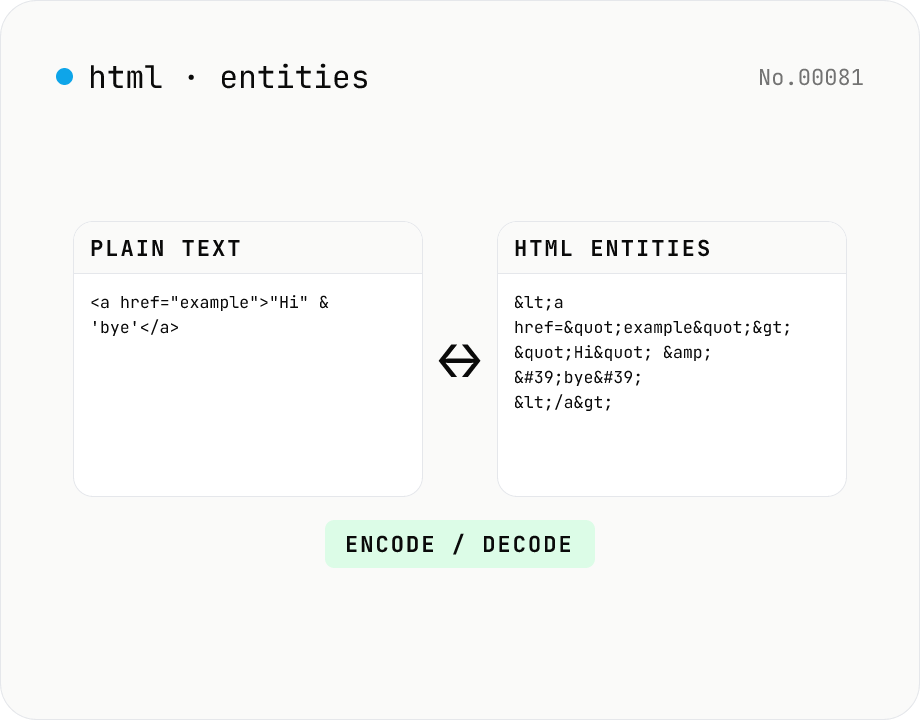
HTML entity encode / decode — &, <, > safely
Encode HTML special characters (< > & " ') into entities like &lt; and decode &amp; back into &. Toggle the direction in one click and optionally encode all non-ASCII characters as numeric references. Useful when pasting code samples into blogs, double-checking XSS escaping, or preparing HTML email bodies.
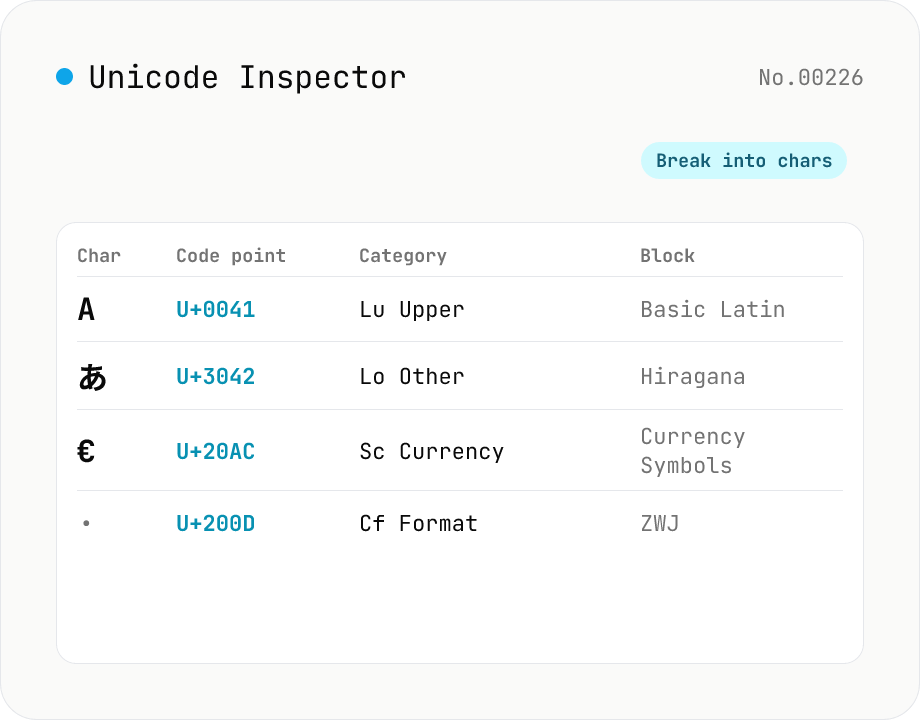
Unicode Character Inspector
Break text into individual characters and show each one's code point (U+XXXX), decimal value, general category (letter / number / symbol, etc.), script (Latin / Han / Hiragana, etc.), Unicode block, UTF-8 / UTF-16 byte sequences, and HTML numeric entity. Surrogate-pair emoji, combining marks, zero-width joiners (ZWJ), control and invisible characters are detected and badged — handy for debugging mojibake and 'invisible character' bugs. Everything runs in your browser — your input is never uploaded.
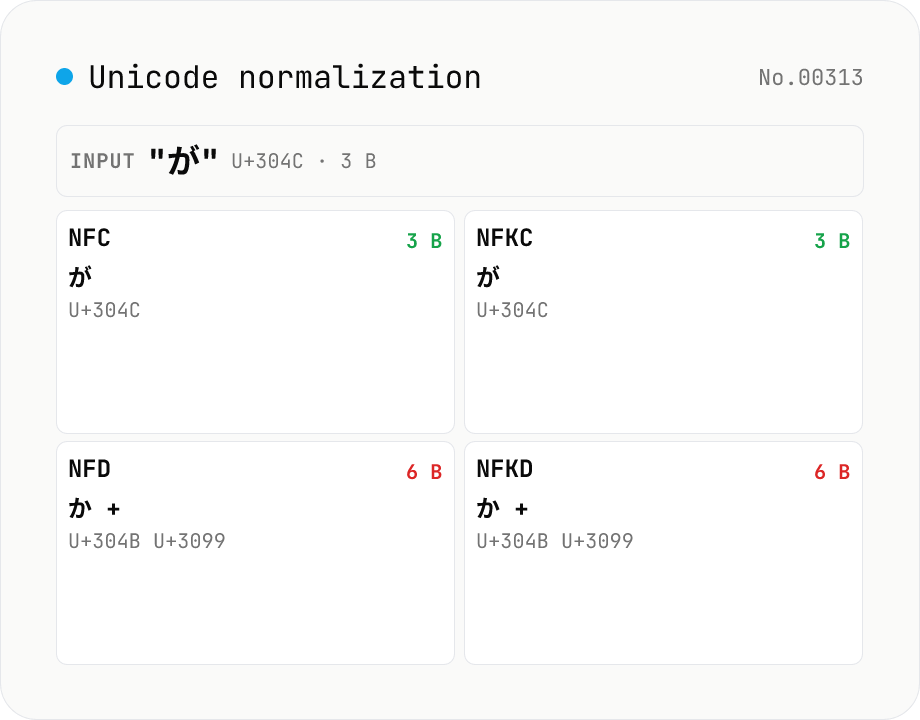
Unicode normalization — apply NFC / NFD / NFKC / NFKD side by side
Run the four Unicode normalization forms (NFC / NFD / NFKC / NFKD) against your input and see the results, code-point sequences (U+XXXX) and UTF-8 byte counts side by side. For example `が` (U+304C, NFC) decomposes to `か + ゙` (U+304B + U+3099) in NFD, so the UTF-8 size grows from 3 to 6 bytes. NFKC collapses compatibility characters: `①` → `1`, `㍻` → `平成`, `㈱` → `(株)`. Useful when debugging database primary-key mismatches, filename comparison gotchas (macOS uses NFD; Windows and most Linux file systems use NFC), search-index collisions, or invisible differences in user-pasted text. Everything runs in your browser via `String.prototype.normalize` — nothing is uploaded.
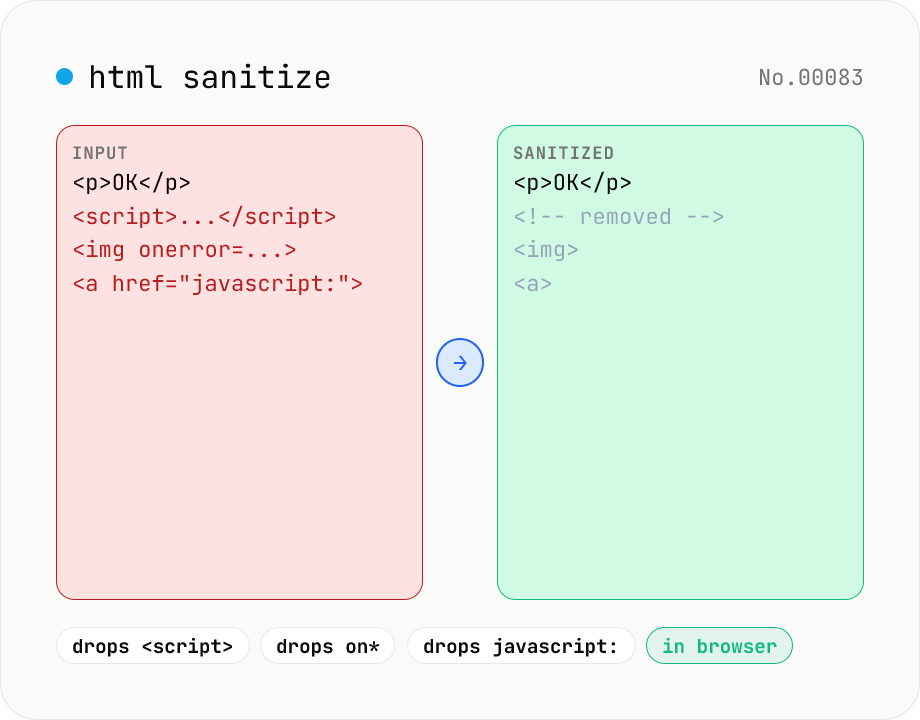
HTML sanitizer — strip XSS vectors with DOMPurify
Strip XSS vectors (script tags, on* handlers, javascript:/data: URLs, iframes, etc.) from untrusted HTML using DOMPurify. Three profiles — Strict / Standard / Permissive — control which tags and attributes survive. Useful before passing user-generated HTML to a CMS / forum, locking down Markdown→HTML output, or cleaning legacy HTML during a blog migration. Runs entirely in your browser — HTML never leaves your device.