
Unicode normalization — apply NFC / NFD / NFKC / NFKD side by side
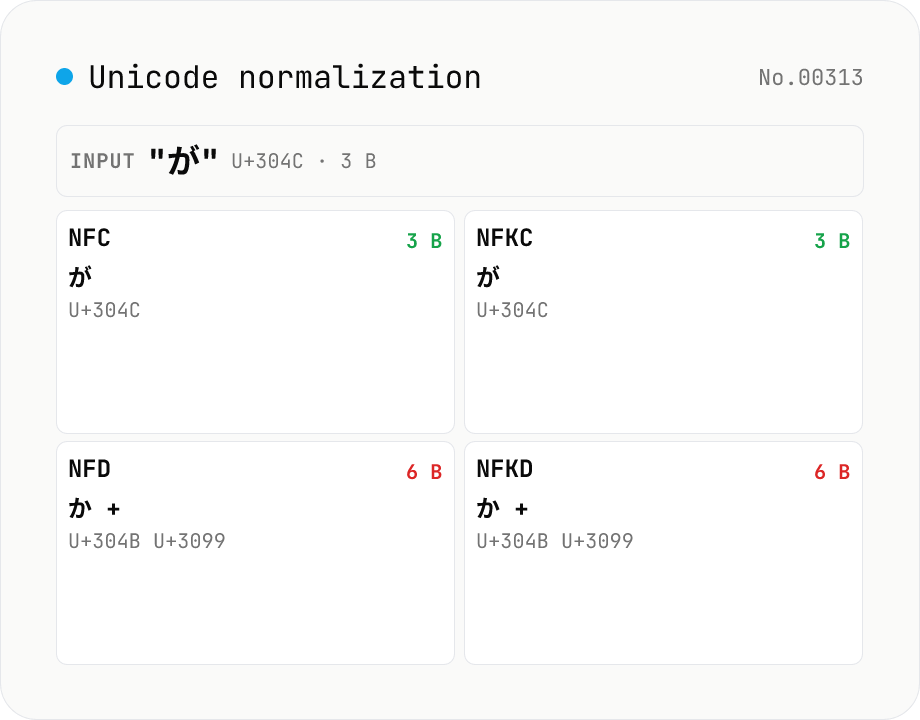
Run the four Unicode normalization forms (NFC / NFD / NFKC / NFKD) against your input and see the results, code-point sequences (U+XXXX) and UTF-8 byte counts side by side. For example `が` (U+304C, NFC) decomposes to `か + ゙` (U+304B + U+3099) in NFD, so the UTF-8 size grows from 3 to 6 bytes. NFKC collapses compatibility characters: `①` → `1`, `㍻` → `平成`, `㈱` → `(株)`. Useful when debugging database primary-key mismatches, filename comparison gotchas (macOS uses NFD; Windows and most Linux file systems use NFC), search-index collisions, or invisible differences in user-pasted text. Everything runs in your browser via `String.prototype.normalize` — nothing is uploaded.
How to use
Paste text into the input or pick a sample. All four normalization forms (NFC / NFD / NFKC / NFKD) are computed simultaneously. Each card lists the result, code-point sequence (U+XXXX), code-unit length (`string.length`) and UTF-8 byte count. Forms that produce the same string as your input show a *Same as input* badge — easy to spot which form actually changed something. Hit *Copy* on a card to put that normalized string on the clipboard.
In depth
When Unicode normalisation needs real data to diagnose
Unicode normalisation mismatches appear in production when data moves between systems that normalise differently. macOS HFS+ and APFS store filenames in NFD; Linux filesystems typically use NFC. A Japanese filename created on macOS appears as a ‘ghost’ file on Linux because the two NFD combining codepoints don’t match the single NFC precomposed codepoint. Database string comparisons fail when data from two sources — a web form and an API import — arrive in different normalisation forms. Web API responses mix NFC and NFD when different backend services produce the same conceptual data through different serialisation paths.
Diagnosing these mismatches requires inspecting the actual strings involved — the filenames, the database field values, the API response fragments. Those strings carry real operational content: customer names, product names, user identifiers. Pasting them into an online normalisation checker to confirm which form is in use is a data transmission, regardless of how narrow the diagnostic question is.
The invisibility of the mismatch and why it’s hard to diagnose remotely
NFC が (U+304C, one code point) and NFD か゛ (U+304B + U+3099, two code points) are visually identical in every renderer. The difference is invisible to users, invisible in standard log output, and invisible in most debugging tools. The only way to see it is to inspect the code point sequence directly. That inspection requires the actual string — a sanitised or abbreviated version may not reproduce the problem.
A browser-local normalisation tool means the production string can be pasted directly. All four normalisation forms are computed simultaneously in page memory, making it immediately apparent which form the input is in and what each form produces. The Same as input badge makes the forms that change nothing easy to skip.
String.prototype.normalize as a browser-built-in
This tool calls String.prototype.normalize('NFC'), normalize('NFD'), normalize('NFKC'), and normalize('NFKD') on the input string. These are ECMAScript standard methods implemented by the browser’s JavaScript engine against the Unicode normalisation algorithm — the same Unicode data that the operating system uses. Code point sequences are extracted with [...str] (spread iterates by code point, not code unit). UTF-8 byte counts come from TextEncoder. No external data file is fetched; no external API is called.
All four results are available in page memory the moment the input changes. Production filenames, database field values, and API response fragments can be normalised and inspected without leaving the browser.
The macOS NFD filename problem and the NFC convention for web storage
The most common production encounter with this problem is the macOS-to-Linux filename mismatch. git config core.precomposeunicode true is a workaround, not a fix — it tells Git to recompose NFD filenames to NFC at checkout time, but the underlying repository still stores NFD names. The correct fix is to normalise to NFC before writing. WHATWG recommends NFC as the normalisation form for text stored in web contexts. Verifying that an API input or database write is in NFC before the round-trip reveals whether normalisation is needed, and this tool makes that verification local.
What the four normalisation forms actually do — canonical vs. compatibility
Unicode normalisation is defined by Unicode Standard Annex #15 (UAX #15) in four forms. NFD (Normalization Form Canonical Decomposition) breaks precomposed characters like が (U+304C) into their base and combining mark sequence (か U+304B + ゛ U+3099) and reorders combining marks into a canonical order. NFC (Canonical Composition) does NFD’s decomposition and then recomposes into precomposed forms wherever possible. These two forms preserve the underlying meaning of the text — they only change the encoding representation.
The “K” in NFKD and NFKC stands for compatibility, and these forms apply a stronger transformation: they replace visually equivalent characters that the Unicode encoding distinguishes for legacy reasons. ① (U+2460) becomes 1 (U+0031) under NFKC, the ligature fi (U+FB01) splits into f + i (U+0066 U+0069), the era square ㍻ (U+337B) expands into 平成 (U+5E73 U+6210), and the fullwidth A (U+FF21) collapses to ASCII A (U+0041). These mappings come from the compatibility decomposition table in the UCD, and they discard semantic distinctions — using NFKC for an authentication string means ① and 1 will compare equal, which may be desirable for search but inappropriate for a strict identifier match.
Where the forms are applied in practice — search, password matching, IDN
Three operational domains drive most normalisation decisions. Search indexes (Elasticsearch, OpenSearch, Solr) typically apply NFKC at tokenisation time through ICU’s Normalizer2 or Lucene’s ICUNormalizer2Filter, so ① and 1, fi and fi, and full-width / half-width Latin all collapse to a single token. This boosts recall against varied user input but can over-merge — for vocabularies where the compatibility distinctions matter, some indexes stop at NFC and add lowercase folding instead.
Password and username comparison sits in a different specification thread. RFC 8265 (PRECIS, replacing stringprep) defines profiles like OpaqueString and UsernameCaseMapped that combine NFC normalisation with restrictions on control characters and confusables; Apple Keychain and several SSO implementations follow this path. Internationalised Domain Names (IDN) live under UTS #46 and RFC 5891, which mandate NFC followed by Punycode (RFC 3492) for ASCII-compatible encoding. Showing all four forms side-by-side here lets you confirm which form your incoming data is in before applying the spec-mandated transformation, and the byte-count column makes it visible when VARCHAR(N) measures characters or bytes (NFC が = 3 UTF-8 bytes, NFD = 6 bytes) — a frequent silent failure mode at database boundaries. To break each code point down further by category, script, and UTF-8 / UTF-16 byte sequence, unicode-inspect shows the per-character properties, and for systems that mix half-width and full-width forms alongside the canonical / compatibility folds, zenkaku-hankaku handles that conversion in the browser.
FAQ
- What is the difference between NFC / NFD / NFKC / NFKD?
- C and D = canonical normalization; K = compatibility normalization. C composes after decomposing, D only decomposes. Example: `が` (NFC = U+304C, 1 char) → NFD = `か + ゙` (U+304B + U+3099). `①` (NFC = U+2460) is unchanged by NFC/NFD but collapses to `1` (U+0031) under NFKC/NFKD.
- Which form should I use?
- For web / API / DB storage, prefer NFC — that is what the WHATWG spec recommends. For search indexes that should treat visually equivalent characters as the same, use NFKC. NFD is mainly useful when rendering combining marks separately. NFKD is rarely used outside of index normalization.
- I heard macOS filenames are NFD?
- macOS HFS+ stores filenames in NFD (and APFS keeps NFD for compatibility). Saving `が` (NFC) ends up as `か + ゙` (NFD) on disk; reading back on Windows / Linux can produce ghost "file not found" bugs. The reason `git config core.precomposeunicode true` exists.
- How do I normalize in JavaScript / TypeScript?
- Call `String.prototype.normalize`: `'が'.normalize('NFC')`. This tool wraps the same call. Argument defaults to `NFC` when omitted.
- What about surrogate-pair emoji?
- `string.length` counts UTF-16 code units, so a single emoji often has length 2 but only 1 code point. This tool shows both. Most emoji normalize to themselves; ZWJ-joined sequences can change under NFC/NFD in subtle ways.
- Is anything uploaded?
- No. `String.prototype.normalize` is a built-in browser API — nothing leaves the page.
How to verify nothing is uploaded
This tool never sends your input outside your browser. The pages below explain how it works, how to audit it, and how the site is run.
Related tools
Unicode Character Inspector
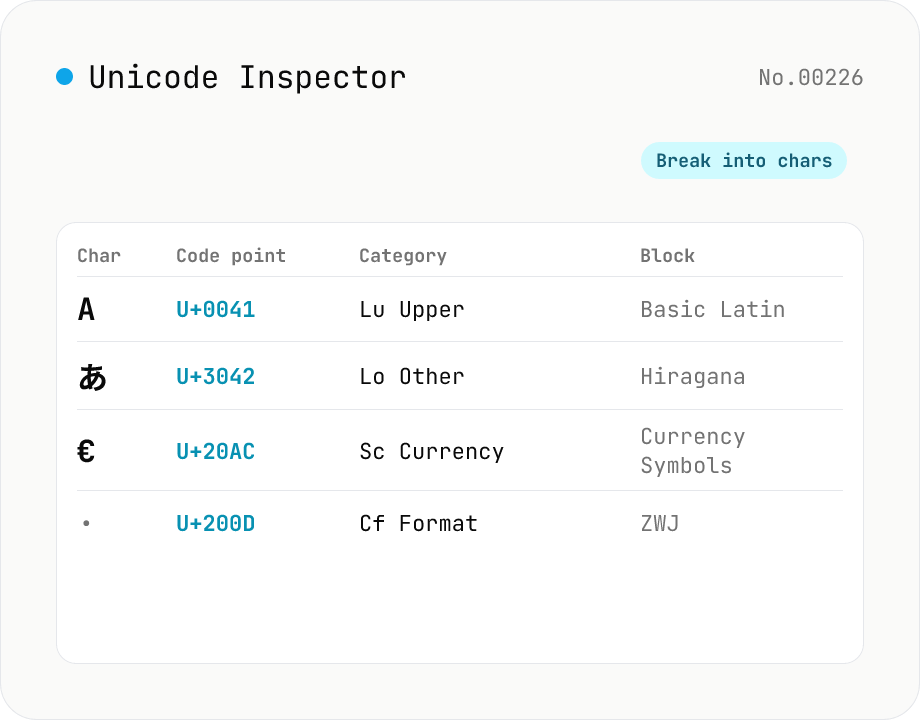
Break text into individual characters and show each one's code point (U+XXXX), decimal value, general category (letter / number / symbol, etc.), script (Latin / Han / Hiragana, etc.), Unicode block, UTF-8 / UTF-16 byte sequences, and HTML numeric entity. Surrogate-pair emoji, combining marks, zero-width joiners (ZWJ), control and invisible characters are detected and badged — handy for debugging mojibake and 'invisible character' bugs. Everything runs in your browser — your input is never uploaded.
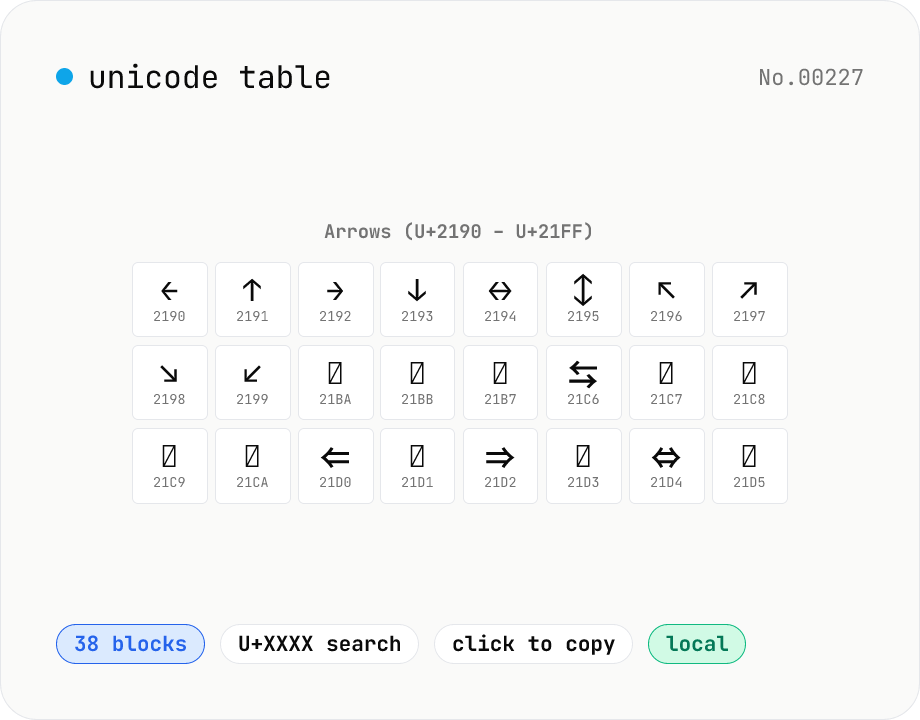
Unicode table — browse 38 major blocks at a glance
Pick a Unicode block (Basic Latin / Hiragana / Katakana / Greek / Cyrillic / Arrows / Box Drawing / Emoji, 38 in total) and see every glyph in a grid alongside its code point (U+XXXX). Click a cell to copy the glyph or HEX. Cross-block search supports queries like `arrow`, `矢印`, or `U+2190`. CJK and Hangul are capped at the first 256 entries to keep the page snappy. Perfect for hunting that exact symbol mid-design or mid-code. Everything bundled — runs in your browser.
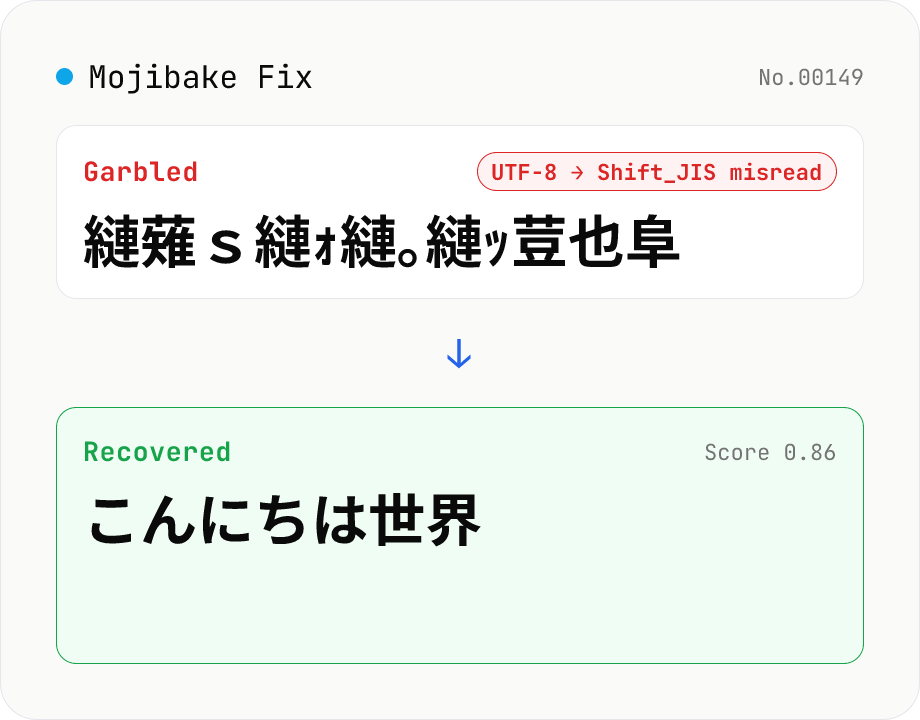
Mojibake Fix
Paste garbled Japanese text and recover the original. Tries every (source → misread) encoding pair (Shift_JIS / EUC-JP / UTF-8 / Latin-1), ranks candidates by Japanese-likeness score. Runs entirely in your browser.
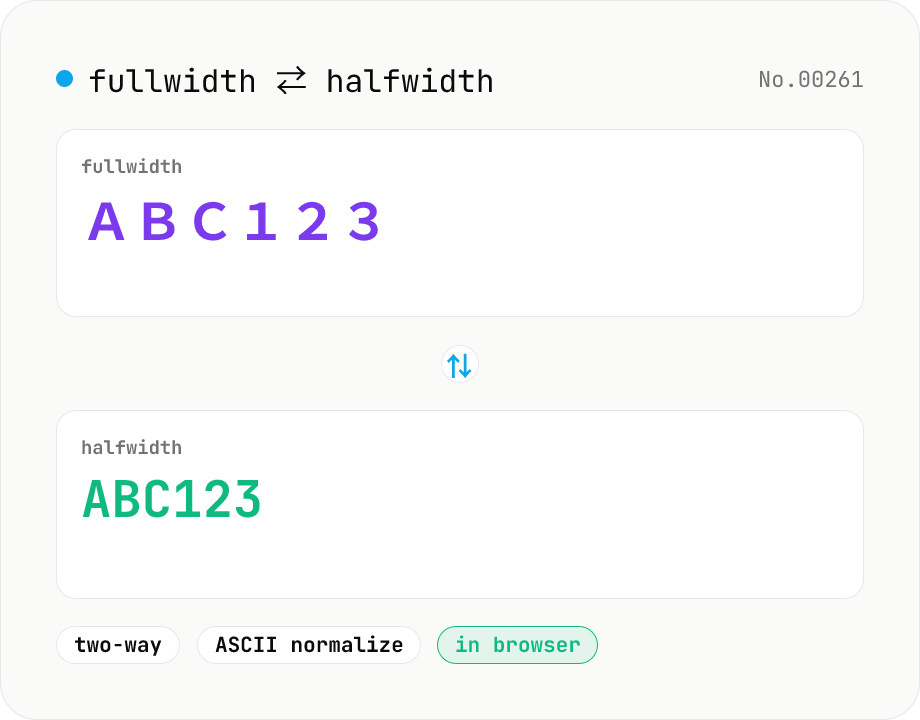
Fullwidth ⇄ Halfwidth converter — alphanumerics, kana, symbols
Convert between fullwidth ASCII (letters, digits, symbols) and halfwidth ASCII with a single mode toggle. Covers U+FF01–U+FF5E ⇄ U+0021–U+007E, plus the ideographic space U+3000 ⇄ ASCII space U+0020. Hiragana, katakana, and kanji are kept untouched. Runs entirely in your browser.