
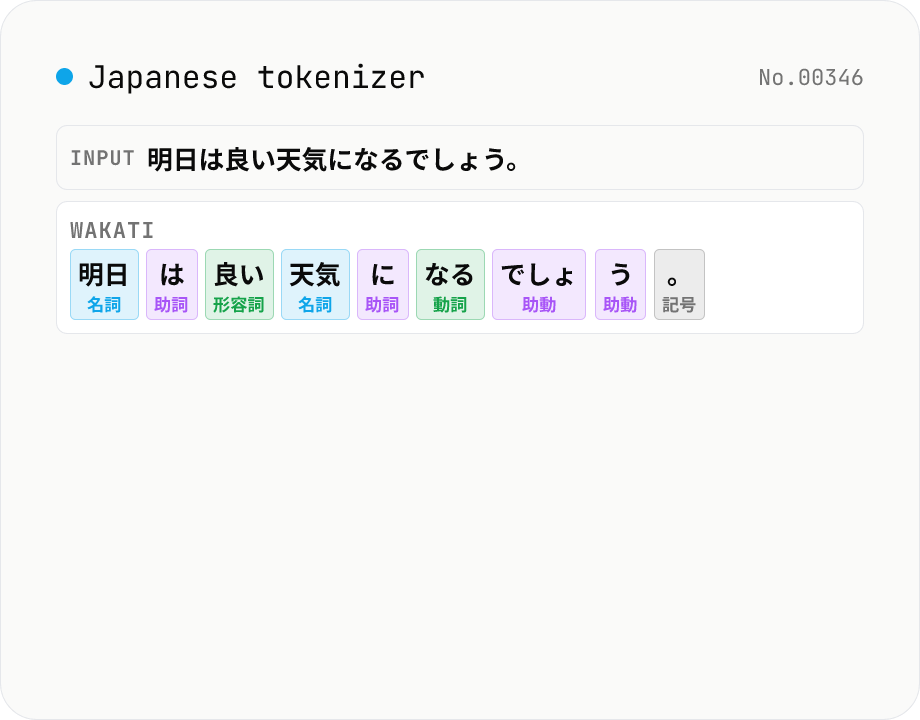
Japanese wakati / tokenizer — kuromoji morphological analysis with POS tags
Tokenize Japanese text with kuromoji (MIT) and produce **space-separated wakati** output. Useful for NLP preprocessing, search-index tokenization (Elasticsearch / Algolia / Meilisearch), training-data preparation for Word2Vec / fastText, or just debugging differences between GiNZA / MeCab / Sudachi. A detailed token table accompanies the wakati output with **surface form / POS (13 categories: noun, verb, particle, etc.) / POS subtype / conjugation / base form / reading / pronunciation**. Filter to keep only nouns, drop particles and symbols, or deduplicate tokens. Dictionary downloads once (~12 MB) and works offline after. Everything runs in your browser; text is never uploaded.
How to use
Paste Japanese text or pick a sample (tongue twister, newspaper-style, technical writing, conversation). The kuromoji dictionary is loaded into your browser (~12 MB on first run); tokenization runs immediately afterwards. Wakati (space-separated) output appears on top, followed by a token table with POS, conjugation, base form and readings. Filter by *Keep nouns only*, *content words only*, *drop punctuation*, *deduplicate*, or *use base form*. CSV export supported.
In depth
What ends up in a morphological analyser
Wakati tokenisation and morphological analysis are preprocessing steps — which means the text being processed is usually real production content. Verifying the tokenisation of a corpus before building an Elasticsearch index, checking how kuromoji splits sentences in a product search dataset, preprocessing a legal document collection for BERT fine-tuning, or confirming that a news archive tokenises correctly before word2vec training — these are the actual workloads. The text is not synthetic; it is business-sensitive or otherwise confidential.
The ‘content words only’ and ‘nouns only’ filter modes are particularly revealing: they distil a document into its semantically significant terms, effectively summarising it. Running that extraction on an unpublished article or an internal legal filing and sending the result to an external service is an indirect disclosure of the document’s content even before the full text is shared.
The risk of cloud NLP APIs for document preprocessing
Cloud NLP APIs — Yahoo! Text Analysis API, AWS Comprehend, Google Natural Language API — receive the full text of every document as a POST body. Their access logs contain that text. Many APIs’ terms of service permit using submitted data to improve the model or retrain the underlying system, which means your documents can become training data without your explicit consent.
Information security policies at many organisations explicitly prohibit submitting internal documents to external NLP services. Yet the ‘quick check’ use case — confirming how a tokeniser handles a particular sentence — often slips under that policy because it feels like a reference lookup rather than a data submission.
kuromoji IPADIC (~390k entries) running entirely in the browser
This tool runs kuromoji.js (Apache 2.0) with IPADIC (~390k dictionary entries, ~12 MB) inside the browser. Tokenisation, POS tagging, conjugation form extraction, base-form normalisation, and reading assignment all execute in the browser’s JavaScript engine. The filter operations (nouns only, content words, deduplicate, base form) are applied to the local result array. CSV export is generated via Blob + URL.createObjectURL — a purely local browser operation.
No text is sent to any server. Open DevTools → Network while running an analysis: after the one-time dictionary download, no outbound request contains your text. The same kuromoji IPADIC that powers Elasticsearch’s official kuromoji plugin is the underlying engine here — which also means the tokenisation output matches what you will see in a production Elasticsearch index.
Using it to verify preprocessing before running production pipelines
Before committing a tokenisation strategy for a production search index or an NLP training corpus, run representative sample documents through this tool. Check how the analyser handles domain-specific terms, proper nouns, and compound words. Verify that the ‘content words only’ filter leaves the expected vocabulary. Confirm that ‘base form normalisation’ handles the inflected verbs in your corpus correctly. All of that verification happens locally, on real documents, without those documents leaving your browser.
Once you are satisfied with the behaviour, implement the same kuromoji IPADIC configuration in your application stack. The browser-local preview and the production Elasticsearch kuromoji analyzer produce consistent output because they share the same dictionary.
IPADIC, UniDic, NEologd, Sudachi — comparing the major dictionaries
Several major Japanese morphological dictionaries exist, each with distinct design choices. IPADIC (used by this tool, ~390k entries) follows the IPA POS hierarchy (~70 fine-grained tags) and underlies Elasticsearch’s official kuromoji analyzer, making it the default for search-indexing workflows. UniDic (developed by the National Institute for Japanese Language and Linguistics, ~870k entries) uses short units that split 東京都 into 東京 + 都, suited to academic corpus analysis. mecab-ipadic-NEologd (~3.2M entries) extends IPADIC with continually-updated SNS, news, and proper-noun vocabulary — strong on neologisms like スマホ, 鬼滅の刃, ChatGPT.
Sudachi (developed by Works Applications, Apache 2.0) is a modern dictionary that offers three switchable splitting granularities A / B / C. For 東京都: A gives 東京 + 都, B gives 東京都, and C gives 東京都 as a named entity. With SudachiDict-full (~2.8M entries), multi-granularity output, and bindings in Java, Python, and Rust, it has gained adoption as a BERT tokeniser preprocessor. This tool stays with IPADIC because (1) output parity with Elasticsearch is genuinely useful for production pipelines, (2) the 12 MB dictionary fits a browser-local context, and (3) search-indexing is the most widely-deployed preprocessing use case. NEologd improves neologism coverage but pushes dictionary size beyond 100 MB — an unworkable trade-off in the browser. To extract token readings as hiragana or generate ruby-tagged HTML directly, kanji-to-hiragana and furigana-html reuse the same kuromoji pipeline.
Viterbi decoding and the inherent limits of morphological analysis
MeCab, kuromoji, and Sudachi all use the Viterbi algorithm internally. They enumerate all valid segmentations of the input — for 東京都内, candidates like 東京 + 都 + 内, 東京都 + 内, and 東京 + 都内 — and choose the path minimising the sum of dictionary cost (emission) and POS-to-POS connection cost (transition) via dynamic programming. IPADIC’s transition cost matrix has roughly 70 × 70 = 4900 entries, encoding statistical grammatical constraints like particles precede verbs and auxiliary verbs follow inflected words.
Viterbi has known limits. Unknown words (out-of-vocabulary tokens) are extracted heuristically by character class (katakana run, kanji run, symbol run), so proper nouns and technical terms are frequently mis-split. Homographs like 東風 (こち vs. とうふう) and 生家 (せいか vs. しょうか) require context-sensitive resolution that Viterbi cannot perform alone — BERT or RoBERTa style contextual models are needed. Long-distance dependencies — subject and verb separated by intervening clauses — also exceed Viterbi’s locally-optimal search; sentences like 京都に住んでいる友人が東京に来た resist a clean morphological-only parse. Production NLP pipelines often combine kuromoji output with Universal Dependencies parsing (GiNZA, spaCy Japanese models) or Transformer models (Tohoku BERT, Waseda RoBERTa) to handle these cases. The wakati output here is a general-purpose preprocessing input that feeds into any of those upstream layers.
FAQ
- How is this different from kanji-to-hiragana / furigana-html?
- kanji-to-hiragana converts text into full hiragana; furigana-html generates `<ruby>` HTML for web content. This tool focuses on **wakati + morphological detail** — NLP preprocessing, search-index tokenization, Word2Vec/embedding training data. Same kuromoji engine, different output and purpose.
- What is wakati for?
- (1) Tokenization for Japanese-aware search engines (Elasticsearch kuromoji analyzer, Algolia / Meilisearch Japanese mode); (2) preprocessing for Word2Vec / fastText / BERT training; (3) tf-idf / BM25 document vectorization; (4) sanity-checking GiNZA / spaCy pipelines.
- How many POS categories?
- kuromoji uses IPADIC with 13 major POS: noun, verb, adjective, adverb, adnominal, conjunction, interjection, particle, auxiliary verb, prefix, symbol, filler, other. Subtypes (1 – 4 levels deep) appear too — "noun → sa-irregular" or "noun → adjectival stem" for example.
- What does 'base form' (lemma) do?
- Replaces inflected forms (verbs / adjectives / auxiliaries) with their dictionary form. `走っ` → `走る`, `美しかっ` → `美しい`. Standard NLP lemmatization, useful for search-index normalization or term frequency analysis.
- What does 'content words only' keep?
- Keeps nouns, verbs, adjectives; drops particles (`が`, `は`, `を`), auxiliary verbs (`です`, `ます`), symbols, conjunctions, fillers (`えー`, `あー`). Good when you want semantic content for search keywords or embeddings.
- The 12 MB dictionary feels heavy.
- It loads once and is cached by the browser (HTTP cache / Service Worker); subsequent runs are offline. IPADIC is the standard Japanese morphological dictionary (~390k entries). Lighter dictionaries exist (NAIST-JDic) but kuromoji.js ships IPADIC by default.
- Is the dictionary or my text uploaded?
- No. The dictionary is bundled with the client; your text never leaves the browser.
How to verify nothing is uploaded
This tool never sends your input outside your browser. The pages below explain how it works, how to audit it, and how the site is run.
Related tools
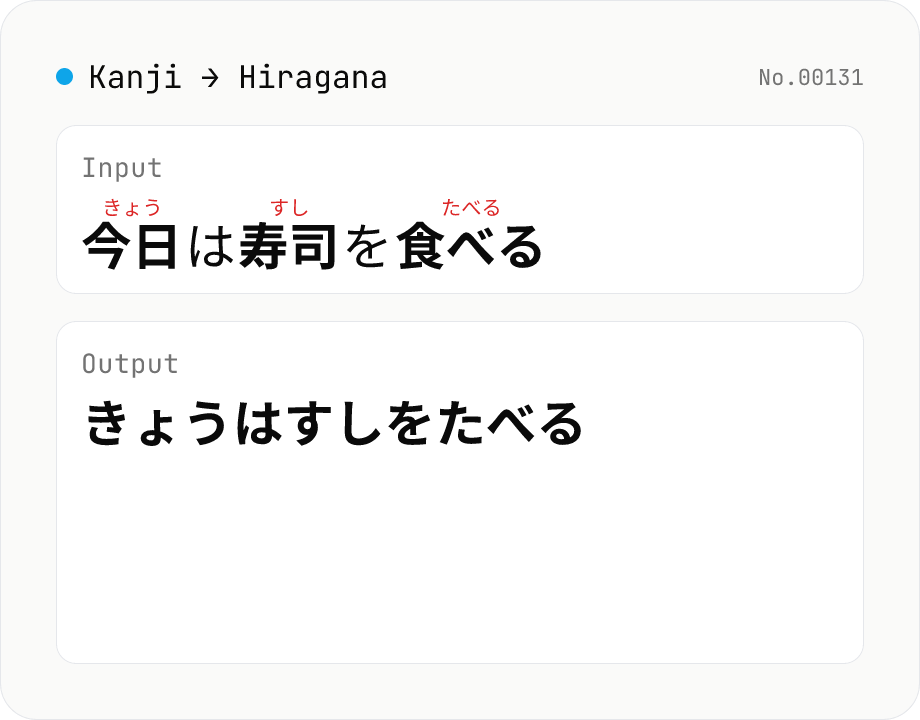
Kanji → Hiragana converter — kuromoji morphological reading
Convert Japanese text to hiragana using kuromoji morphological analysis. Choose between fully hiragana output, or a furigana mode that keeps kanji and adds hiragana ruby above. The dictionary downloads once and is then offline. Runs entirely in your browser.
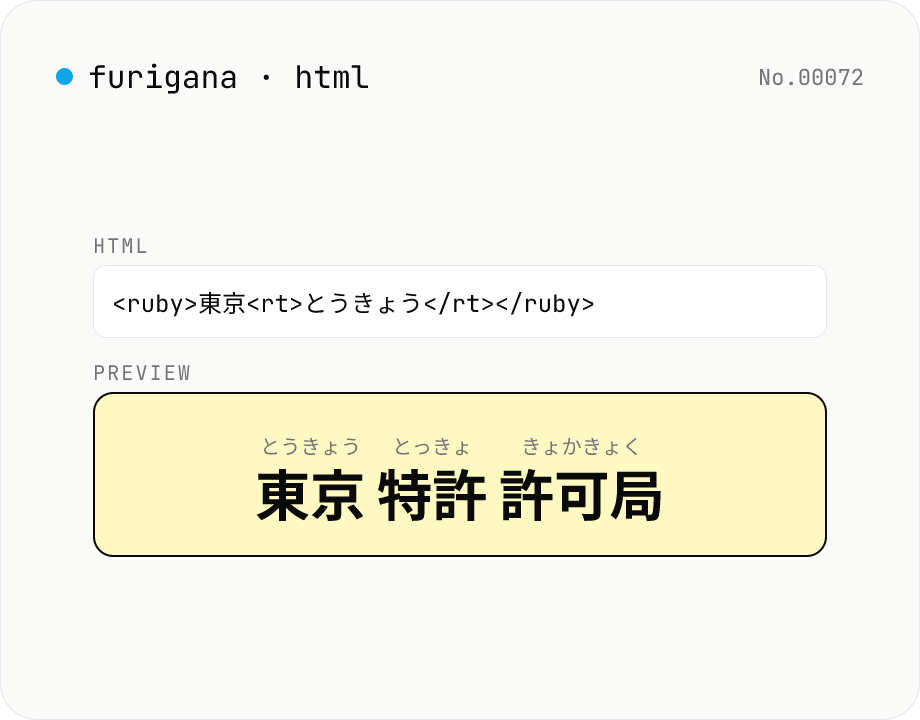
Furigana HTML generator — <ruby> ruby tags for kanji reading
Tokenises Japanese text with kuromoji and wraps each kanji token in `<ruby>漢字<rt>かんじ</rt></ruby>` markup. Copy the source and paste it into WordPress, any CMS, or a Markdown article. Furigana can be hiragana or katakana, with optional `<rp>` fallback for non-ruby browsers. Runs entirely in your browser.
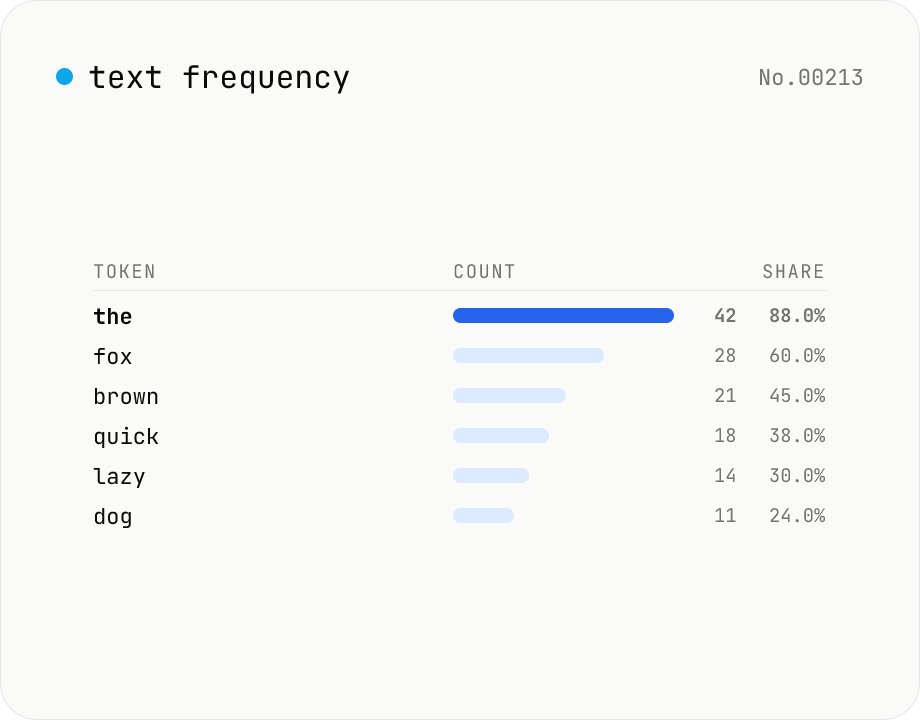
Text frequency — char / word / line tallies
Tally the occurrence of every character, word, or line in your text and rank them by frequency. Toggle case-insensitivity or whitespace stripping, then export the table as CSV. Runs entirely in your browser — drafts, logs, and chat transcripts stay local.
Character counter — chars / bytes / lines / words
Count characters, words, lines, paragraphs, and UTF-8 byte size in real time. Toggle whether whitespace and newlines are included. Progress bars show your text against common limits (tweets, 400-character genkō, etc.) — everything stays in your browser.