
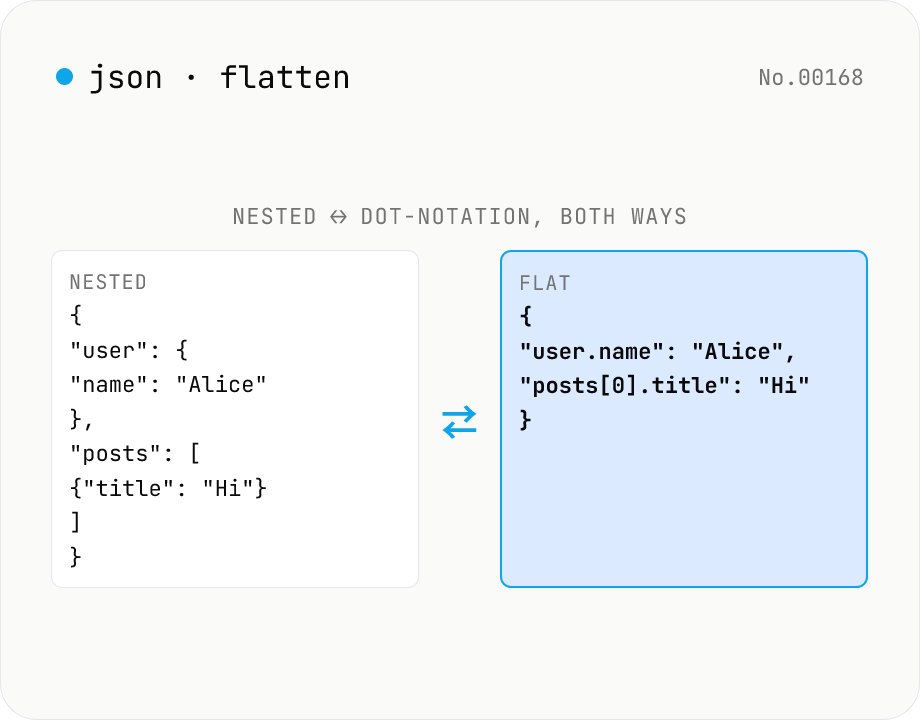
JSON Flatten / Unflatten — dot-notation keys round-trip
Flatten nested JSON into **dot-notation keys** (`user.address.city`) or **bracket notation** (`posts[0].title`), or unflatten flat key/value pairs back into nested structure. Mode toggle for both directions. Configurable separators (`.` / `/` / `["key"]`) and array styles (`[0]` / `.0`). Handy for `.env`-style key flattening, i18n key normalisation, pre-Excel/CSV export, and Algolia / Elasticsearch field shaping.
How to use
Toggle Mode between **Flatten** (`{a: {b: 1}}` → `{"a.b": 1}`) and **Unflatten** (the reverse). Arrays can use either `arr[0].x` (bracket) or `arr.0.x` (index). Separators: `.` (dot), `/` (slash), or `["key"]` (bracket). Toggle **preserve empty** to keep `{empty: {}}` as-is or strip it. Useful for i18n key normalisation, config-file integration (YAML ↔ .env), Algolia attribute indexing, Elasticsearch field flattening, Excel / CSV export prep, and MongoDB `$set` query generation.
In depth
The sensitivity of JSON structural data
JSON flatten and unflatten operations are most often applied to API responses, config files, i18n translation data, and database schema exports. These documents routinely contain customer data, API keys, database connection strings, and internal service endpoints. Flatten operations are particularly revealing: a key like \{"user.billing.card.last4": "1234"} makes the internal data model explicit — field names, nesting structure, and schema design all become readable.
Config files being restructured for CI/CD pipelines or environment variable injection are especially likely to carry secrets. The nested form may look opaque on first glance, which is exactly what leads developers to paste it into an external tool to inspect it — and by then the content has already left the machine.
Why online JSON tools are a poor fit for config data
Online JSON flatten tools receive the full JSON payload in their request body. Server access logs, application error logs, and analytics events can all capture that content. The more nested the JSON, the more information it carries in a single paste.
The sequence matters: you paste to understand what is inside, and only after reading the flattened output do you realise it contained a database_password or webhook_secret field. A local-only tool reverses the risk: you inspect the content in your browser, and nothing has left your machine regardless of what the data turns out to contain.
Recursive flatten/unflatten with no external dependencies
This tool parses input with JSON.parse, then walks the object tree recursively to join or split keys. No external library is needed. Three separator styles (., /, ["key"]) and two array notations (bracket [0] and index .0) are all handled in browser JavaScript. Leaf value types — number, string, boolean, null — pass through unchanged from JSON.parse. Numeric key segments are tracked as numbers so arrays reconstruct correctly on unflatten.
Input JSON lives only in page memory throughout the operation. There is no code path that sends data over the network. Config files with embedded secrets and API responses with personal data can be transformed, inspected, and copied without leaving the browser tab.
Safe preprocessing for data pipelines
Common workflows that benefit from local-only JSON transformation include flattening translation files before importing to Crowdin or Lokalise, converting nested config to .env-style keys for environment injection, generating MongoDB $set query payloads in \{"user.address.city": "Tokyo"} form, and preparing nested documents for CSV or spreadsheet export. In each case, the transformation touches data that may include personal or confidential fields. Keeping that processing in the browser means the pipeline never routes sensitive data through a third-party server. To pretty-print the result use json-format, and to pick out individual paths after flattening json-path-query is the matching tool.
Recursive algorithm and the key-collision trap
The flatten implementation is a depth-first recursive walk that carries the current key path (e.g. user.address) and joins child keys as it descends. Reaching a leaf value (number, string, boolean, null) records the full path and value into the output object. Arrays extend the path with [0], [1], … per element. Unflatten reverses this: split the key path on the separator, treat numeric segments as array indices, and treat string segments as object keys.
The classic gotcha is a key that already contains the separator character. {"foo.bar": "value"} flattens to itself, but unflattening it without escape handling produces { foo: { bar: "value" } } — silently losing the original structure. Some implementations support escaping (foo\.bar); others do not. If you hit this case in your data, switch the separator option in this tool to / or to bracket notation so the conflict disappears, rather than relying on escape semantics whose support varies.
Real-world differences in MongoDB, Elasticsearch, Algolia, and Crowdin
MongoDB’s $set accepts dot-notation paths ({ "user.address.city": "Tokyo" }) for targeted updates to nested fields. Arrays use a separate positional operator (posts.$.title), so flat dot-notation paths do not interoperate directly with array element targeting. Elasticsearch’s flattened field type (7.3+) collapses nesting at index time, but search queries still use dot-paths (field.subfield) — flattening only affects storage, not query syntax.
Crowdin and Lokalise accept either hierarchical keys (messages.button.submit) or flat keys (messages_button_submit) on import, but their export defaults vary by project settings. Algolia limits maximum nesting depth per plan tier, so flattening before ingest is a common preparatory step. Supporting three separators and two array notations in this tool is a direct response to those differences — pick the form your downstream tool expects, verify the output visually, and ship.
FAQ
- Is my input uploaded?
- No — `JSON.parse` + pure recursive flatten/unflatten, no external API.
- How does flatten work?
- Recursively joins object keys with the chosen separator: `{user: {name: 'Alice'}}` → `{"user.name": "Alice"}`. Arrays get index suffixes: `{posts: [{title: 'Hi'}]}` → `{"posts[0].title": "Hi"}` (bracket) or `{"posts.0.title": "Hi"}` (index).
- How does unflatten work?
- Splits each flat key by the separator, treats numeric segments as array indices and string segments as object keys, then reconstructs. Round-trip `flatten → unflatten` is preserved (with 'preserve empty' on).
- What if my key contains a literal dot?
- Ambiguous with dot separator — use `/` or `["key"]` instead. `{"a/b": 1}` → `{a: {b: 1}}`, or `{"[\"a.b\"]": 1}` keeps `"a.b"` as a single key.
- `[0]` vs `.0` array style?
- **`[0]`** visually separates keys from indices (`posts[0].title`) and matches JS / TypeScript syntax. **`.0`** is uniform path notation, matching MongoDB dot-notation and `lodash.set` paths. Pick whichever fits your tooling.
- What about empty objects / arrays?
- **Preserve empty** on (default): `{empty: {}}` → `{"empty": {}}` so round-trip survives. Off: empty containers are stripped. Keep it on if you want flatten→unflatten to round-trip cleanly.
- Use cases?
- (1) **i18n key normalisation** for Crowdin/Lokalise import. (2) **Config integration** — flatten a nested JSON config into `.env`-style keys. (3) **Algolia attribute indexing** of nested documents. (4) **Excel / CSV export** prep for nested data. (5) **MongoDB `$set` queries** in `{"user.address.city": "Tokyo"}` form.
- Are types preserved?
- Yes — leaf values keep their `JSON.parse` types (number / string / boolean / null). Numeric segments are tracked internally as numbers so arrays reconstruct correctly.
- Related Mode-toggle tools?
- `yaml-json-convert`, `toml-json-convert`, `csv-json-convert`, `xml-json-convert` — those are *format* conversions. This tool is *structural* conversion within JSON.
How to verify nothing is uploaded
This tool never sends your input outside your browser. The pages below explain how it works, how to audit it, and how the site is run.
Related tools
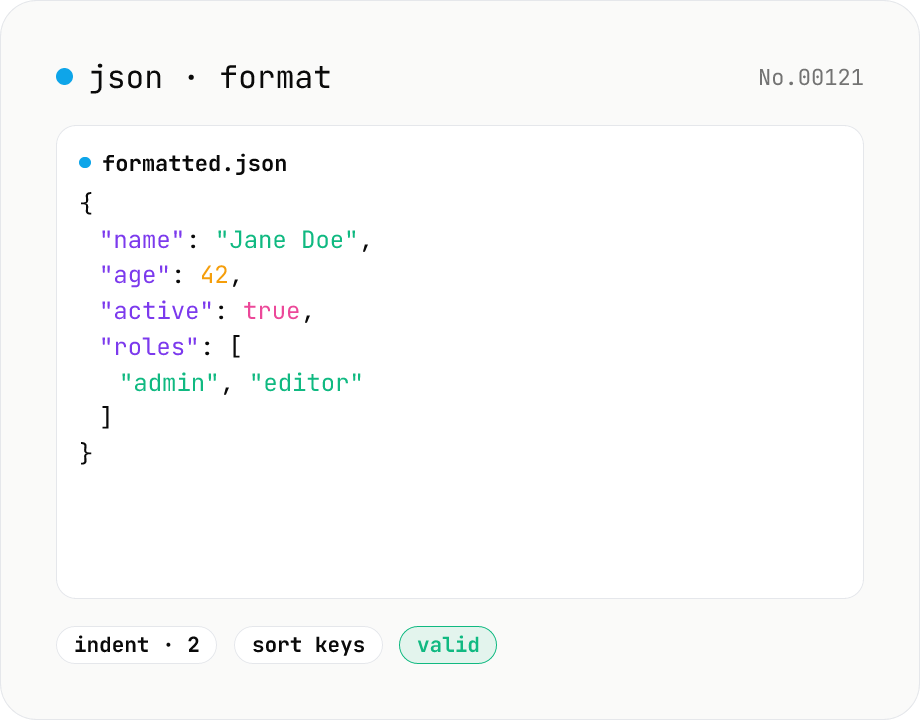
JSON format & validate — indent, minify, error pointer
Format, minify, and validate JSON entirely in your browser. Errors show the line and column. Your data never leaves your device.
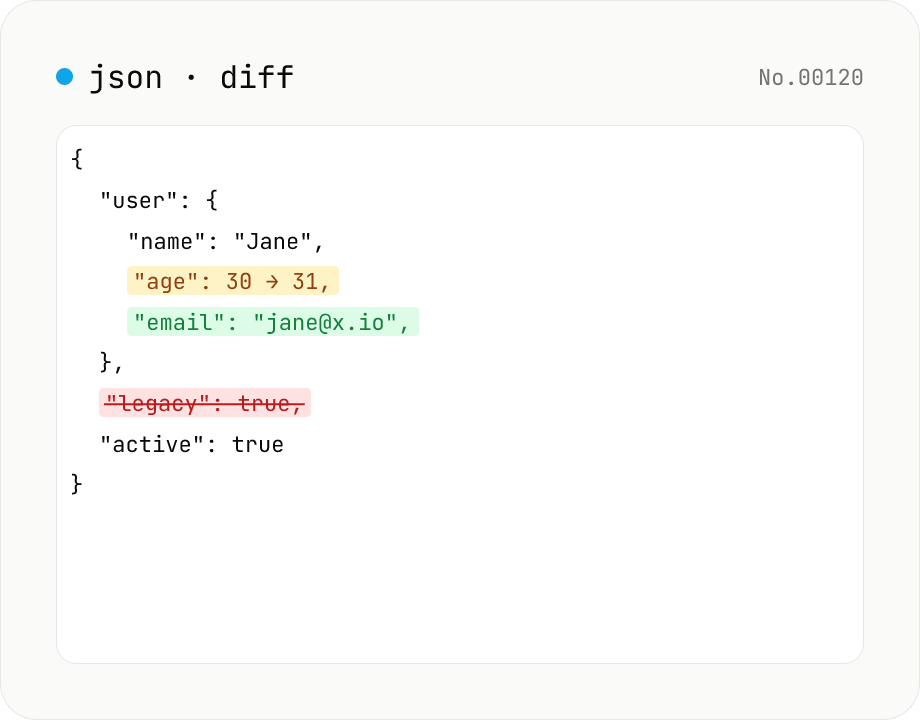
JSON diff — structural compare of two documents
Compare two JSON documents structurally. Walks nested objects and arrays recursively and highlights added / removed / modified / moved entries. Runs entirely in your browser.
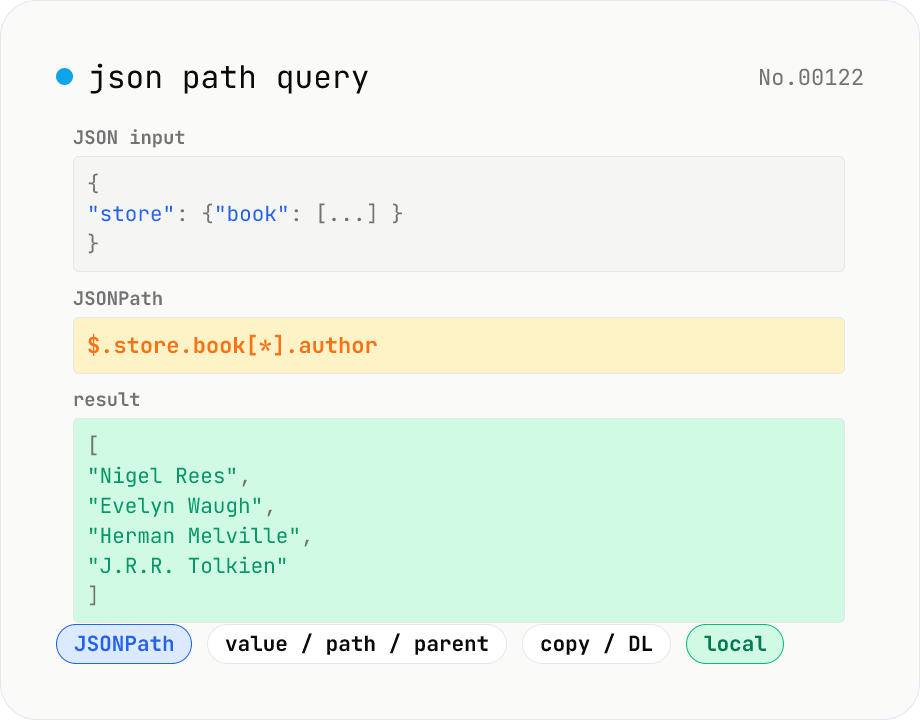
JSON Path query — query JSON trees with JSONPath
Run JSONPath queries (e.g. `$.store.book[*].author`) against JSON data and pull out exactly what you need. Powered by jsonpath-plus (MIT) inside the browser. Pick what to return — values, paths, or parent nodes. Great for slicing API responses, fishing specific fields out of logs, sanity-checking config files, or exploring JSON in DevTools. Filter expressions like `?(@.price < 10)`, recursive `$..`, and tag matches `[?(@.tag=='x')]` are all supported. Everything is evaluated locally — no upload.
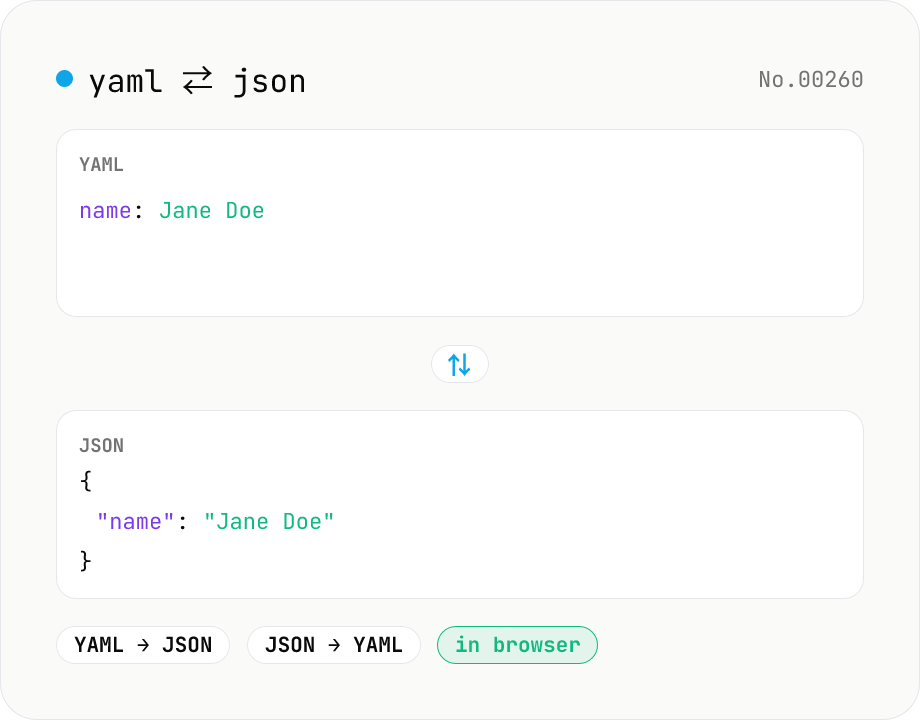
YAML ⇄ JSON converter — indent preserved
Convert YAML to JSON or JSON to YAML. Choose indent (2 / 4 / tab) and try the sample button. Powered by eemeli/yaml — runs entirely in your browser.