
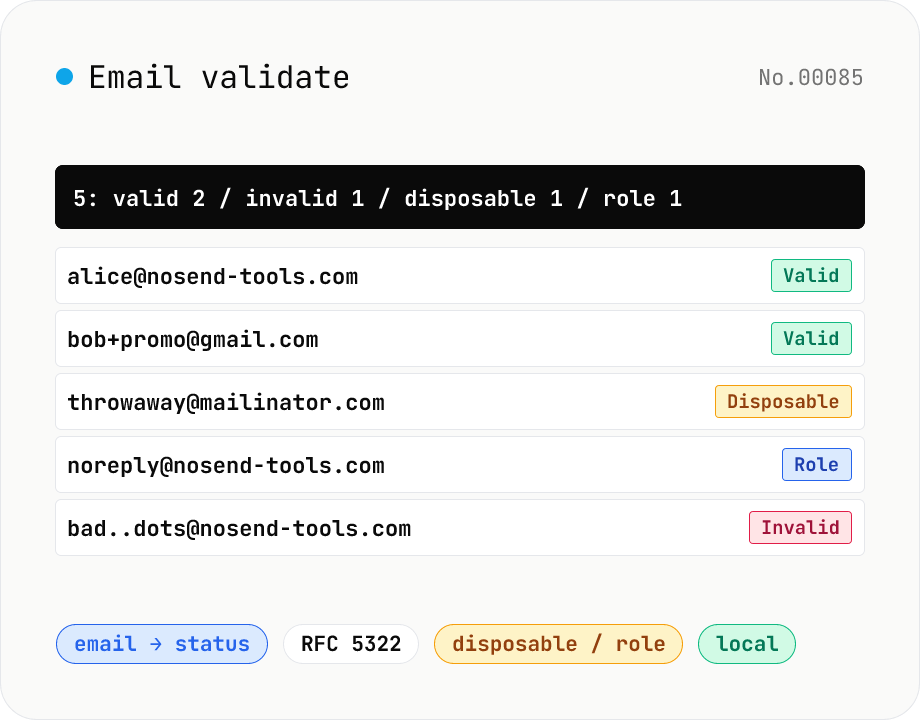
Email validate — RFC 5322 / disposable detection / role detection
Paste email addresses (one per line) to run RFC 5322-style syntax validation (local / domain / TLD / length limits), disposable-provider detection (mailinator / 10minutemail / guerrillamail and 100+ others built in), role-address detection (admin / support / postmaster / no-reply, etc.) and Gmail dot/+ tag normalisation — all in one pass. Results display as a table and export to CSV. Useful for sanitising lists before MailChimp / Stripe import, cleaning form-collected addresses, and predicting bounces before sending. Addresses stay in your browser — no upload.
How to use
Paste one email per line (you can paste a column from a CSV). Toggle the options for Gmail dot/+tag normalisation and case-insensitive comparison. Press Validate to run syntax / disposable / role checks at once. Use the result table to copy valid / invalid lists separately, or download the full report as CSV.
In depth
An email list is personal data — pasting it into an external service has consequences
An email address is an individual identifier. Under GDPR and most national privacy laws, a list of email addresses is personal data. Pasting a column from a CRM or mailing list into an online validator means sending that personal data to an operator you may never have directly contracted with. The guarantee that the list is not stored, sold, or used for targeting rests entirely on the operator’s stated policy and goodwill — neither of which is auditable in real time.
B2B contact lists and campaign subscriber lists carry additional risk: a competitor using the same validation service could, depending on the service architecture, indirectly benefit from cross-contamination. The customer list you sent “just to validate” can become part of the service provider’s business intelligence.
The structural problem with email validation APIs
Many email validation APIs advertise real-time DNS lookup and SMTP handshake to confirm address existence. Both features require transmitting the address to external infrastructure. DNS lookup logs record that a check was made for that address; SMTP probing opens a connection to the mail server and announces the address being tested. Checking whether an address exists by calling an external API necessarily creates evidence of that check at multiple network hops.
This tool performs neither DNS lookup nor SMTP probing. Instead, it applies RFC 5322 syntax checking, a build-time bundled disposable-domain list (100+ providers), and role-address detection entirely in your browser’s JavaScript engine. The trade-off is deliberate: client-side validation cannot confirm live deliverability, but it keeps the list on your device.
How syntax, disposable, and role checks work in the browser
The syntax check is a practical RFC 5322 subset implemented as a regular expression that matches what actual SMTP servers accept day-to-day, excluding theoretically valid but practically undeliverable forms. Disposable detection compares each domain against a static list (mailinator, 10minutemail, guerrillamail, temp-mail.org, yopmail, sharklasers, and 90+ others) bundled at build time. Gmail normalisation strips dots from the local part, removes +tag suffixes, and maps googlemail.com to gmail.com using string operations alone.
Every address lives only in browser memory. Open DevTools Network and click Validate: no request fires. The CSV download uses the browser’s download API, not a server endpoint.
Using it as a pre-send list hygiene step
Running your list through validation before a campaign or notification send reduces bounce rates and protects your sender reputation. The highest-value checks here are role-address removal (admin@, noreply@, postmaster@ raise spam-report risk disproportionately) and disposable-domain filtering (single-use addresses skew campaign analytics). The Valid / Invalid / Disposable / Role breakdown gives you clean cut-points to apply before import into your sending platform — without the list ever leaving your browser.
The practical subset of RFC 5322, 5321, and 6531
RFC 5322’s addr-spec grammar is famously permissive: it allows quoted local parts with commas and spaces ("Hello,World"@example.com) that real SMTP servers conforming to RFC 5321 will refuse. This tool deliberately implements the deliverable subset rather than the syntactic maximum — a regular expression that matches what production mail systems actually accept. It also checks the length limits from RFC 5321 §4.5.3.1: 64 octets for the local part, 255 for the domain, and 254 for the whole address.
Internationalised email addresses (EAI, RFC 6531) allow UTF-8 in the local part, e.g. 田中@example.jp. MTA support is still uneven, so this tool marks such addresses as syntactically valid but flags that deliverability depends on the recipient’s infrastructure. Domain Punycode conversion (xn--...) happens during transmission, so input can stay in Unicode. The +tag subaddress extension (RFC 5233) and Gmail’s dot-folding rule are both provider conventions, not core standards — useful for de-duplicating a list, but not portable across providers.
How the disposable list compares to DNS and SMTP probing
The bundled list of 100+ disposable providers covers mailinator, 10minutemail, guerrillamail, and the other long-running major services. New temporary-mail providers appear regularly, and a static list cannot keep pace with all of them. The pragmatic approach is to treat list hits as high-confidence positives (definitely disposable) and leave unknown domains as ordinary mail rather than over-rejecting.
This tool does not perform MX lookups or SMTP RCPT TO probes — both would require sending the address to external infrastructure, which conflicts with the no-upload policy. Even commercial APIs that do probe struggle with greylisting and catch-all configurations, producing false negatives. The realistic place to confirm deliverability is the bounce reporting of your actual sending platform (SendGrid, Postmark, and so on); this tool’s role is to remove the structurally obvious noise first, before the list is exposed to any external system. To slice the cleaned list by domain frequency or missing-value rate, csv-stats reads the exported CSV and surfaces per-column summaries, and url-parse handles any signup-source URLs that ship alongside the addresses in the same row.
FAQ
- How strict is the RFC 5322 conformance?
- We validate the practical subset that SMTP servers and ISPs actually accept day-to-day. Theoretically-valid forms like quoted-string local parts, comments, and IP literals — which bounce in practice — are flagged Invalid. We do not aim for full RFC 5322 / 5321 conformance.
- How often is the disposable list updated?
- We ship 100+ providers (mailinator, 10minutemail, guerrillamail, temp-mail.org, yopmail, sharklasers, fakeinbox, discard.email, …). The list is baked in at build time, so newer single-use providers may slip through.
- What does Gmail normalisation mean?
- Gmail ignores dots in the local part (foo.bar@gmail.com === foobar@gmail.com) and treats +tags as aliases (foo+spam@gmail.com lands at foo@gmail.com). With the option on, both are collapsed before dedup comparison and googlemail.com is normalised to gmail.com.
- Why care about role addresses?
- admin@, support@, postmaster@, noreply@ etc. belong to teams, not people. Marketing sends to them hit higher bounce / spam-report rates, and CAN-SPAM / GDPR consent is awkward. Most list hygiene playbooks suggest dropping them.
- Is anything uploaded?
- No. Validation runs entirely in your browser via JavaScript.
How to verify nothing is uploaded
This tool never sends your input outside your browser. The pages below explain how it works, how to audit it, and how the site is run.
Related tools
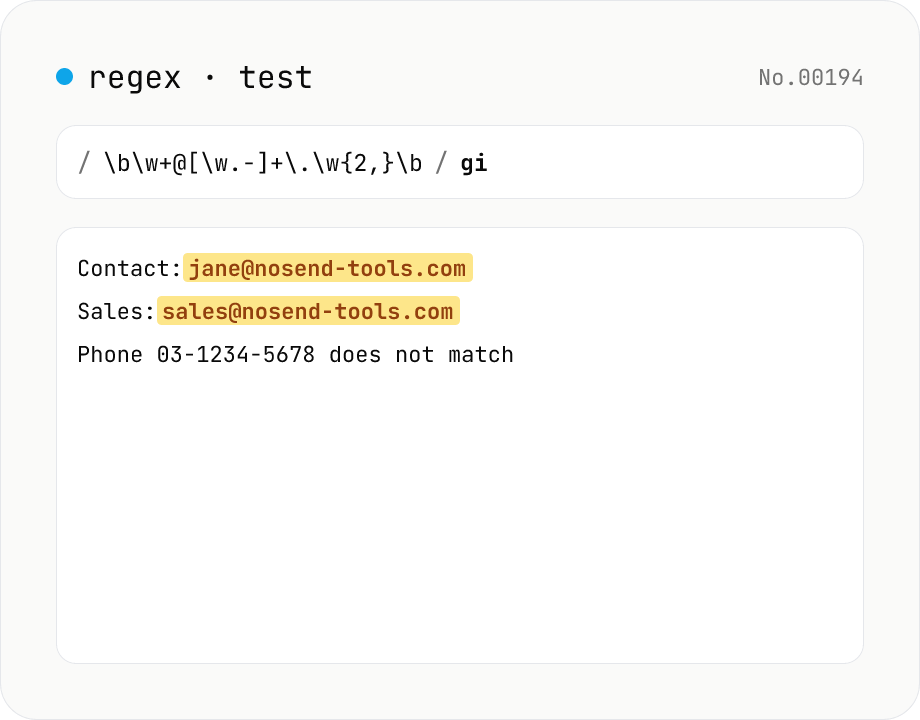
Regex tester — live match & replace preview
Type a pattern and flags to highlight matches in the test string in real time. Capture groups and named groups are listed for every match, and there's a replace preview using $1 etc. Runs entirely in your browser.
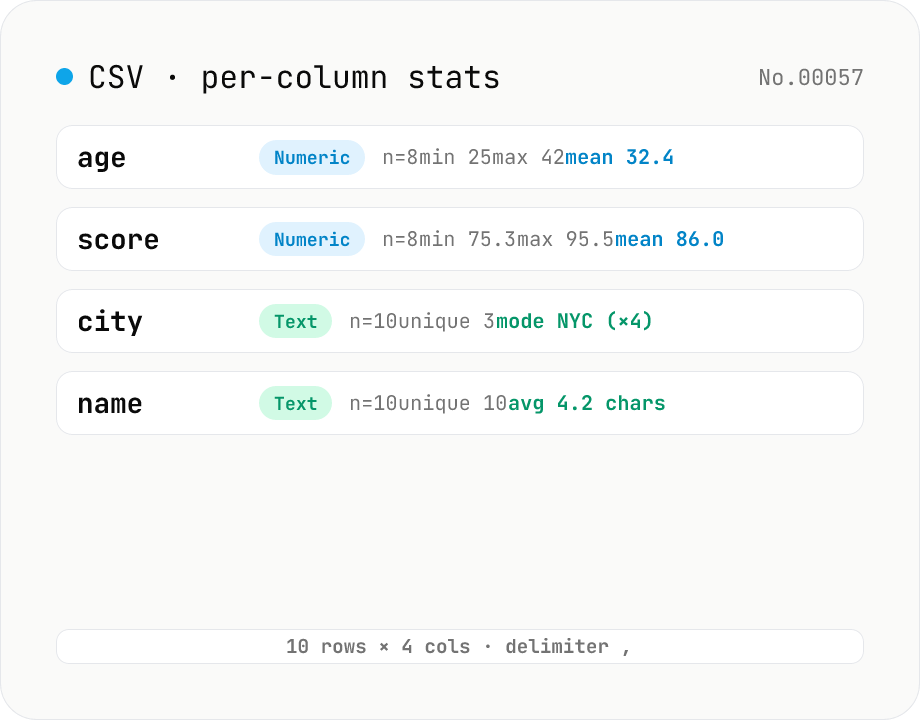
CSV stats — per-column count / unique / mean / median / stddev
Paste or drop a CSV and instantly see per-column row count, unique values, missing values, and inferred type. Numeric columns show min / max / mean / median / stddev / sum, text columns reveal the top mode and average length. RFC 4180-compliant parser (double-quote escapes), and the delimiter (comma / semicolon / tab / pipe) is auto-detected. Header row toggle plus empty / NULL / NA recognition as missing. Your raw data never leaves the browser.
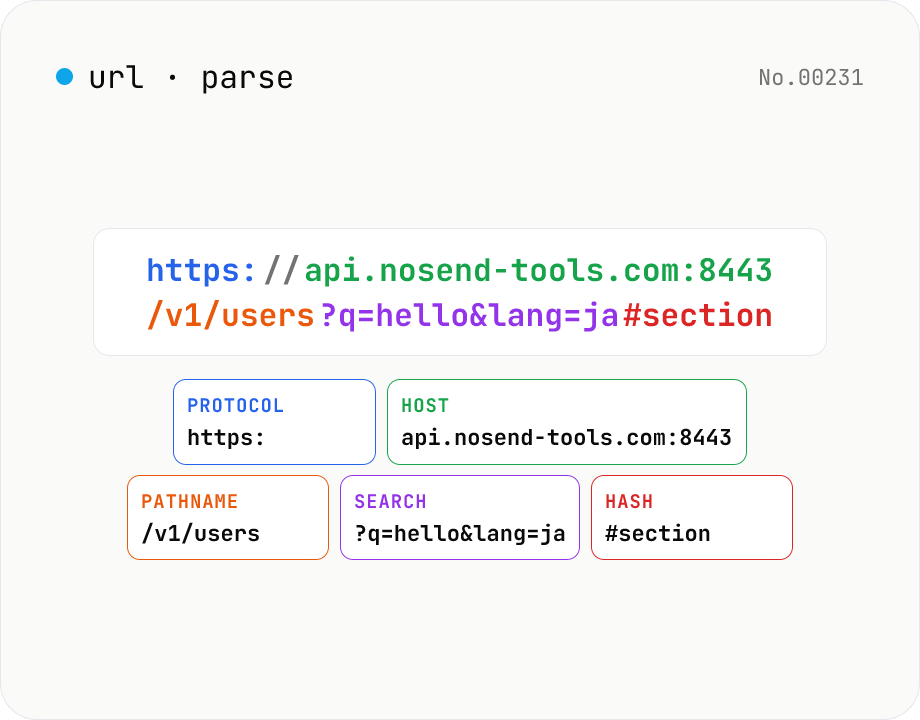
URL parse — host, path, query, fragment
Break a URL into protocol, host, port, path, query, hash, etc. with the browser's URL API. Query parameters are auto-expanded into a table (percent-decoded). Copy individual parts or download the whole breakdown as JSON. Runs entirely in your browser — your URL stays local.
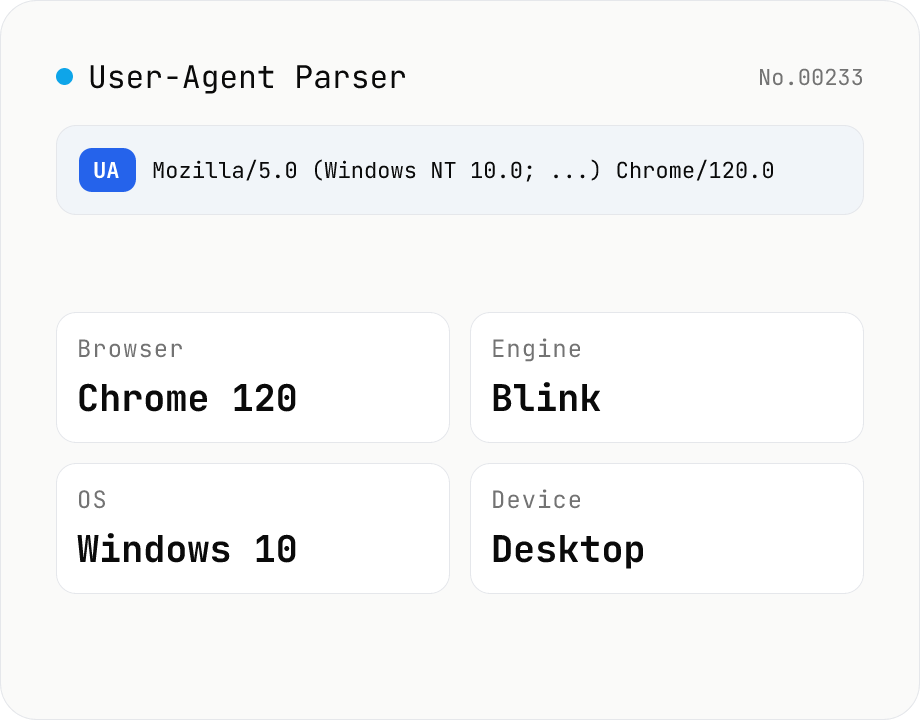
User-Agent Parser
Paste a User-Agent string to break it down into browser name and version, rendering engine, OS, device type (desktop / mobile / tablet) with vendor and model, and CPU architecture. Use the "This browser" button to inspect your own UA, or decode a UA pulled from server logs. Everything runs in your browser.