
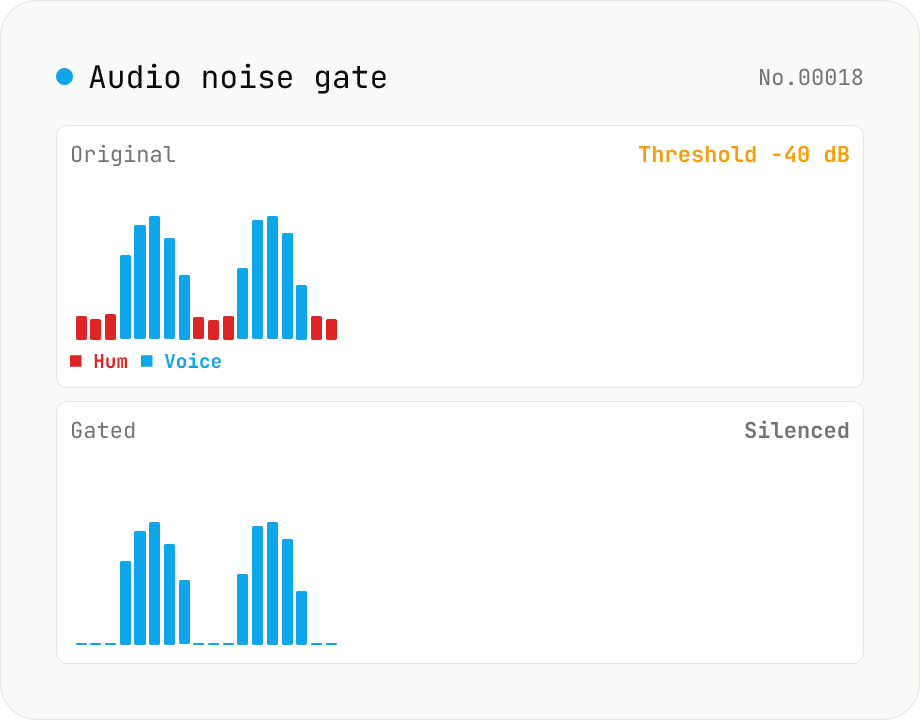
Audio noise gate — silence anything below the threshold, kill background hum between words
Soft-knee noise gate built on the Web Audio API. **Whenever the signal drops below your threshold, the gate clamps the volume to zero** — a classic dynamics tool for stripping mic hiss, fan noise, room HVAC and other background bleed from vocals, voice-overs and streams. Parameters: threshold (-80 to 0 dB), attack (0 to 100 ms, how fast the gate opens), hold (0 to 500 ms, how long the gate stays open after the signal drops back down), release (10 to 500 ms, how fast the gate closes), and reduction (-100 to 0 dB, how much you attenuate below the threshold). reduction = -100 dB gives full silence; -20 dB leaves a soft tail (handy when full silence sounds unnatural). Rendered offline via OfflineAudioContext with hand-rolled envelope tracking, output as 16-bit PCM WAV. Batch-process files and grab them as ZIP. Sits between `audio-compressor` (turn loud things down) and `audio-trim-silence` (cut leading/trailing silence). Everything runs in your browser.
How to use
Drop audio files (MP3 / WAV / M4A / AAC / FLAC / OGG / Opus). Adjust threshold / attack / hold / release / reduction or pick a preset (vocal / broadcast / game stream / drum / hard silence). Output is 16-bit PCM WAV. Multiple files can be saved as a single ZIP. Parameter changes trigger an automatic re-render (originals are kept).
In depth
The recordings that need noise gating have real-world contexts attached
Noise gating happens on specific kinds of audio: podcast episodes recorded in a room with an HVAC system, gaming streams where keyboard clatter bleeds into the mic, meeting recordings full of typing noise, vocal tracks where breath sounds need smoothing, interview audio with ambient background hum. In each case, the speech content — the actual words spoken — is the recording’s entire value.
A noise gate removes quiet sounds but does nothing to suppress the speech. The file going into the process contains everything. Uploading it to a cloud service for gating delivers the conversation along with the noise. The goal was to remove the hum; the outcome includes transferring the speech to a third-party server.
Cloud processing of voice recordings — what the transfer implies
Free audio processing services often sustain themselves by deriving value from uploaded content. Terms of service in this space routinely permit broad usage rights. Each parameter adjustment that triggers a re-render sends the file again. The interactive feel of tweaking a noise gate — rapid iterations, immediate playback — makes repeated uploads feel like a UI operation rather than multiple data transfers.
Voice is biometric-adjacent data. Regardless of what’s being said, the fact that a voice recording exists on a server means the speaker’s voice is there too. As voice fingerprinting and voice synthesis technology has improved, unnecessary external transfers of voice recordings carry more downstream risk than they did a few years ago.
Sample-level gate logic runs inside the Web Audio API
The tool decodes audio via decodeAudioData, then applies a per-sample gate: compute windowed RMS, compare against threshold, transition the gate state (open/closed) with attack and release ramps, apply gain reduction of reduction dB when closed. The result is written as 16-bit PCM WAV. A reduction value of -20 dB produces a soft gate that leaves residual room tone; -100 dB silences fully.
No sample data leaves the browser. Open DevTools Network and run a re-render by changing a parameter: no audio requests appear. The gate state-machine logic is in the GitHub source.
Setting the threshold and combining with other tools
The most useful measurement to take before setting a threshold is the noise floor level. audio-loudness-lufs can show you the integrated LUFS of a quiet section; set the gate threshold 3–6 dB above that number. Too low and you’ll clip the speech; too high and background noise leaks through in the pauses. If silence sits only at the head and tail of the recording, audio-trim-silence handles that case more cleanly than gating.
The classic broadcast chain is gate → compressor. Run the noise gate first in this tool (removes the floor), then run the WAV through audio-compressor (evens out volume variation). Check the result with audio-loudness-lufs and audio-true-peak before final export — all of this runs in the browser without any uploads.
Envelope tracking and the role of threshold, attack, hold, release
Inside the gate is an envelope follower tracking the input level, plus a state machine that compares the envelope to the threshold and switches gain between 1.0 (open) and the configured reduction (closed). This tool estimates level per sample using |sample| or a short RMS window (~5 ms), and smooths gain changes with exponential coefficients exp(-1 / (sampleRate · attackTime)). attack (0–100 ms) sets how quickly the gate opens to reach the target gain, release (10–500 ms) sets how quickly it closes. hold (0–500 ms) is a dwell time before the gate is allowed to close after the signal drops below threshold — without it, brief silences inside speech (between consonants, mid-breath) cause the gate to chatter open-and-closed, producing audible artefacts.
A reduction of -100 dB is full silence; -20 dB is a “soft gate” that leaves residual ambience so the cuts don’t feel abrupt. Cinematic dialogue mixing often prefers -15 to -20 dB to preserve a thin layer of room tone — total silence between lines feels artificial. Envelope detection is usually either RMS (closer to perceived loudness for sustained sounds) or Peak (faster response to transients); this tool’s absolute-value detection behaves like a peak-style follower, which handles sharp transients (keyboard clicks of 1–2 ms) appropriately.
Use-case patterns and where sidechain falls outside scope
For podcast and narration, a sensible starting point is threshold = -45 to -35 dB / attack = 5–10 ms / hold = 100–200 ms / release = 150–300 ms / reduction = -20 dB — preserves natural speech dynamics while cutting HVAC, fan, and keyboard noise by about 20 dB. Game-streaming mic chains lean faster: threshold = -50 dB / attack = 2 ms / release = 80 ms cuts mechanical keyboard clatter almost the moment it appears. Vocal recording wants very short attacks (1–3 ms) so the consonants s, t, k aren’t dulled.
Order in the chain matters. Gate → compressor is right because compressing first lifts the noise floor before the gate ever sees it, hurting SNR. Sidechain (ducking) — using one signal to gate another — is theoretically possible with this kind of architecture, but this tool runs the gate self-keyed (no external key input), so true sidechain compression / ducking is out of scope. Pitfalls: (a) a threshold set below the noise floor doesn’t gate anything, (b) a threshold set too aggressively cuts soft consonants and the trailing decay of words, (c) too-short release time makes gate transitions audible, (d) gating L and R independently on stereo material can desync the channels and hurt mono compatibility — this tool processes L and R in lockstep. A typical pre-export pass is audio-loudness-lufs for loudness and audio-true-peak for peaks.
FAQ
- How is a noise gate different from a compressor?
- A compressor **turns loud things down** (signal above the threshold gets attenuated). A noise gate **turns quiet things off** (signal below the threshold gets attenuated). Use a gate for mic hiss, fan noise, HVAC bleed; use a compressor to even out vocal levels. The classic streaming chain uses both in series: gate → compressor.
- How is this different from audio-trim-silence?
- trim-silence only cuts the **leading and trailing silence** once (ffmpeg `silenceremove`). This tool runs a **continuous gate** that attenuates below threshold throughout the whole recording — perfect for stripping the constant background hum from podcasts and streams.
- How do I pick the threshold?
- 1. Measure the quiet section (the noise floor) — `audio-loudness-lufs` or a meter works. 2. Set threshold 3 – 6 dB above the noise floor. If noise floor is -50 dB, threshold ≈ -45 dB. Too low cuts the voice; too high lets noise through. Iterate by ear.
- What is *hold* for?
- Without a hold time, the gate closes on the small silences between consonants and breaks the speech up. Hold keeps the gate open after the signal drops, so brief pauses don't trigger a close. Typical: 50 – 200 ms; shorter for fast speech, longer for slow.
- Reduction at -100 dB vs -20 dB?
- -100 dB silences fully. -20 dB drops the level by 20 dB while still letting some signal through (a *soft gate*). Hard silence can feel unnatural — broadcast engineers often prefer to leave 10 – 20 dB of room tone in, which is what -20 dB gives.
- Why WAV only?
- Browsers can't re-encode lossy formats (MP3 / AAC) natively. Feed the WAV into `audio-convert` if you need MP3.
- Is anything uploaded?
- No. Everything runs in the Web Audio API in your browser.
How to verify nothing is uploaded
This tool never sends your input outside your browser. The pages below explain how it works, how to audit it, and how the site is run.
Related tools
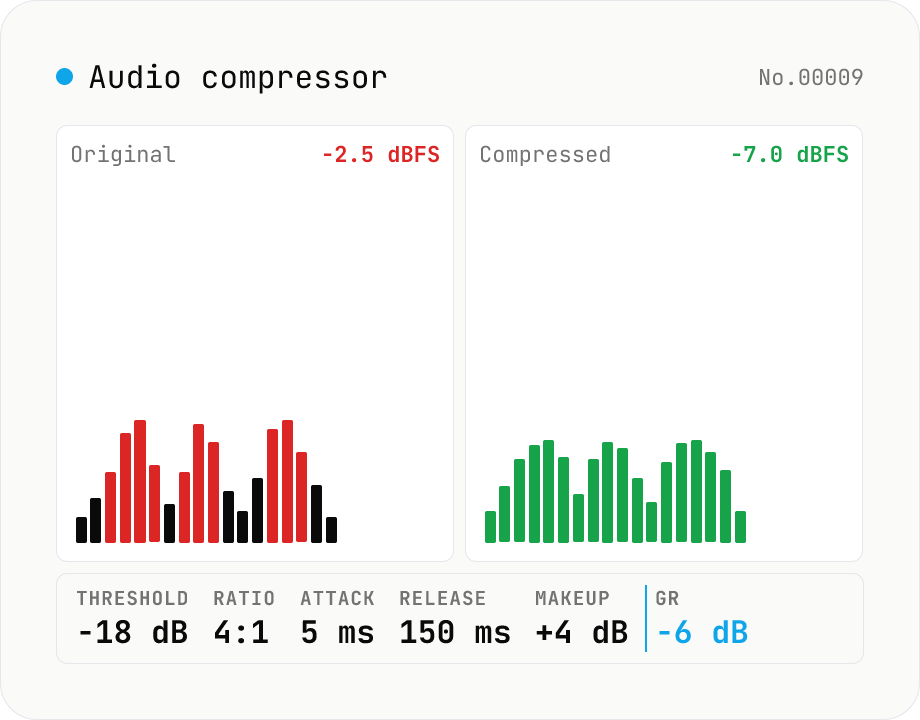
Audio compressor — tune threshold / ratio / attack / release and export WAV
Classic downward compressor backed by the Web Audio DynamicsCompressorNode. Pick threshold (-60 to 0 dB), ratio (1:1 to 20:1), attack (0 to 1 s), release (0 to 1 s), knee (0 to 40 dB) and an optional makeup gain (0 to 24 dB). Audio is rendered through an OfflineAudioContext (faster than realtime, independent of sample rate) and written out as 16-bit PCM WAV. Useful for taming vocals, narration, podcasts, drum buses or master-bus peak control. Pairs with `audio-volume` (broad gain), `audio-loudness-lufs` and `audio-true-peak` (metering only). Batch-process multiple files, save per-file WAV or grab them all as a ZIP. Audio stays in your browser — nothing is uploaded.
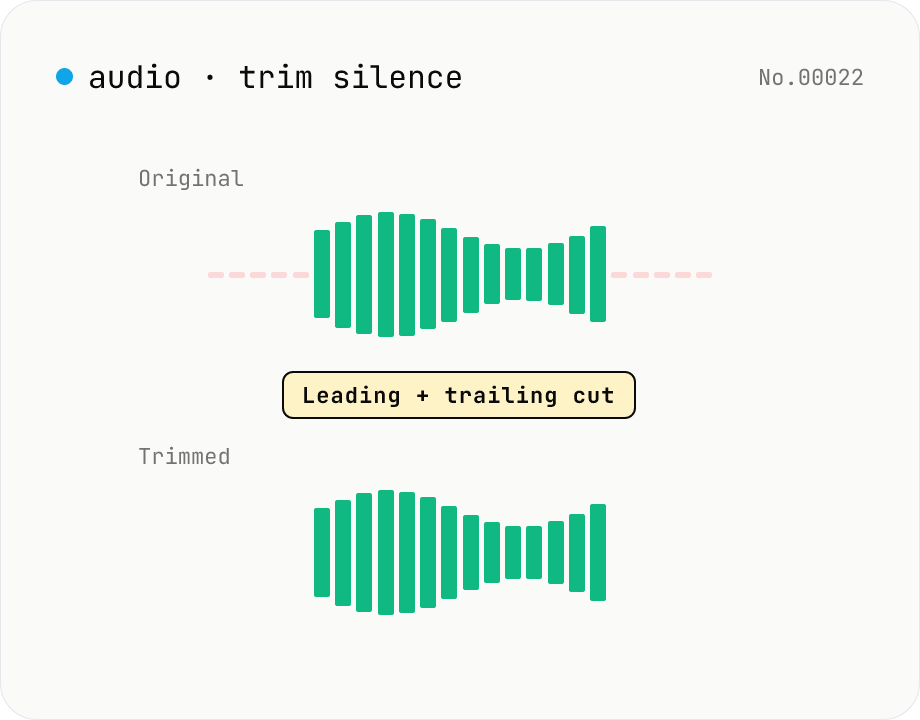
Trim silence from audio — auto-cut leading and trailing silence (ffmpeg.wasm)
Automatically trim the leading and trailing silence from MP3 / WAV / M4A / AAC / OGG / OPUS / FLAC files using ffmpeg.wasm's silenceremove filter. Great for removing dead air at the start of recordings, the awkward pause before a talk, or an unnecessarily long fade-out at the end of a podcast. Tweak the threshold (dB) and minimum silence length (seconds) and choose which side(s) to trim. Batch process and grab a single ZIP. Files never leave your device — every step runs in the browser.
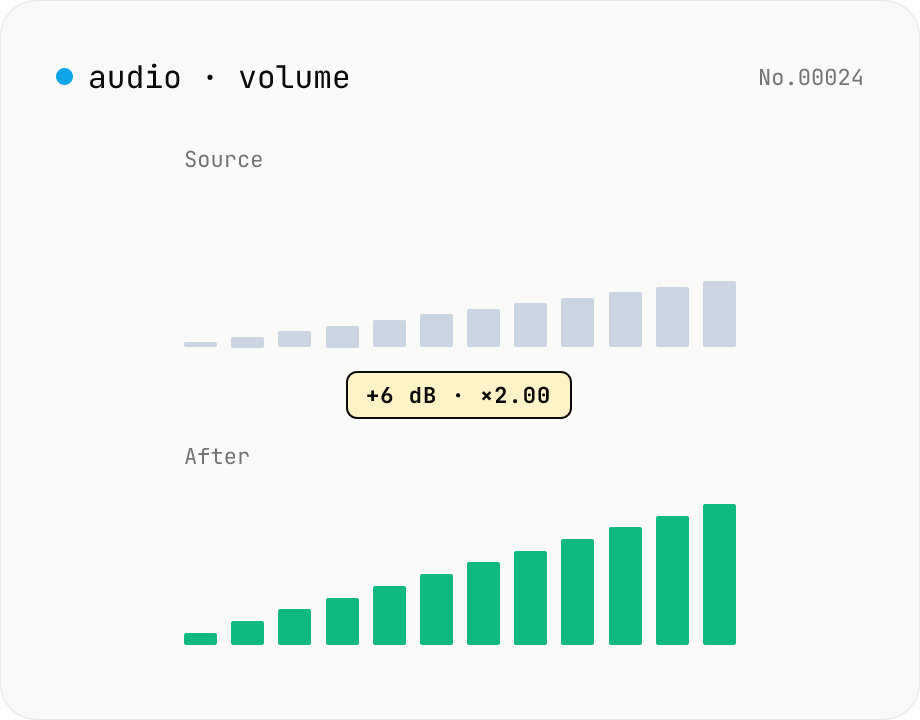
Audio volume — adjust by dB or linear multiplier
Adjust the loudness of audio files in bulk via ffmpeg.wasm's volume filter. Use the dB slider (-30 to +30 dB) or the linear multiplier (×0.03 to ×31.6). +6 dB ≈ 2x, -6 dB ≈ half. To avoid clipping, try negative values first and compare. Supports batch processing and a single ZIP download. Runs entirely in your browser — audio never leaves your device.
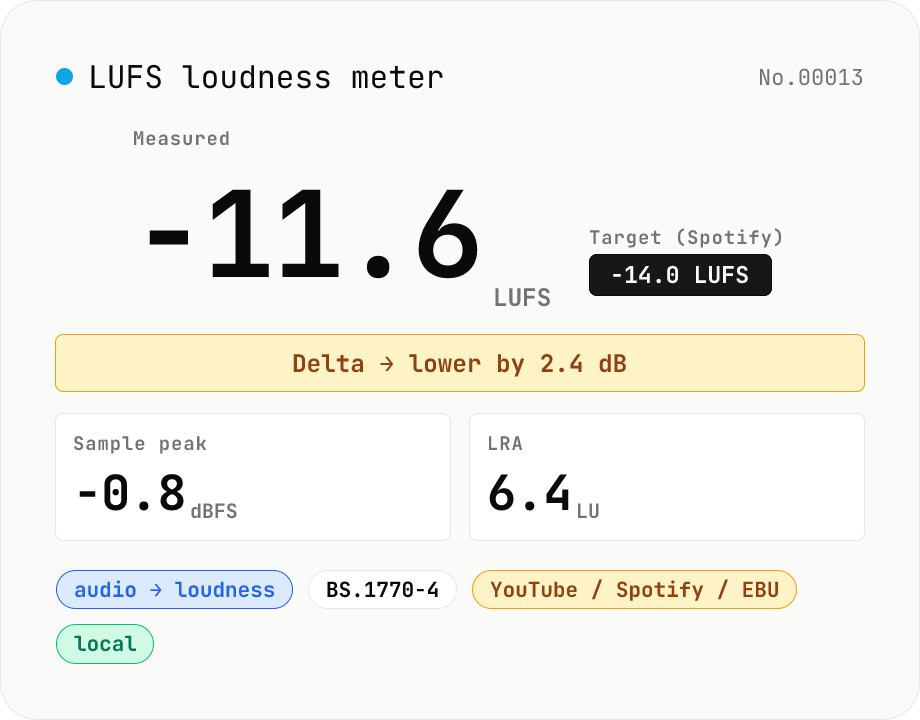
LUFS loudness meter — measure integrated loudness vs. streaming targets
Drop an audio file (MP3 / WAV / M4A / FLAC / OGG / Opus) to measure ITU-R BS.1770-4 Integrated Loudness (LUFS) / Loudness Range (LRA) / Sample Peak (dBFS) in your browser. Pick a streaming target (YouTube / Apple Music / Amazon Music: -14 LUFS, Spotify: -14 LUFS, Apple Podcasts: -16 LUFS, EBU R128 / broadcast: -23 LUFS) to see the delta in LU — telling you how many ±dB to push through audio-volume to match. Implements a K-weighting biquad, 400 ms square-window blocks, and absolute (-70 LUFS) + relative (-10 LU) gating, with ITU channel weights (L=R=C=1). Audio stays in your browser.