
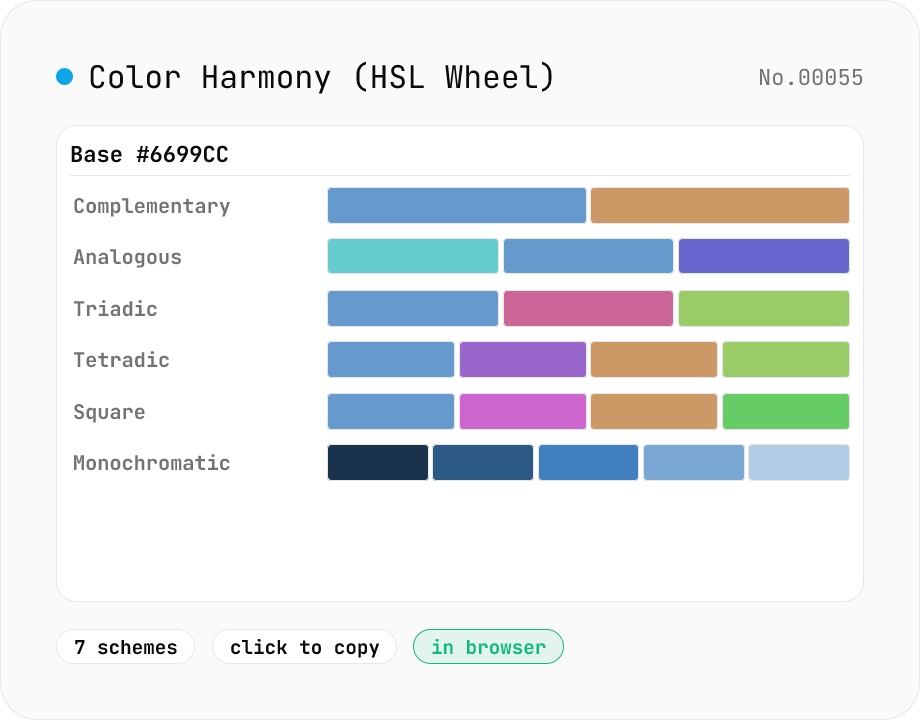
Color Harmony Generator (complementary / triadic / tetradic …)
Given a base color (HEX), the tool spins up seven classical color-theory palettes in one view: complementary, analogous, triadic, tetradic, split-complementary, square, and monochromatic (5-step lightness). Rotations happen on the HSL color wheel, and every swatch is one click to copy. Built for design systems, logos, and web theme colors.
How to use
Type a base color in HEX (`#FF0000`) or pick it visually, and the tool builds **seven color-theory palettes** at once: **complementary (180°)**, **analogous (±30°)**, **triadic (120° apart)**, **tetradic (rectangle)**, **split-complementary (180° ± 30°)**, **square (90° apart)**, and **monochromatic (same hue × 5 lightness steps)**. Everything is computed by rotating on the **HSL color wheel**. Click any swatch to copy its HEX to the clipboard, or hit *Copy all as CSS* to grab the whole set as CSS custom properties (`--color-comp-1: #...;` style). Use it for design-system base palettes, logo color exploration, web theme colors, and UI accents.
In depth
Brand colors carry unreleased intent
Color-harmony tools get used at the point when a brand color is still being decided: design-system foundation work, logo color selection, palette exploration for an unannounced product. The HEX you enter may be the primary color of a product not yet launched, a rebranding direction competitors shouldn’t know about, or a campaign theme still under wraps.
A single HEX value carries no personal data, but a brand’s color palette is part of its strategy. When an external service logs ‘user searched for complementary of #3B82F6,’ those logs accumulate a picture of a design direction. In industries where color is treated as intellectual property, even color-search logs can be sensitive.
Where online color-tool requests end up
Most online palette generators send the color value to a server — as a URL parameter, a request body, or a WebSocket message. The server’s access logs record which colors were queried, in which combination, at what time. Free services routinely use this data for ad targeting, usage analytics, or service improvement.
Even ‘anonymized for quality improvement’ clauses in terms of service can capture enough detail to reveal design direction, especially when multiple designers from the same organization repeatedly query the same brand color across sessions.
Pure HSL arithmetic running entirely in the browser
This tool converts the input HEX to HSL (Hue, Saturation, Lightness) and generates all seven schemes by rotating the hue angle on the 0–360° wheel. Complementary is h + 180°. Triadic splits at h + 120° and h + 240°. Analogous adds h ± 30°. All arithmetic — HSL back to RGB back to HEX — happens in JavaScript with no external dependency.
There is nothing to transmit and nowhere to transmit it to. The input color stays in browser memory from the moment you type it until you close the tab. Open DevTools Network and run through all seven schemes — zero requests appear. The implementation is public on GitHub.
Before you lock in the palette
Once you have a palette you like, verify it in context before committing. Check accessibility with the color-blindness-sim tool (does each color remain distinguishable for protanopia, deuteranopia, tritanopia?), check contrast ratios against WCAG AA / AAA with the color-contrast-checker, and preview both light and dark backgrounds. HSL-wheel harmony is a strong starting point; perceptual checks are how you confirm it works for real users.
HSL color wheel vs perceptual uniformity in sRGB / OKLCH
HSL was introduced by Joblove & Greenberg in 1978, expressing color as Hue (0–360°), Saturation (0–100%), and Lightness (0–100%). The geometric convenience is what makes it useful for harmony generation — complementary is +180°, triadic is ±120°, tetradic mixes 60° and 120° rotations, and so on. HSL is derived directly from sRGB and is natively supported in CSS as hsl(210deg 50% 60%).
The catch is that the HSL color wheel is not perceptually uniform. A 120° hue difference from red to green looks brighter on the green side; with L=50% fixed, yellow (H=60°) appears much lighter than blue (H=240°). sRGB is gamma-corrected for displays, not calibrated for human perception. For professional palette work, OKLCH (Björn Ottosson, 2020) provides perceptually uniform spacing and is standardised in CSS Color Module Level 4. Palettes from this tool can be transferred into OKLCH using color-converter for finer perceptual tuning before locking them into a design system.
Industry palette conventions and combinations to avoid
Common patterns by industry: B2B SaaS gravitates toward blue (Tailwind’s #2563EB / #3B82F6 and similar) with complementary orange as the accent — Stripe, Linear, and Slack are textbook examples. Fintech and banking lean on deep navy (around #1E3A8A) with gold accents in a split-complementary arrangement, signalling trust and tradition. Food and beauty brands often use analogous palettes (H=20° to H=60°, warm tones) to evoke appetite and skin warmth.
Combinations to avoid: (a) analogous hues so close they fail to distinguish primary from secondary, (b) complementary pairs at 50/50 area share, which creates color vibration that hurts to look at, (c) over-reliance on fully saturated S=100% swatches that produce visually fatiguing UIs. The practical workflow is to pick two or three colors from the generator’s seven schemes and expand each into a design-system scale using tints (mixed with white) and shades (mixed with black). Material Design and Tailwind both ship 11-step scales (e.g. blue-50 through blue-950) built on exactly this pattern. Feeding the two or three chosen swatches into color-blend interpolates an N-step gradient between any pair, which is a quick way to draft those tint/shade ramps from a single starting palette.
FAQ
- Is my input uploaded?
- No. Everything runs in your browser — HSL ↔ RGB is pure arithmetic.
- When should I use which scheme?
- **Complementary**: max contrast (red / cyan), great for banners and CTAs. **Analogous**: gentle neighbours, ideal for gradients and backgrounds. **Triadic**: vivid and balanced, a logo / illustration default. **Tetradic**: four-color rectangle, rich for multi-category palettes. **Split-Complementary**: complement softened by ±30°, beginner-friendly. **Square**: four colors 90° apart, the most balanced four-color scheme — perfect for four-section UI. **Monochromatic**: same hue at five lightness steps, classy / dark UI.
- Why HSL and not RGB for the math?
- RGB is a display space — hue isn't an independent dimension. Color theory (complementary, triadic, analogous) is defined on the **hue wheel**, so the standard implementation is HSL: rotate `h` then convert back to RGB. OKLCH would be more perceptually uniform; this tool sticks with HSL to match classic textbooks.
- Any complement pairs worth memorising?
- Red ↔ cyan, blue ↔ orange, green ↔ magenta, yellow ↔ purple. Red `#FF0000` → cyan `#00FFFF`; green `#00FF00` → magenta `#FF00FF`. (Complements are 180° apart, so RGB-wise it's the same as `255 − R, 255 − G, 255 − B`.)
- What's the monochromatic 5-step ladder good for?
- Dark- / light-mode pairing, button hover / active states (±10–20% lightness), card layering. We pick `l = 0.2 / 0.35 / 0.5 / 0.65 / 0.8`. Sub-divide further for Tailwind-style `50 / 100 / 200 … 900` shades.
- How do I push these into Figma / Sketch?
- Click a swatch — its HEX goes to your clipboard. Paste it into a Fill field. *Copy all as CSS* dumps `--color-name-1: #...;` lines you can paste straight into globals.css.
How to verify nothing is uploaded
This tool never sends your input outside your browser. The pages below explain how it works, how to audit it, and how the site is run.
Related tools
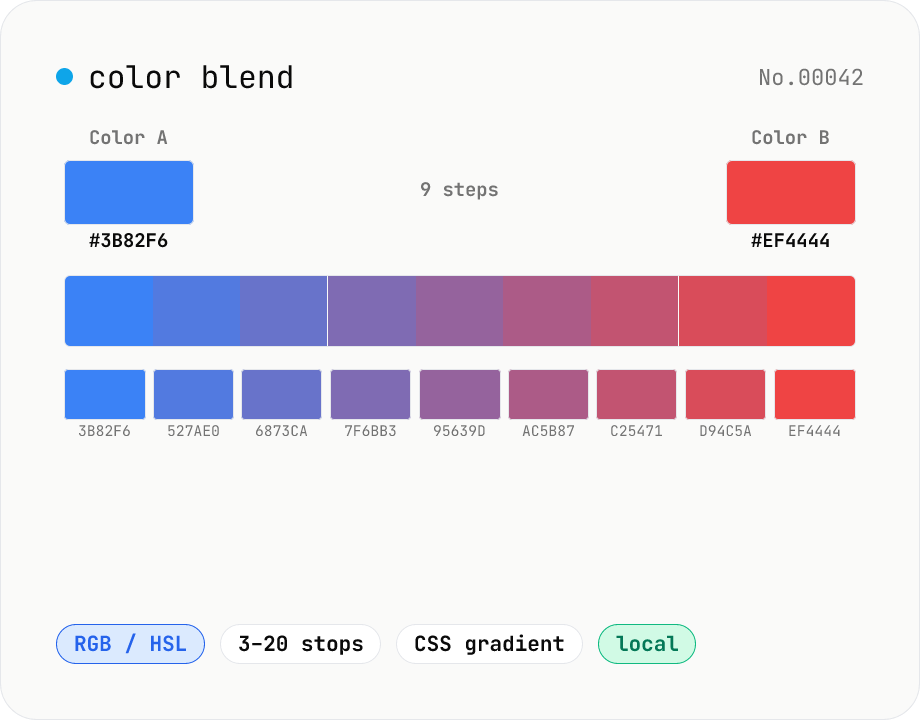
Color blend — interpolate two colors into an N-step palette
Interpolate between two colors (HEX or CSS names) to build an N-step palette. Two modes: RGB (straight RGB lerp) and HSL (hue traversal via shortest path). Great for Tailwind-style 11-shade scales, design-token shade generation, intermediate samples for `linear-gradient`, or stepped color ramps for accessibility. Click any swatch to copy its HEX; the full CSS `linear-gradient` string is also one click away. Everything runs in your browser.
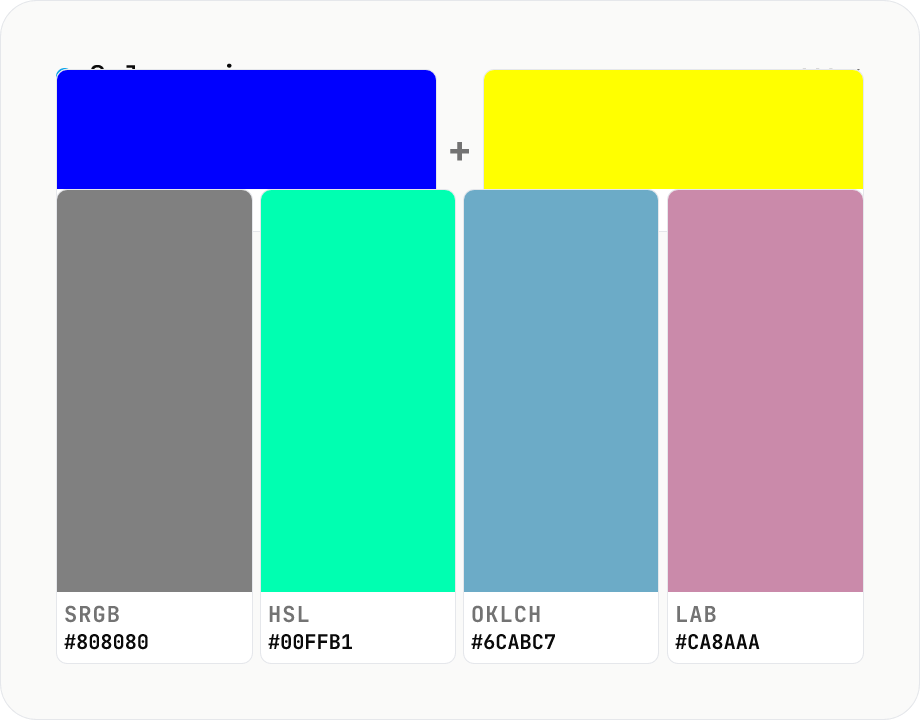
Color mixer — blend N colors in sRGB / HSL / OKLCH / LAB side by side
Mix 2 – 8 colors with per-color weights and compare the result across **four color spaces (sRGB / HSL / OKLCH / LAB)** in one view. Mixing blue and yellow in sRGB looks muddy and green-ish; in OKLCH it lands at a vivid neutral — the classic color-science gotcha, visualized. Useful for generating design-token mid-points, brand-color tints / shades, and comparing perceptual deltas between A/B color picks. Adjust per-color weights (0.0 – 1.0) and mix three or more colors at once. Complements `color-blend` (interpolate two colors into an N-step palette); this tool focuses on **N → 1 mix + color-space comparison**. Copy any swatch as HEX / CSS instantly. Runs entirely in your browser — nothing is uploaded.
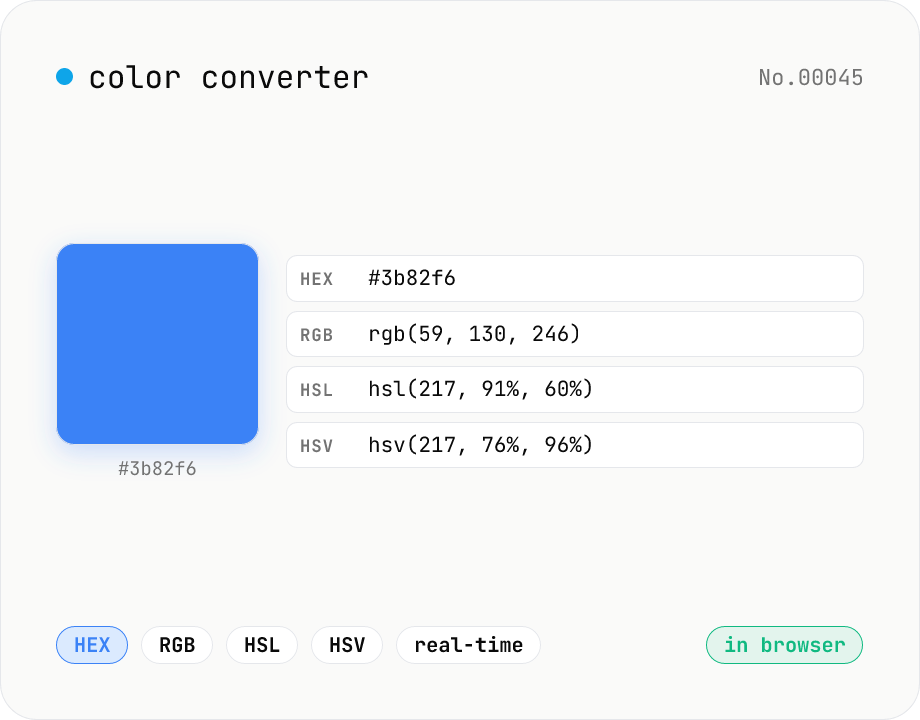
Color converter — HEX / RGB / HSL / HSV
Convert colors between HEX, RGB, HSL, and HSV in real time with a built-in color picker. Edit any field and the other three update instantly. Runs entirely in your browser — your color values never leave the page.
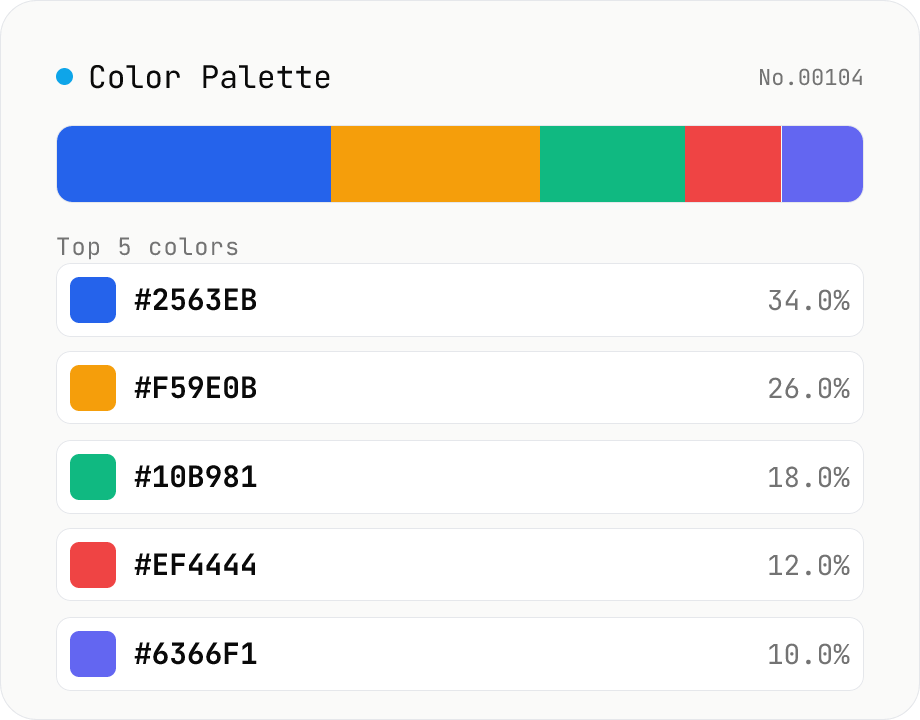
Image Color Palette Extractor
Drop an image to extract its dominant colors via median-cut quantization, with each color's HEX / RGB value and share. Choose how many colors (4–16) and see the balance in a proportional bar. Click a color to copy its HEX, or copy the whole palette as a HEX list, CSS variables, or JSON. Images are analyzed entirely in your browser and never uploaded.