
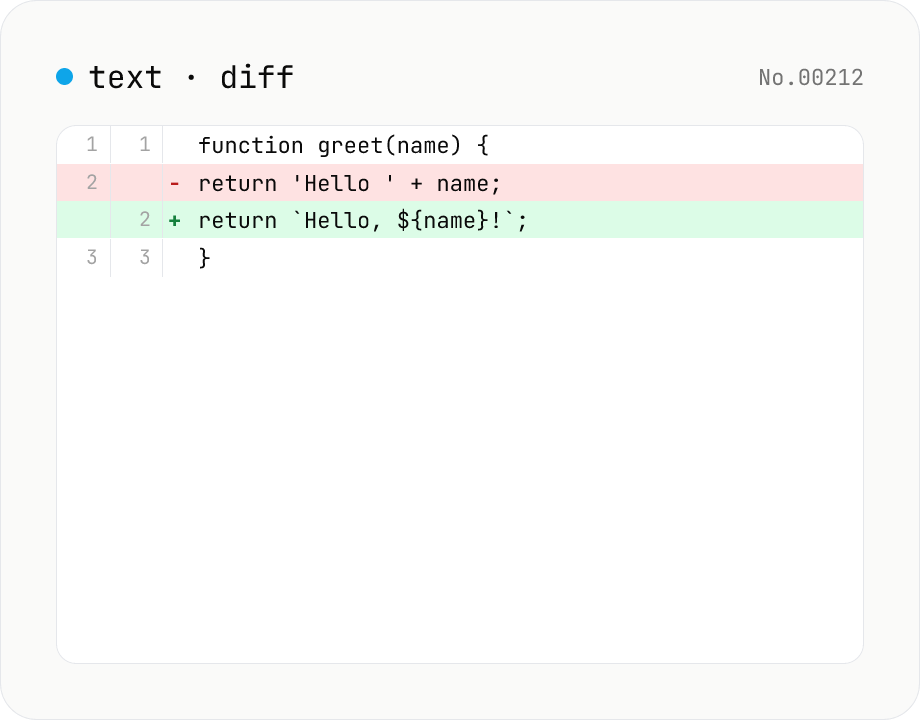
Text diff — line and word-level compare
Compare two texts line by line. Supports inline and side-by-side views, word-level highlighting, and ignoring surrounding whitespace. Runs entirely in your browser.
How to use
Paste the two texts into the left and right textareas. Switch between Inline and Side-by-Side views, optionally enable word-level diff, and tune the comparison with the Ignore whitespace (strips all whitespace in each line, not just leading/trailing) and Ignore case checkboxes. The toggles only affect comparison — the displayed text is always the original. Additions and deletions are highlighted; stats (additions / deletions / identical lines) appear at the bottom. Use Sample to try the tool quickly.
FAQ
- Is text uploaded?
- No. The diff is computed entirely in your browser; no input data is transmitted.
- Is there a size limit?
- It's memory-bound. Tens of thousands of lines work but become sluggish.
- Can I diff binaries?
- No, this tool assumes text input.
- What does Ignore whitespace mean?
- Each line is compared after stripping all whitespace (spaces, tabs, newlines) — not just leading/trailing. So 'a b' and 'ab' are treated as the same line. The displayed text still shows the original.
- Is Ignore case ASCII-only?
- It uses JavaScript's `toLowerCase()`, so Unicode casing is handled. Display preserves the original casing; only the comparison key is lowercased.
- What if both toggles are on?
- Both apply. Whitespace is stripped first, then the result is lowercased, so 'Hello World' and 'helloworld' compare as identical.
Related tools
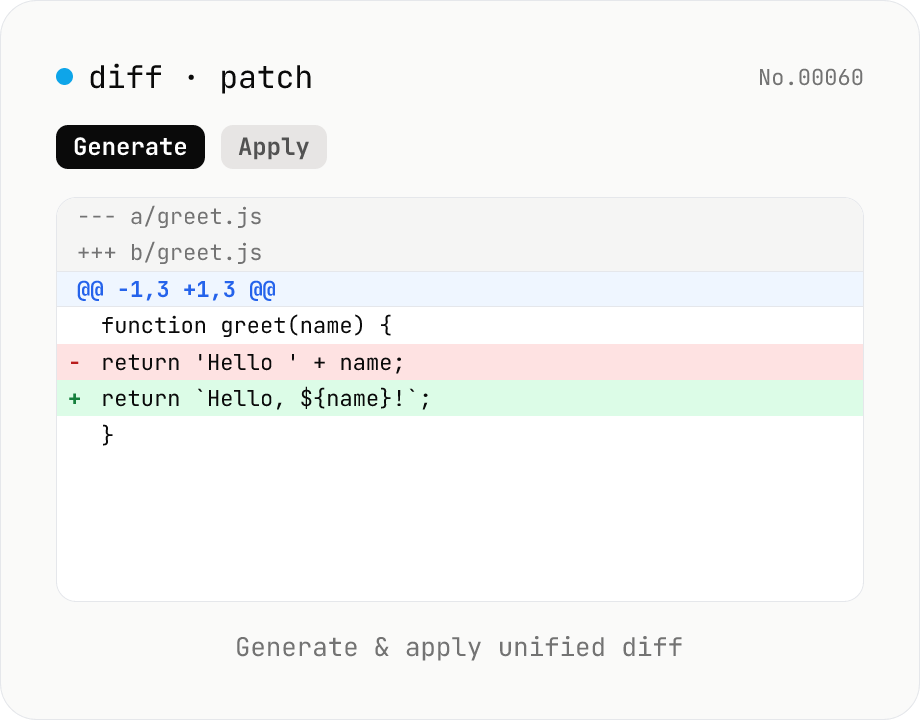
diff / patch — generate and apply unified diff
Produce a unified diff (.patch / .diff) from two texts and apply a unified diff back to the original text. Same format as Git and GNU patch (--- / +++ / @@ hunks), with adjustable context lines and file name. All processing runs in your browser.
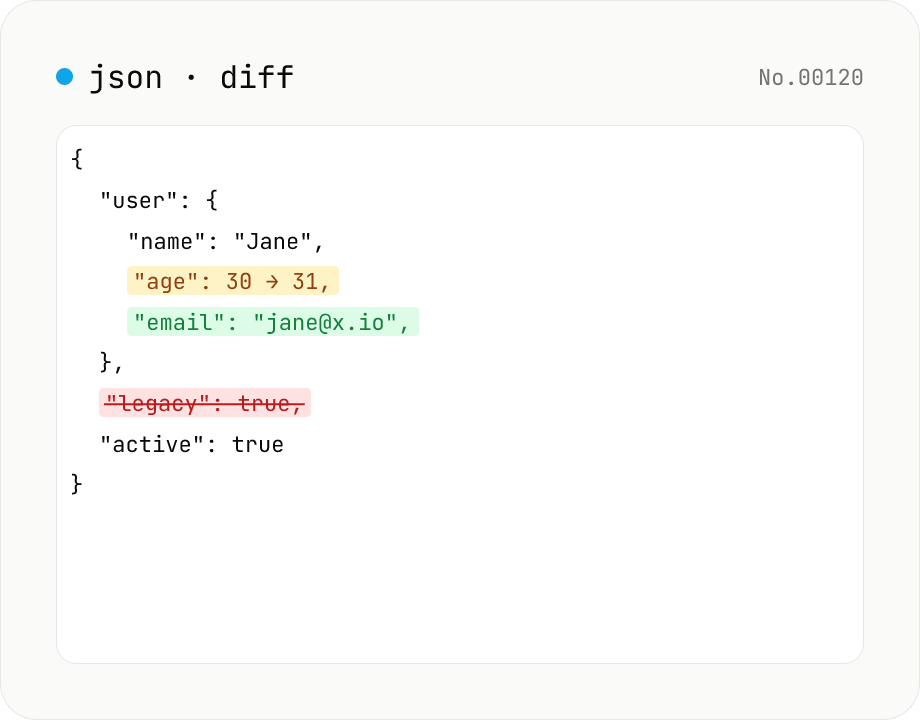
JSON diff — structural compare of two documents
Compare two JSON documents structurally. Walks nested objects and arrays recursively and highlights added / removed / modified / moved entries. Runs entirely in your browser.
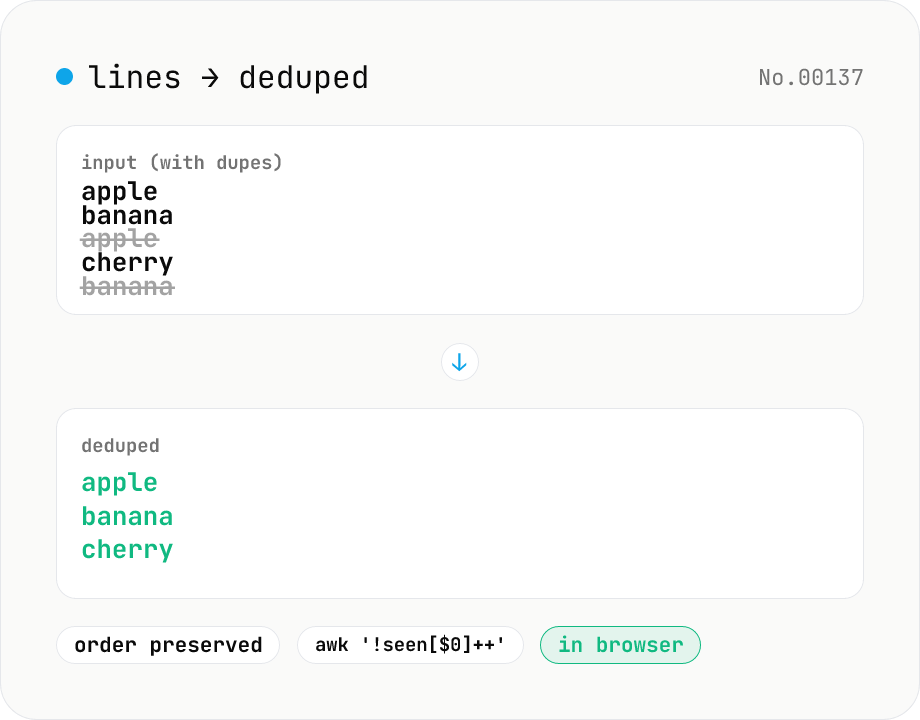
Line dedupe — keep unique or extract duplicates
Split the input by newline and remove duplicate lines, keeping only the first occurrence of each line in original order. Catches non-adjacent duplicates as well (equivalent to `awk '!seen[$0]++'`). Runs entirely in your browser.
Character counter — chars / bytes / lines / words
Count characters, words, lines, paragraphs, and UTF-8 byte size in real time. Toggle whether whitespace and newlines are included. Progress bars show your text against common limits (tweets, 400-character genkō, etc.) — everything stays in your browser.