
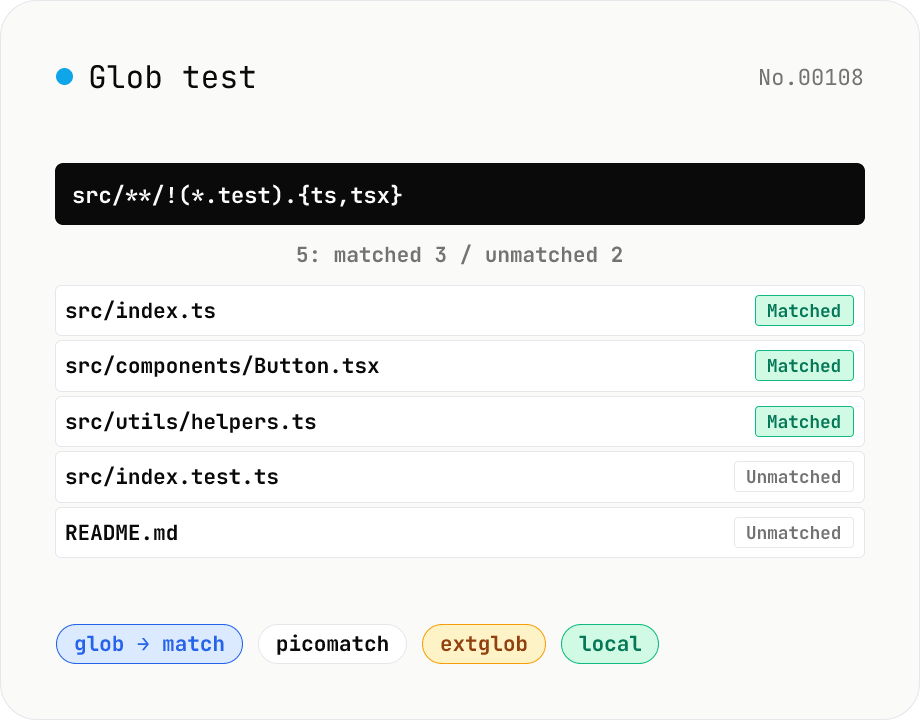
Glob test — match file paths against `**/*.ts` patterns
Type a Glob pattern (`**/*.ts`, `src/**/!(*.test).js`, `{lib,src}/**/*.{ts,tsx}`, …) and a list of paths to see which match via picomatch (MIT). The equivalent regular expression is shown too — handy for debugging `.gitignore`, Docker `COPY`, Webpack include rules, Vitest test selectors, and GitHub Actions `paths`. Options toggle case-insensitivity, dotfile matching, and extglob (extended glob `!(...)`, `@(...)`, etc.). Copy matched / unmatched separately or export a CSV. Runs entirely in your browser.
How to use
Type a Glob pattern (e.g. `**/*.ts`, `src/**/!(*.test).js`). Add paths, one per line. Toggle nocase / dot / extglob as needed. Inspect the results table; the equivalent RegExp is shown alongside. Copy matched or unmatched separately, or download a full CSV report.
In depth
File paths expose project structure and client names
Testing a glob pattern requires real file paths, and real file paths tend to reflect real project structure: src/features/billing/stripe-webhook.ts, internal/hr/salary-data/*.csv, or /Users/username/projects/client-acme/. Each of these contains project names, client names, internal system names, and directory organisation. Pasting them into an online glob tester sends that information to a server as HTTP request body content.
File paths look mundane but carry structural context. A fragment like internal/hr/ or client-acme/contracts/ is enough to infer business domain, team structure, or client relationships. Home-directory paths (/Users/<real name>/..., C:\Users\<real name>\...) take it further and tie the leak to a specific developer.
Request bodies that upload-style testers actually collect
Online glob testers expose a deceptively simple UI — two textareas, one results pane — but server-side both the pattern string and the entire path list ride along in the POST body. Many of these services run on Cloudflare Workers or Vercel Functions, and the upstream provider’s access logs capture the same request body for their own operational purposes.
A path list you only meant to “evaluate in the moment” persists in those external logs for whatever retention window the operators chose. If the paths contain project names or client identifiers, those names continue to live outside your environment for the duration of that retention window — well past the ten seconds it took to run the test.
Bundling picomatch for offline glob matching
This tool bundles picomatch (MIT, zero-dependency glob library) into the page at build time. Pattern matching, match-status evaluation, and the equivalent RegExp display all run in the browser’s JavaScript engine — no external API call. The nocase / dot / extglob option toggles are passed directly to picomatch’s configuration without any server round-trip.
Open DevTools Network and type a pattern: no request fires after the initial page load.
Verifying CI/CD configuration before committing it
Vitest’s test globs, Webpack’s include / exclude, GitHub Actions’ paths filters, ESLint’s ignorePatterns, and TypeScript’s include / exclude all use glob syntax. Pasting your actual file list into this tool and confirming that the pattern matches exactly the files you intend — before committing the config — prevents “this test was silently excluded” and “the linter was never running on these files” from surviving into the main branch. The equivalent RegExp display is a secondary check that helps diagnose why an edge case does not match as expected.
Glob syntax dialects across implementations
“Glob” actually covers several dialects: bash glob (with shopt -s globstar enabling **), minimatch (the npm script default), picomatch (this tool’s engine, backing Vitest and fast-glob), Git pathspec, .gitignore patterns, and the Microsoft-flavoured globs used by TypeScript include. The common subset is *, ?, [abc], {a,b}, but the interpretation of **, extglob (@(a|b), !(a)), and negation patterns diverges.
**/*.log in .gitignore means “any depth”, and the leading ** is optional — build/**/*.js is equivalent to build/*.js in Git’s dialect. In picomatch, however, that shortening requires globstar: true, and by default ** must explicitly span zero-or-more directory levels. The most common cause of “the same pattern matches different things in two CI tools” is exactly this dialect drift. This tool uses picomatch, so its behaviour matches what Vitest and fast-glob will do.
Common glob pitfalls
The most frequent gotcha is dotfiles. By default * and ** do not match names beginning with a dot. Including .eslintrc.json requires either enabling dot: true or writing patterns like .{*,*/**} explicitly. .gitignore is the lone exception — it implicitly matches dotfiles — which is a recurring source of confusion when porting patterns between contexts.
Brace expansion {a,b,c} does not allow empty members: {a,,b} is malformed. Character ranges like [a-z] are locale-sensitive in some implementations, where LC_COLLATE decides whether accented characters fall in the range. And **/foo differs across engines on whether it matches foo at the top level (picomatch yes, Git no). README pages rarely surface these edges; pasting a representative file list into this tool surfaces them empirically in seconds. Once the glob is desugared to its equivalent regex, regex-test is the place to exercise that regex with flags and capture groups, and regex-explain breaks down what each piece means in plain text.
FAQ
- `*` vs. `**` — what's the difference?
- `*` matches anything inside a single path segment (no `/`). `**` spans multiple segments. `src/*.ts` matches `src/index.ts` but not `src/foo/bar.ts`; `src/**/*.ts` matches both.
- How does `!(...)` (negation) work?
- Active when the extglob option is on. `src/!(*.test).js` matches `src/index.js` but not `src/index.test.js`. Picomatch generates a `(?!...)` lookahead RegExp.
- Is this the same as a .gitignore pattern?
- Mostly — but .gitignore has its own quirks around leading / trailing slashes and negation (`!`). Don't rely 1:1 on this tool for .gitignore semantics in edge cases.
- Can I use it for Webpack include / Vitest test specifiers?
- Yes — both ecosystems use micromatch / minimatch / picomatch, so the glob syntax is essentially shared. Patterns like `**/*.test.{ts,tsx}` or Webpack include rules will behave the same here.
- Is anything uploaded?
- No. Picomatch (MIT) is zero-dep and bundled in your browser; all processing stays local.
How to verify nothing is uploaded
This tool never sends your input outside your browser. The pages below explain how it works, how to audit it, and how the site is run.
Related tools
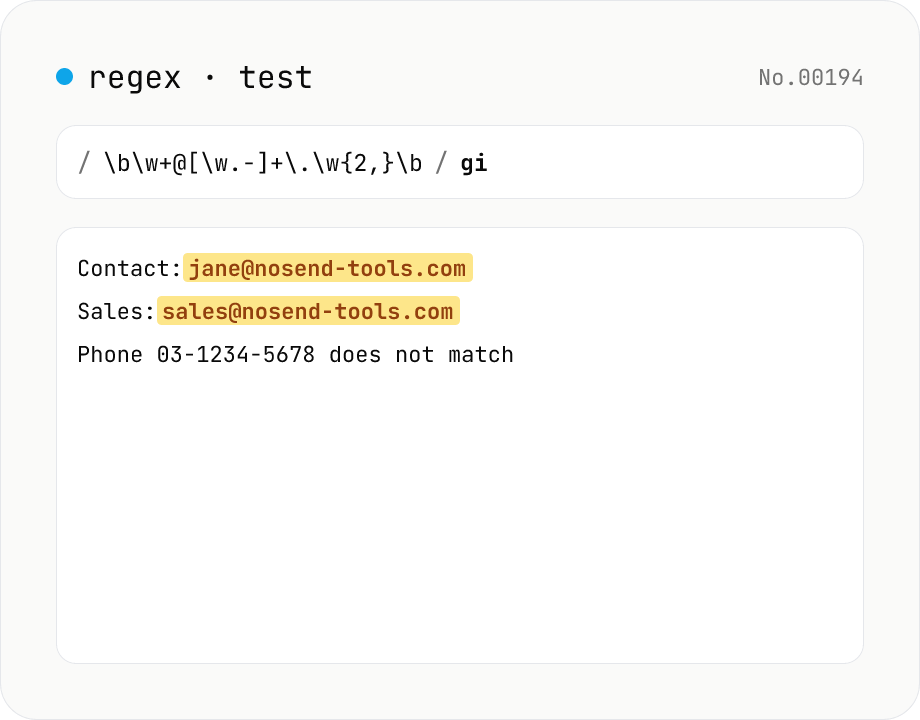
Regex tester — live match & replace preview
Type a pattern and flags to highlight matches in the test string in real time. Capture groups and named groups are listed for every match, and there's a replace preview using $1 etc. Runs entirely in your browser.
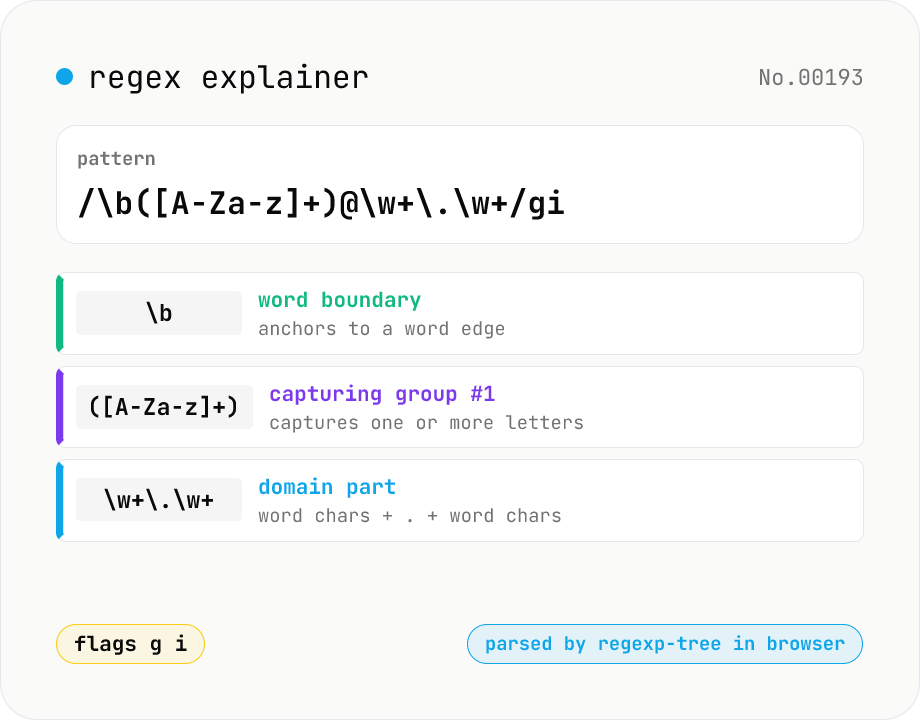
Regex explainer — AST tree with per-token English notes
Break down a JavaScript regular expression into its AST and explain each piece — character classes, quantifiers, groups, lookarounds, flags — in plain English. Comes with sample patterns for email, URL, and date so you can grok common regexes at a glance. Parsed with regexp-tree; syntax errors are shown verbatim. Runs entirely in your browser.
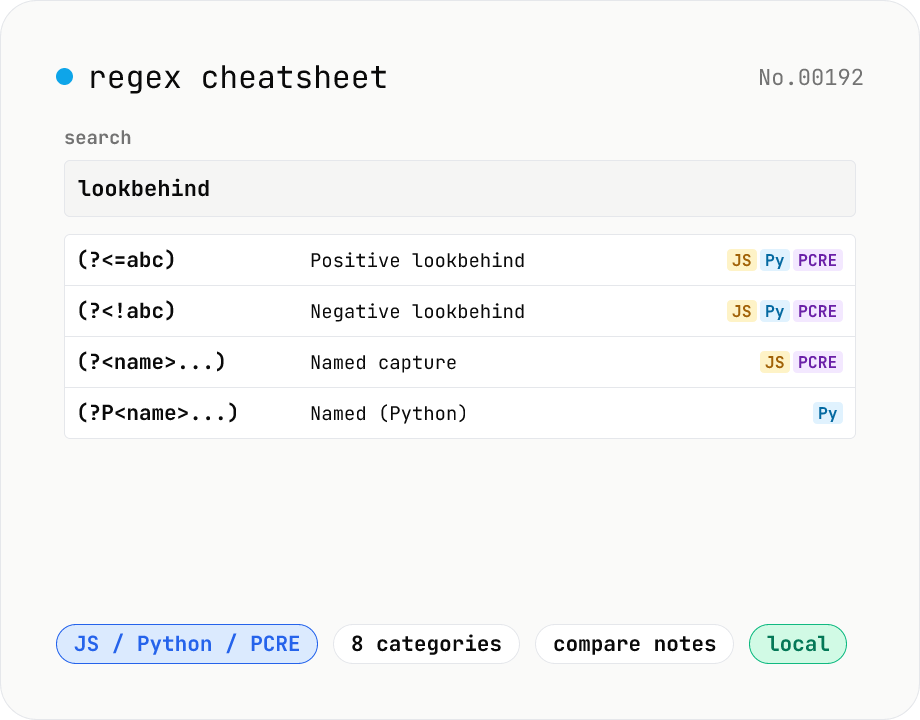
Regex cheatsheet — searchable JS / Python / PCRE syntax
Interactive regex reference for JavaScript / Python / PCRE flavors. Browse by category (anchors / character classes / quantifiers / groups / lookarounds / flags), free-text search, and one-click copy. Side-by-side comparison shows how each construct differs across flavors (e.g. `(?<=...)` vs `(?P<name>...)`). All data is bundled and runs in your browser.
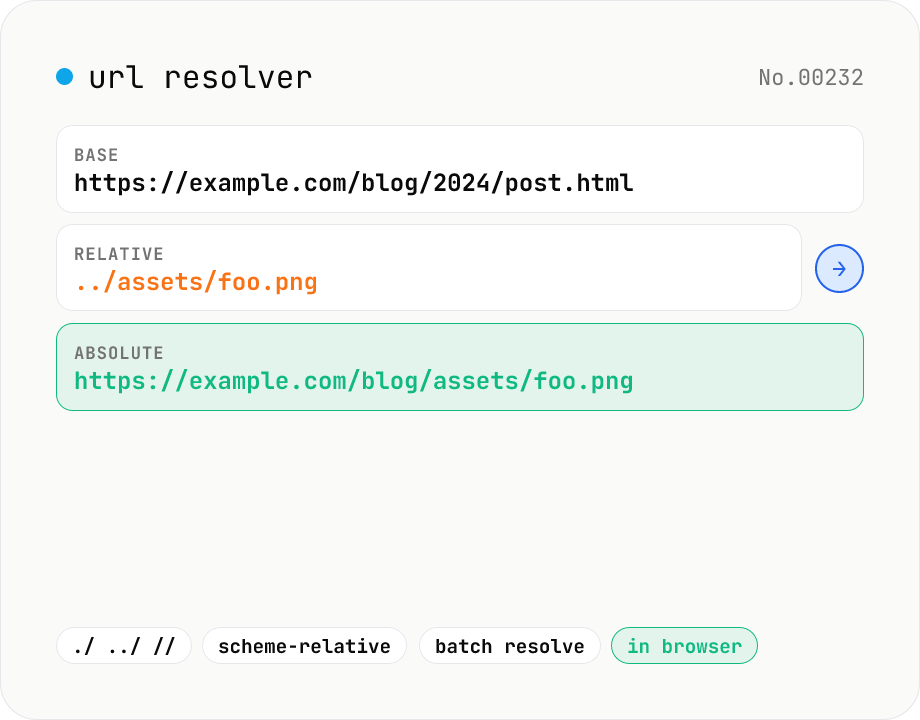
URL resolver — base + relative → absolute
Resolve a relative URL (e.g. ../foo.png) against a base URL (e.g. https://nosend-tools.com/path/page.html) using the browser's URL constructor. Supports the full RFC-3986 set: ./, ../, //, ?, #, /, scheme-relative, and so on. Paste a list of relative URLs to resolve all of them at once, and inspect the resulting protocol / host / pathname / search / hash breakdown. Runs entirely in your browser — your URLs never leave the device.