
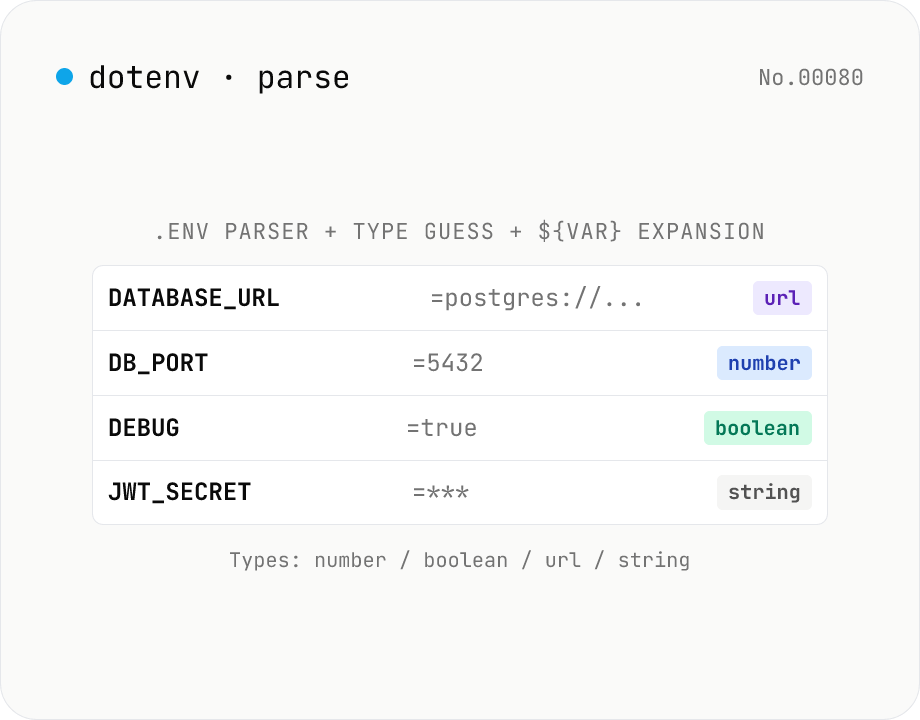
.env file parser — key/value table, type guess, ${VAR} expansion preview
Paste a `.env` file (dotenv / Node.js / Vite / Docker / Cloudflare Workers) and the tool renders a **key/value table** with **type guess** (string / number / boolean / url / json / empty), comment handling (`#`), `export` prefix, single / double / triple-quoted multiline values, and **`${VAR}` expansion preview** using previously-defined keys. Errors are flagged per line. Export the parsed result as **JSON** or **YAML**. Useful for sanity-checking before pasting into a shell, auditing CI/CD env vars, or reconciling multiple `.env` files.
How to use
Paste a `.env` file and the tool: (1) extracts **KEY=VALUE pairs** into a table, (2) **guesses the type** of each value (string / number / boolean / url / json / empty), (3) recognises **comments** (`# ...`), the `export` prefix, single / double / triple-quoted multiline values, and (4) **expands `${VAR}` references** using forward-defined keys. Errors are flagged per line. Export the parsed result as **JSON** or **YAML**. Useful for sanity-checking before shell paste, auditing CI/CD secrets (GitHub Actions, GitLab CI, Cloudflare Pages), reconciling multiple `.env`s, or migrating to Docker Compose / k8s manifests.
In depth
The secret density of a .env file
A .env file is by design the single collection point for everything a project needs to run: DATABASE_URL contains the host, username, password and database name in one string; AWS_SECRET_ACCESS_KEY may unlock an entire AWS account; STRIPE_SECRET_KEY authorizes payment processing; SLACK_BOT_TOKEN grants read-write access across a workspace; OPENAI_API_KEY accrues billing charges. Sending a populated .env to an external server means the full infrastructure access represented by those values has crossed a trust boundary in one paste.
Accidental .env commits to public GitHub repositories are discovered by credential scanners within seconds. Pasting the same content into an online dotenv visualiser carries structurally equivalent risk — the file travels to a server you do not operate, under terms you may not have read.
Why auditing CI/CD environment variables with an online tool is risky
GitHub Actions secrets, GitLab CI variables, and Cloudflare Pages environment variables are deliberately hidden in the UI. When you copy them locally to debug or audit with an external tool, you recreate exactly the exposure the UI was designed to prevent. The purpose — “I just want to see which keys are set” or “I want to check the types” — sounds innocuous, but the mechanism is “the secret values are now in a form field on someone else’s server.”
Most online parsers are built precisely for this kind of use and present a clean interface, but none can structurally guarantee that no log is written. Without a third-party audit of the server-side code, the promise “we don’t store your input” rests entirely on the operator’s good will.
A browser-local JavaScript parser with no external dependencies
This tool’s parsing engine is a custom JavaScript tokenizer: it processes .env text line by line, handles nested quoting (single, double, triple), interprets escape sequences (\\n, \\t, \\r), strips export prefixes and inline comments, and expands $\{VAR} forward references using already-parsed keys. Everything runs in browser memory — no external library call, no API round-trip.
URL state carries only settings like the expansion toggle, never the .env values themselves, so nothing sensitive appears in the address bar. Open DevTools Network while pasting a file: the request count does not increase. The implementation is on GitHub.
Use it as a pre-share validation step
Before handing a .env.example to a new team member, migrating to Docker Compose’s environment: block, or converting to a Kubernetes ConfigMap, run the file through this tool to catch syntax errors before they become runtime failures. Triple-quote termination misses, broken $\{VAR} forward references, and KEY charset violations are much cheaper to fix here than in a failing container startup. The type-guess column also surfaces unintentional string values where a number or boolean was intended — a category of bug that survives deployment but causes subtle behaviour differences.
Reconciling the different .env dialects in the wild
There is no single .env specification. Node.js dotenv, Vite, Docker Compose, Cloudflare Workers, Python python-dotenv, and Ruby dotenv all parse subtly different grammars. A common point of divergence is the # character inside a value: dotenv v16+ preserves it when the value is quoted, while older implementations always treat it as a comment delimiter. This tool tracks quote context so that SECRET="abc#def" reads as abc#def, matching the modern convention without losing the comment behaviour for unquoted lines.
${VAR} expansion is another fragmented area. Docker Compose supports shell-style modifiers like ${VAR:-default} and ${VAR:?error}; python-dotenv does not perform expansion at all by default. This tool surfaces a “preview” of simple forward references only and labels it as such, so users do not assume one specific runtime’s expansion semantics. Multiline values are similarly inconsistent: some implementations require \n escapes inside double quotes, others accept literal line breaks inside triple-quoted values.
Type and quoting gotchas in CI/CD and Cloudflare secrets
PORT=3000 looks like an integer, but virtually all dotenv runtimes read it as a string. Forgetting to call parseInt(process.env.PORT) produces the classic JavaScript bug where process.env.PORT + 1 is the string "30001". The Type column in this tool is a guess, not a guarantee that any runtime will auto-cast — verify and coerce explicitly in your code.
Quoting matters even more in mixed environments. SECRET="abc def" is interpreted by dotenv as abc def, but source .env in a shell can leave the surrounding quotes in the exported variable depending on the shell version. Cloudflare Workers’ wrangler secret put flow has reported cases where multi-line values were truncated when entered through the UI. Visualising triple-quoted multiline values in this tool lets you confirm that line breaks are preserved as intended before the value reaches an environment that may handle them less gracefully. When the next step is to format the exported JSON for review or to ship a YAML equivalent into a CI workflow, json-format and yaml-json-convert keep the whole .env.example review chain inside the browser.
FAQ
- Is my input uploaded?
- No — pure browser parser, no external API. Because `.env` files commonly hold API keys and DB credentials, the all-local guarantee is the point.
- What syntax is supported?
- The de-facto dotenv / Node.js / Vite / Docker Compose convention: (1) `KEY=value` plain pairs; (2) `# comments`; (3) `KEY="value with spaces"` double-quoted (with `\n`, `\t`, `\r`, `\\`, `\"` escapes); (4) `KEY='literal'` single-quoted (no expansion); (5) `KEY="""multi\nline\nvalue"""` triple-quoted multiline; (6) `export KEY=value` bash prefix; (7) `KEY=value # inline comment`.
- How does `${VAR}` expansion work?
- **Forward-reference only**: a KEY already defined earlier in the file can be referenced via `${KEY}` or `$KEY` on later lines. `HOST=api.nosend-tools.com` then `URL=https://${HOST}/v1` resolves to `https://api.nosend-tools.com/v1`. Single-quoted values are *not* expanded (`'literal $VAR'` stays literal). Toggle expansion off to see the raw text.
- Type-guess rules?
- **`number`**: matches `^-?\d+(?:\.\d+)?$`. **`boolean`**: `true` / `false` (case-insensitive). **`url`**: starts with `http://` or `https://`. **`json`**: starts with `{` or `[` and `JSON.parse` succeeds. **`empty`**: empty string. Otherwise `string`. Everything is technically a string in dotenv, but knowing the *intended* type helps when downstream code does `Number(process.env.PORT)` or similar.
- Quote semantics?
- **Single `'…'`**: no escapes, no expansion — pure literal. **Double `"…"`**: `\n` `\t` `\r` escapes plus `${VAR}` expansion, matching shell behaviour. **Triple `"""…"""`**: multiline value preserving newlines verbatim. Use it for PEM keys, JSON configs.
- When does a line become an error?
- (1) Invalid `KEY` charset (must match `[A-Za-z_][A-Za-z0-9_]*`); (2) missing `=`; (3) unterminated quote (`KEY="unterminated…`); (4) unterminated triple-quote. Errors are flagged in red in the table. Comments and blank lines are not errors — they're informational.
- How do I use the JSON / YAML export?
- **Copy JSON**: parsed pairs as `{KEY: value, …}`. **Copy YAML**: `KEY: value` lines with auto-escaping for special chars. Handy for bulk-loading Cloudflare Pages / GitHub Actions secrets, converting to a k8s ConfigMap, or migrating to a Helm `values.yaml`.
- Security?
- Designed for sensitive input: (1) data lives only in React state; (2) the URL never carries the value (`v` param is omitted; only settings like the expand toggle); (3) output goes to clipboard only. Browser extensions and devtools can still read DOM, so for ultra-paranoid usage stick to an offline machine.
- Other modes?
- One-way only (.env → JSON / YAML). For the reverse (JSON → .env) file a feature request. `json-flatten` is a useful neighbour (dot-notation keys are close in spirit to .env).
How to verify nothing is uploaded
This tool never sends your input outside your browser. The pages below explain how it works, how to audit it, and how the site is run.
Related tools
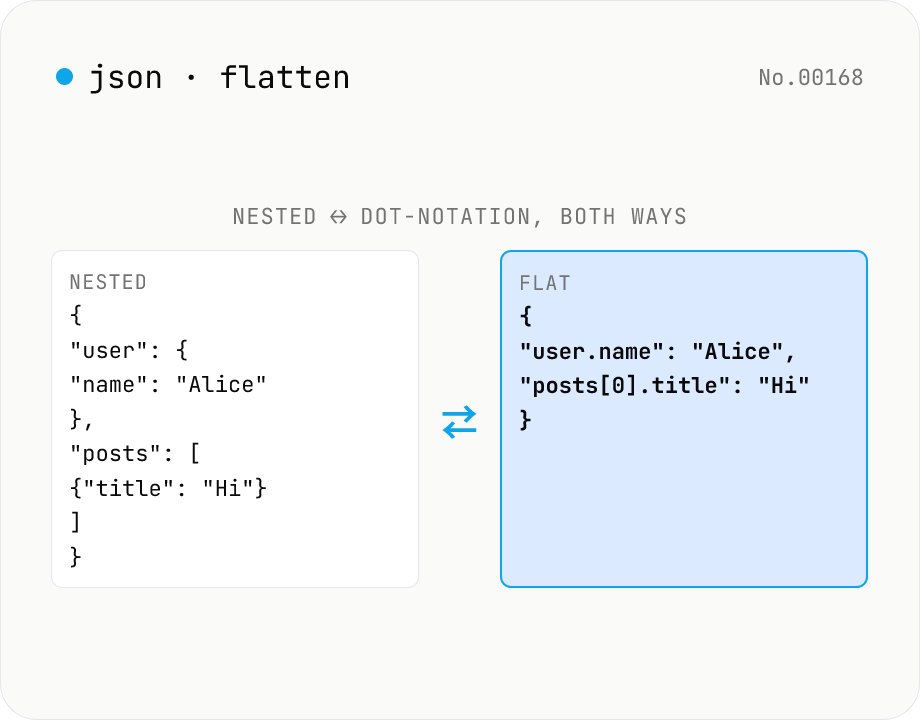
JSON Flatten / Unflatten — dot-notation keys round-trip
Flatten nested JSON into **dot-notation keys** (`user.address.city`) or **bracket notation** (`posts[0].title`), or unflatten flat key/value pairs back into nested structure. Mode toggle for both directions. Configurable separators (`.` / `/` / `["key"]`) and array styles (`[0]` / `.0`). Handy for `.env`-style key flattening, i18n key normalisation, pre-Excel/CSV export, and Algolia / Elasticsearch field shaping.
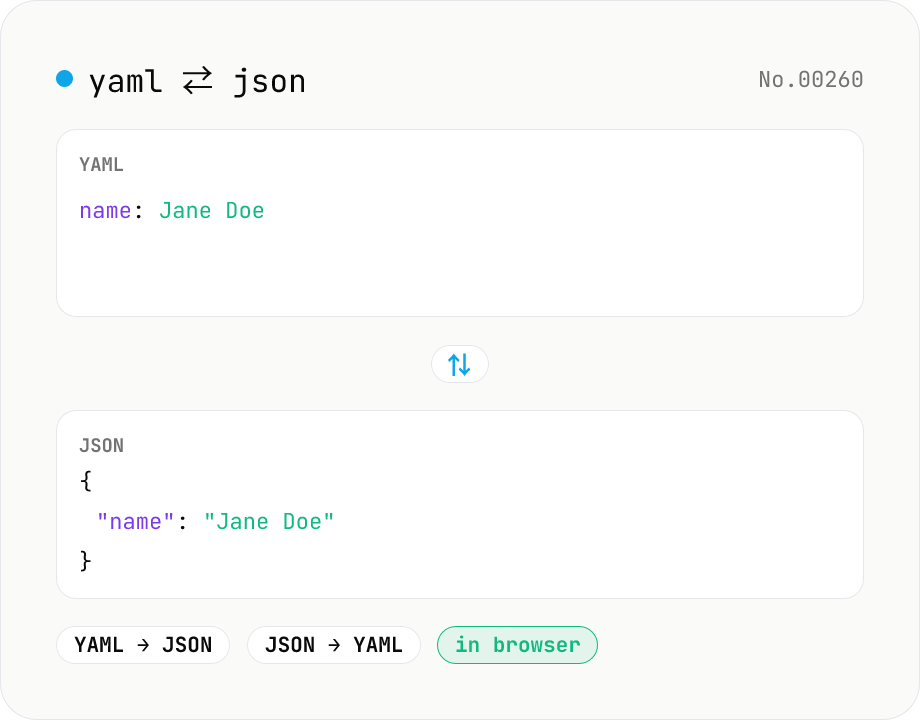
YAML ⇄ JSON converter — indent preserved
Convert YAML to JSON or JSON to YAML. Choose indent (2 / 4 / tab) and try the sample button. Powered by eemeli/yaml — runs entirely in your browser.
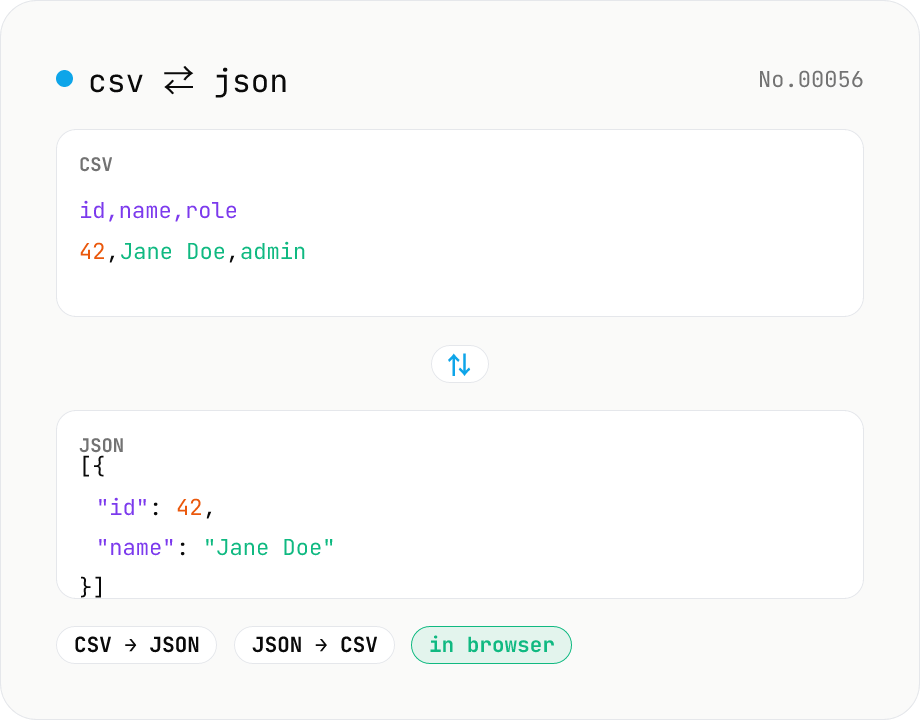
CSV ⇄ JSON converter — delimiter & header auto
Convert CSV to JSON or JSON to CSV in your browser. Pick the delimiter (comma / tab / semicolon), toggle the header row, and choose the JSON indent. Handles quoted fields with embedded commas, quotes, and newlines.
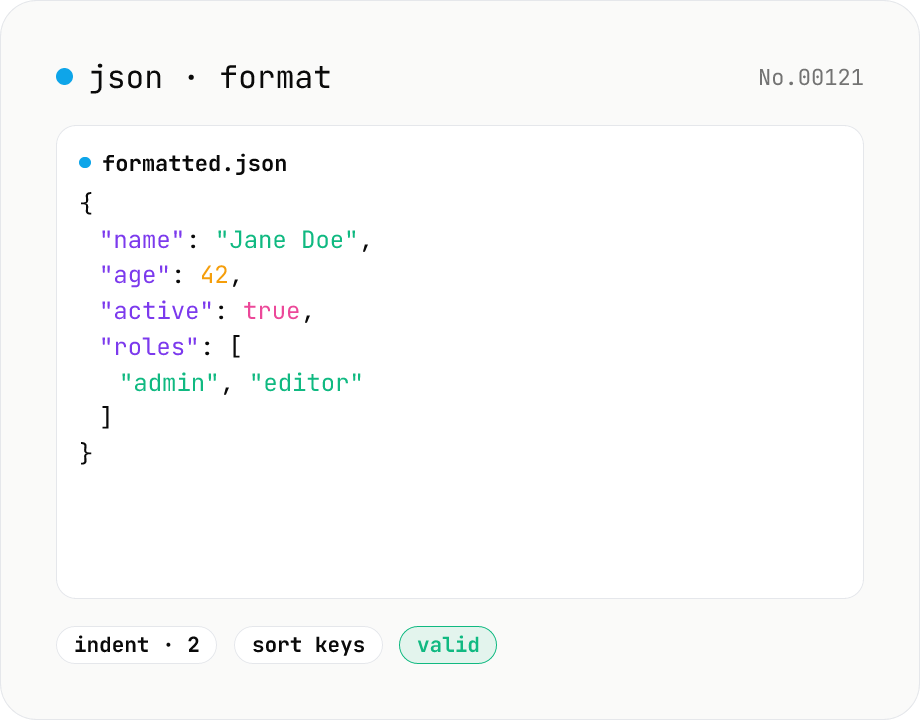
JSON format & validate — indent, minify, error pointer
Format, minify, and validate JSON entirely in your browser. Errors show the line and column. Your data never leaves your device.