
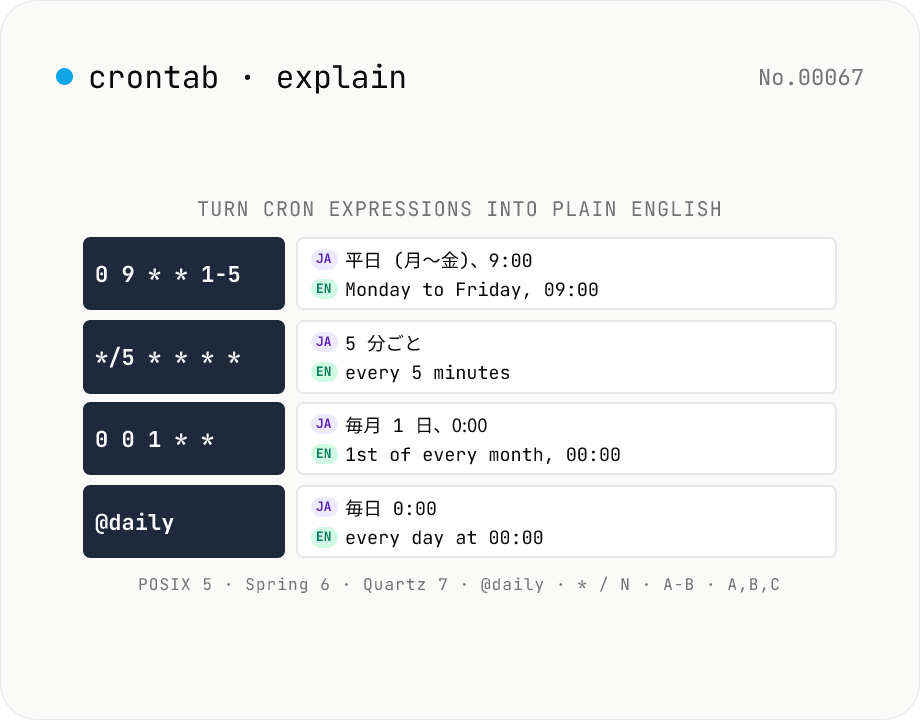
crontab Explainer — turn `0 9 * * 1-5` into "Monday to Friday, 09:00"
Paste a cron expression (`0 9 * * 1-5`, `*/5 * * * *`, `0 0 1 * *`, `@daily`, etc.) and get a plain-English (and Japanese) description in one click. Handles **POSIX 5-field crontabs** (minute / hour / day-of-month / month / day-of-week), **Spring / Quartz / GitLab 6-field** (second + 5), and **Quartz 7-field** (second + 5 + year). Recognises named day-of-week tokens (`MON` / `TUE` / `1-5`), named months (`JAN` / `FEB`), ranges (`1-5`), steps (`*/15`), and lists (`0,15,30,45`). A breakdown table shows what each field contributes. Pair with **cron-next** when you need the upcoming firing times instead of the description. Pure browser-side — no external calls. Own parser (~480 lines, zero dependencies).
How to use
Paste a cron expression into the input or click one of the **Common expressions** presets. The Japanese and English descriptions update automatically. The **Field breakdown** table dissects each field. If you paste an alias (e.g. `@daily`), we also show the expanded 5-field form.
In depth
Cron expressions are hard to read by design — and the ones that need explaining are real schedules
The 5-field crontab format is compact to the point of opacity. 0 3 */2 * 1-5 is not immediately readable even for experienced developers — is the */2 the day or the hour? The field order must be memorised. That readability gap is what drives people to paste cron expressions into explanation tools, and the expressions they paste are almost always from a production crontab, a CI workflow, or a Kubernetes manifest.
Production cron schedules describe a system’s operational rhythm: when backups run, when ETL jobs fire, when database maintenance windows open. A cron expression from a production environment is a piece of that system’s internal configuration, and it belongs in that server log about as much as a database schema does.
Internal automation schedules should not travel to external services
GitHub Actions workflows in private repositories, Kubernetes spec.schedule values, and Vercel cron configurations describe internal automation logic. Pasting those expressions to an online explainer sends an extract of that internal configuration to a third-party server, where it lands in an access log. Even if the operator is trustworthy and deletes logs promptly, the risk materialises at the moment of the HTTP request.
Generating a human-readable description of a cron expression requires only string parsing — determining which field is which, expanding range and step notation, mapping weekday and month names. No network round trip is involved in the computation.
A self-contained parser generates descriptions locally
This tool uses a hand-written parser rather than a library dependency. It handles POSIX 5-field, Spring/Quartz/GitLab 6-field (with a leading seconds field), and Quartz 7-field formats. Aliases (@daily, @hourly, @weekly, @monthly, @yearly, @annually, @midnight) are expanded to their canonical 5-field equivalents. The parser recognises *, ,, -, / special characters, named tokens (MON–SAT, JAN–DEC), and the 1-5 → ‘weekdays’ collation. @reboot is rejected intentionally — it is not a recurring schedule.
The description is assembled from the parsed field values entirely in browser memory. Open DevTools Network while typing a cron expression: no requests fire. The field breakdown table is generated the same way.
Using crontab-explain and cron-next together
crontab-explain answers ‘what does this expression mean?’ in plain language; cron-next answers ‘when does this fire next?’ with exact timestamps. Opening both tools in adjacent tabs makes it possible to fully debug any cron schedule without pasting it anywhere outside the browser. Before committing a schedule change to a production config or CI workflow, running the before and after expressions through both tools takes seconds and avoids the class of mistake where the expression looks right but fires at the wrong frequency.
How the in-house parser decomposes each field
Cron fields have a structured grammar that the parser handles via regular expressions and a small recursive descent. The atomic forms are: integer (5), range (1-5), step (*/15 or 1-30/2), list (0,15,30,45), wildcard (*), named token (MON, JAN), and alias (@daily). Lists can contain ranges, steps, and named tokens recursively — 0,5-10,*/30,MON must decompose correctly — so each list element is parsed independently and the field’s meaning is the union of the element meanings.
Description synthesis composes a sentence by walking the field results in display order. For 0 9 * * 1-5, the parser produces ‘minute: 0’, ‘hour: 9’, ‘day-of-month: *’, ‘month: *’, ‘day-of-week: 1-5 (Mon-Fri)’, then a description builder assembles ‘Monday to Friday, 09:00’ by choosing the most natural phrasing. Combinations of range, step, list, and named token expand combinatorially, so each field’s description function is its own unit that produces a stable phrase the higher-level builder can splice in.
Crontab file conventions beyond the schedule expression
A real crontab -e file carries more than schedules. Environment variable assignments (SHELL=/bin/bash, PATH=/usr/local/bin:/usr/bin:/bin, MAILTO=admin@example.com) at the top apply to every job below. MAILTO="" suppresses the default behaviour of emailing job output to the user — forgetting to set this is the classic source of post-deploy ‘why is cron flooding my inbox?’ incidents.
Vixie cron treats lines starting with # as comments but does not allow inline # inside a schedule expression (which differs from Quartz’s # special character). The % character has a peculiar convention: in the command portion after the schedule, the first % separates the command from stdin, and subsequent %s become newlines (echo Hello %World runs echo Hello with World on stdin). To use a literal percent sign, escape it with \% — which is exactly why date +%Y%m%d does not work as a date format inside crontabs unless properly escaped. This tool explains the schedule expression itself; these surrounding crontab conventions are worth checking when debugging a job that is parsing correctly but behaving unexpectedly. To decode the strftime tokens that appear after the schedule, date-format-pattern lists the full strftime / dayjs cheatsheet, and timezone-info shows how the same firing instant lands in Asia/Tokyo, UTC, or any IANA zone that the production environment uses.
FAQ
- Is my input uploaded?
- No — our own parser runs entirely in your browser, so job schedules never leave the page.
- Which cron flavours are supported?
- POSIX 5-field (`minute hour day-of-month month day-of-week`), Spring / Quartz / GitLab 6-field (leading second), and Quartz 7-field (with trailing year). Aliases `@yearly / @annually / @monthly / @weekly / @daily / @midnight / @hourly` are all recognised. `@reboot` returns an explicit error because it's a one-shot at startup, not a recurring schedule.
- How is `*` (wildcard) handled?
- It means "every value" and is omitted from the prose. `0 * * * *` becomes "at minute 0 of every hour"; `* * * * 1-5` becomes "every minute, Monday to Friday".
- What about steps like `*/N`?
- Translated as "every N units". `*/5 * * * *` → "every 5 minutes". Range + step (`5-30/3`) is supported too.
- Are named tokens (`MON`, `JAN`, ...) supported?
- Yes — day-of-week (`SUN`-`SAT`, case-insensitive) and month (`JAN`-`DEC`). Ranges and lists like `MON-FRI`, `MON,WED,FRI` work too, and render as the locale's day / month names.
- Is day-of-week `7` Sunday?
- Yes. Standard cron defines 0-6 (Sun-Sat) but 7 is the historical Sunday alias and is treated the same.
- Is `1-5` rendered as "weekdays"?
- Yes — `1-5` (and `MON-FRI`) collapse to "Monday to Friday" / "平日 (月〜金)" because that's the most useful phrasing.
- What about Quartz `L`, `W`, `#`?
- Partial — we flag them in Notes and fall back to the basic fields for the description. For full Quartz semantics, use the Java library directly.
- What does Quartz `?` mean?
- Quartz uses `?` to mean "no specific value" so day-of-month and day-of-week don't contradict each other. We treat it like `*` for description purposes.
- What happens when both day-of-month and day-of-week are set?
- POSIX / Vixie cron treats them as OR (fire when either matches). `0 0 1 * 1` → "on the 1st of every month or every Monday, at 00:00". Quartz uses AND; we follow POSIX since it's the more widely deployed semantics.
- How does this differ from cron-next?
- cron-next answers "when does this fire next?". crontab-explain answers "what is this expression saying?". Use them side by side.
How to verify nothing is uploaded
This tool never sends your input outside your browser. The pages below explain how it works, how to audit it, and how the site is run.
Related tools
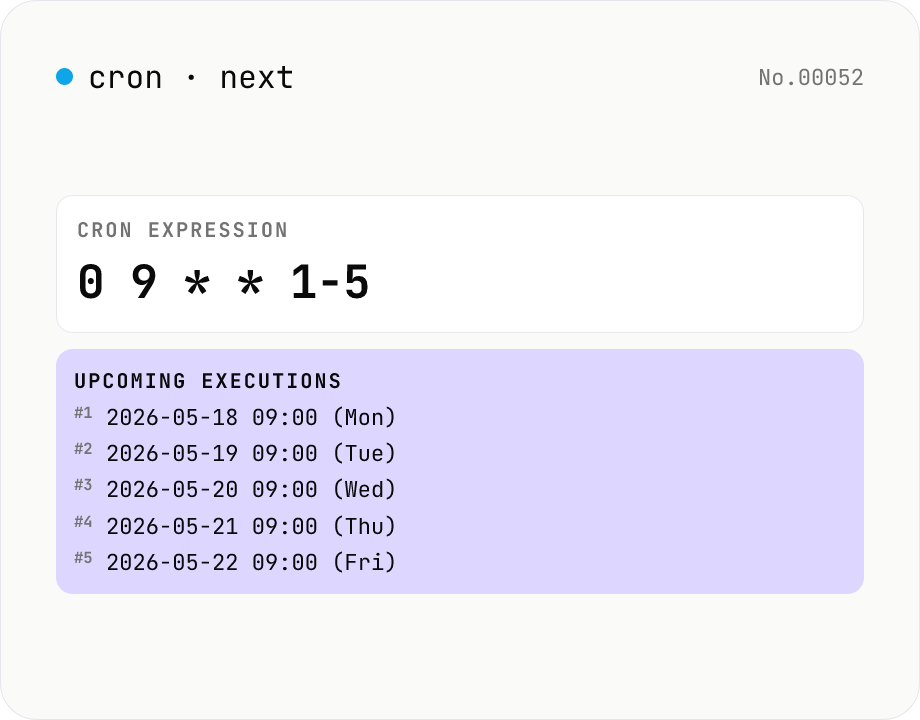
Cron next run time — 5-field crontab
List the next 10–100 firing times for a cron expression like `0 9 * * 1-5`. Validate your crontab / GitHub Actions / Kubernetes CronJob / Vercel Cron Jobs schedules before deploying. Powered by cron-parser running entirely in your browser.
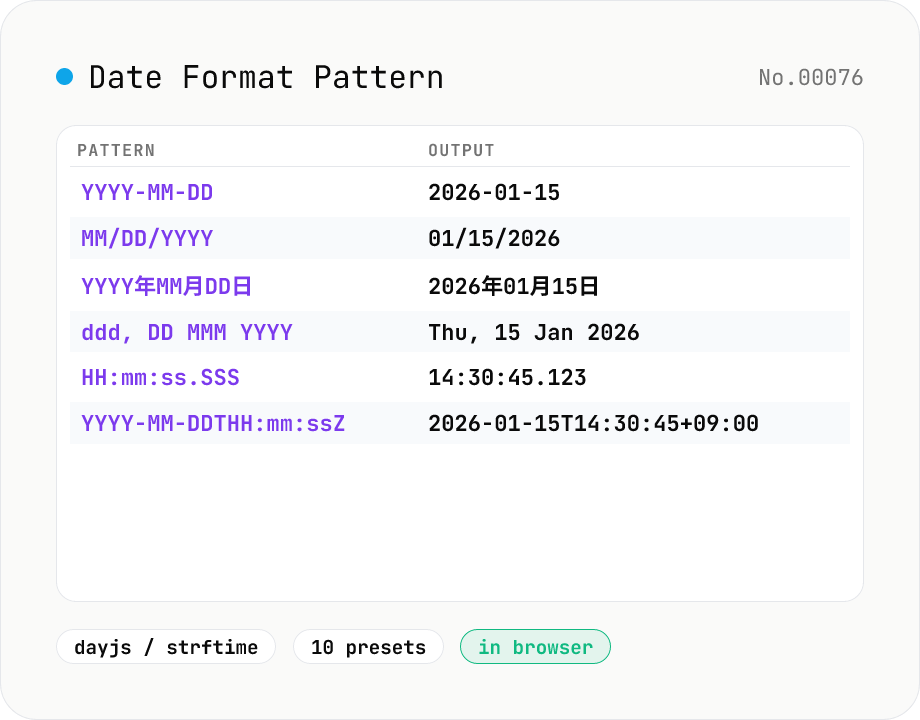
Date Format Pattern Cheatsheet (dayjs / strftime)
Type a date format pattern like `YYYY-MM-DD` or `%Y-%m-%d` and the tool formats the current time (or any reference datetime) on the fly. Switch between **dayjs / Moment.js** and **strftime** (C / Python / PHP) styles, browse 10 presets (ISO 8601, RFC 3339, RFC 2822, JP, US, log line, etc.), and reference the full token cheatsheet without leaving the page.
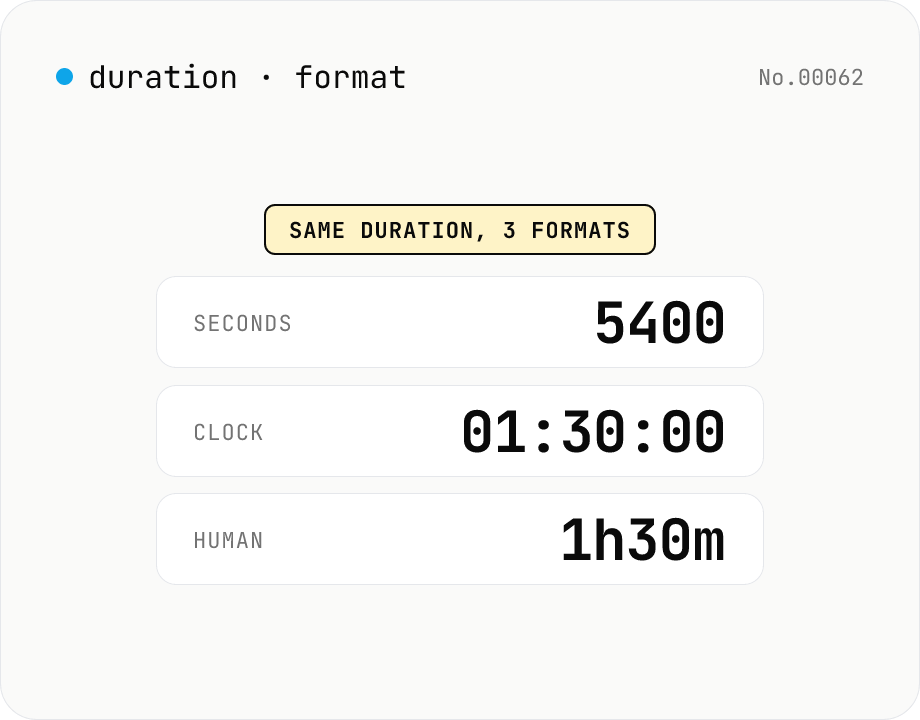
Duration format converter — seconds, mm:ss, hh:mm:ss & 1h30m bulk
Convert durations between three formats: seconds (5400), clock (01:30:00), and human-readable (1h30m). Pick the output format and the input is auto-detected — even mixed formats on different lines. Bulk-converts multi-line input and reports skipped (unparseable) lines. Supports d/h/m/s units (1d = 86400 seconds). Runs entirely in your browser.
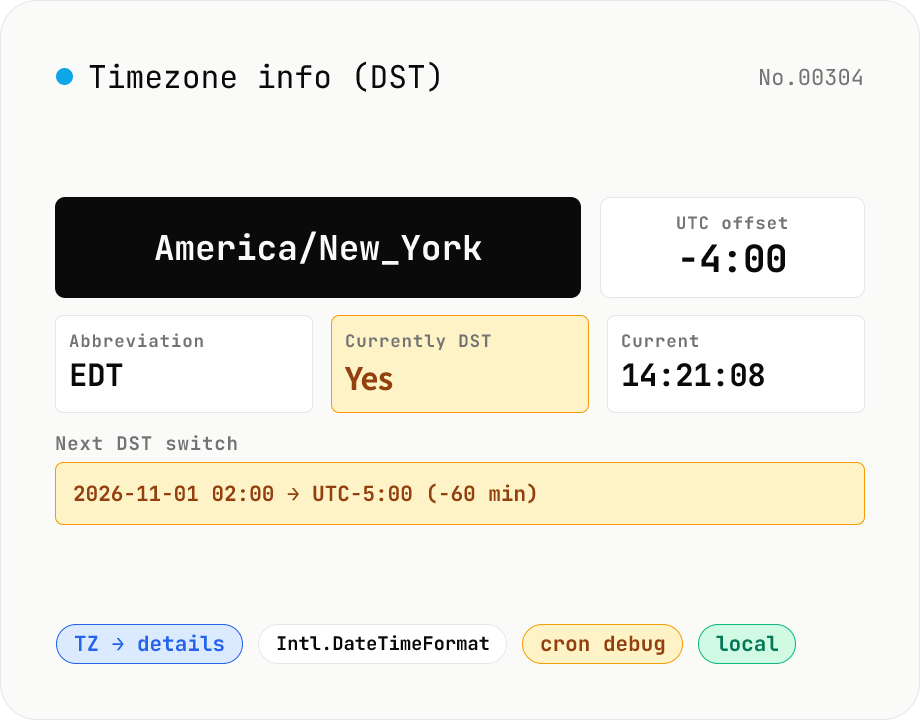
Timezone info (DST) — current UTC offset & switch dates for any IANA TZ
Pick an IANA timezone (Asia/Tokyo, America/New_York, Europe/Paris, …) and see the current UTC offset, whether DST is observed, the next DST switch, plus this year's and next year's transitions. Use it to avoid common cron / scheduling pitfalls: 'DST shifted my job by an hour', 'this clock time never happens (spring forward)', 'this clock time runs twice (fall back)'. Pairs with timezone-convert (translate a fixed instant across zones) and world-clock (live side-by-side clocks). Backed by Intl.DateTimeFormat — runs entirely in your browser.