
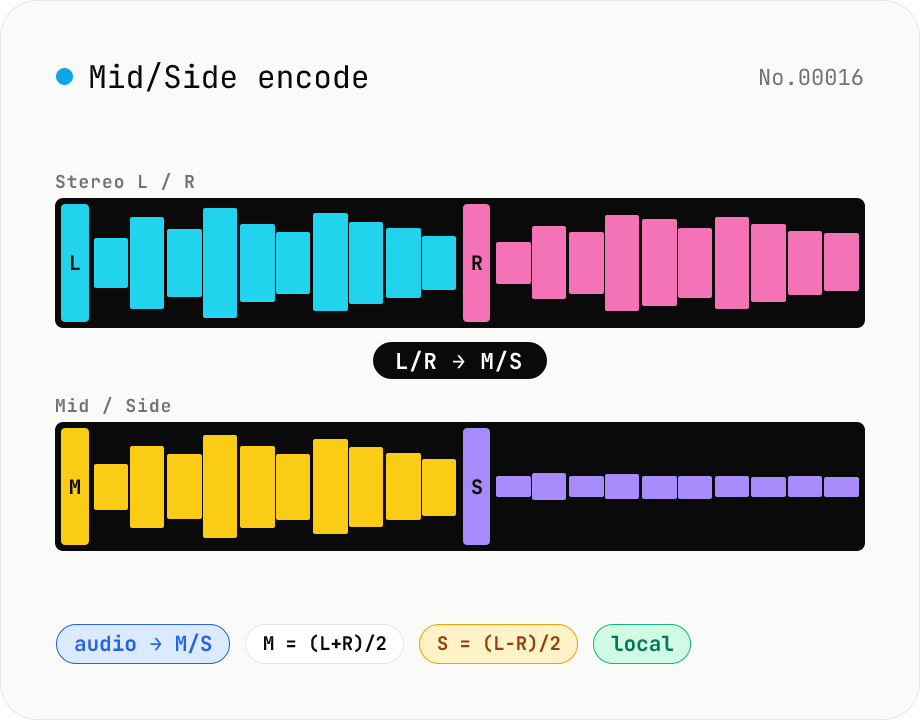
Mid/Side encode — stereo L/R ↔ M/S bidirectional converter
Convert stereo audio between L/R and the classic M/S representation, where Mid = (L+R)/2 captures the centre information (vocals, kick, bass) and Side = (L-R)/2 captures the stereo difference (reverb tails, panned elements). M/S is the backbone of mid-side EQ and mid-side compression — let your DAW apply EQ to the centre while the sides stay untouched. Pick Mode (L/R → M/S or M/S → L/R), batch-process multiple files, save per-file WAV or download a ZIP. Round-trip is exact (M+S = L, M-S = R) so an EQ pass on the Mid channel can be folded back into the original L/R. Audio stays in your browser.
How to use
Drop or pick one or more stereo audio files (MP3 / WAV / M4A, etc.). Pick the mode: L/R → M/S to prepare for mid-side EQ in your DAW, or M/S → L/R to fold an edited M/S file back into stereo. Encoding starts automatically; the output is WAV (16-bit PCM). Save per-file or grab everything as a ZIP. Source files are untouched.
In depth
Mid-side processing happens close to the heart of the work
Reaching for M/S encoding means you are in the middle of mixing or mastering — isolating the centre channel to EQ a lead vocal without disturbing room ambience, or tightening the sides of a master bus. The file in play is almost always at a critical and unreleased stage. Mid = (L+R)/2 is the vocal, kick, and bass; Side = (L-R)/2 is the spread and reverb tails. Together they represent everything about a track’s emotional and spatial character.
A server that receives a file for M/S conversion receives the full stereo master. The math is reversible, but the transfer isn’t: once the file leaves the browser, the recording has been somewhere it wasn’t supposed to be.
Client work and unreleased material — why the transfer matters
M/S processing is common in professional mastering, which often involves music that is under a confidentiality obligation: not yet announced, belonging to a label or artist, or subject to an NDA with a client. Uploading such material to a third-party web tool — even for a purely technical transformation — puts it on infrastructure outside the agreed-upon handling chain.
Terms of service for online audio tools routinely include broad usage rights over uploaded content. Whether those rights are ever exercised is unknowable from the outside. For work where the rights aren’t fully settled, it is simpler to keep the file off external servers entirely.
Matrix math in the browser via the Web Audio API
M/S encoding is a 2×2 matrix operation on the sample arrays: M = (L+R)/2, S = (L-R)/2, and the inverse maps back. The tool decodes each file with decodeAudioData, extracts the left and right Float32Array buffers, applies the transformation in JavaScript, and writes 16-bit PCM WAV using a built-in encoder. No sample data crosses the network.
This definition — dividing by 2 rather than leaving the sum and difference at full scale — matches FabFilter Pro-Q, iZotope Ozone, and most professional DAW M/S implementations. The source is on GitHub for inspection. Open DevTools Network while encoding: no audio requests appear after the initial page load.
Practical notes on a complete M/S workflow
The typical sequence is: encode to M/S in this tool → import the WAV into a DAW → apply EQ or compression independently to M and S channels → re-import the processed file → decode back to L/R. The two encoding steps are the bookends of the workflow; the processing in between is where the work happens. If you need to break M and S into separate mono files for per-channel processing, audio-channel-split handles that and audio-channel-merge reassembles them before the inverse decode.
M/S output files are intermediate and should be labelled as such — playing back an M/S file in a normal stereo context will sound wrong, because L = Mid and R = Side. Append -ms to filenames and keep them out of delivery queues. The L/R → M/S → L/R round trip is lossless through this tool: bit-identical on unchanged regions.
Matrix math, normalisation conventions, and round-trip fidelity
Written as linear algebra, M/S encoding is [M, S]ᵀ = [[0.5, 0.5], [0.5, -0.5]] · [L, R]ᵀ — a 2×2 matrix multiply on the sample pair. The inverse is [L, R]ᵀ = [[1, 1], [1, -1]] · [M, S]ᵀ, satisfying M + S = L and M - S = R. The industry uses several normalisation conventions: (a) the averaged form M = (L+R)/2, S = (L-R)/2 (what this tool uses), (b) the energy-preserving form M = (L+R)/√2, S = (L-R)/√2 (preserves RMS across the transform), and (c) the unnormalised form M = L+R, S = L-R (carries a factor of 2 and is prone to clipping).
Major DAW plugins — FabFilter Pro-Q, iZotope Ozone, Waves, Logic Pro’s Mid/Side EQ — predominantly use the averaged form, so output from this tool drops into any of them, gets processed, and round-trips back. Internal processing is at 32-bit float with quantisation only at write time to 16-bit PCM; round-trip error stays around M + S - L ≈ 10⁻⁵, which is inaudible. Bit-exact reversibility would require 32-bit float WAV (not currently supported) or 24-bit FLAC, but at 16-bit you can’t distinguish the round-trip output from the original by listening. A useful diagnostic: stereo material that is actually mono recorded as stereo will produce a Side channel of exactly zero — a clean visual indication that the source has no stereo information.
Common mid-side editing moves and mono-compatibility checks
Typical M/S edits include (1) limiting the Mid channel to tame the lead vocal and kick without touching ambience, (2) high-passing the Side channel below 100 Hz to keep bass mono-compatible (the “bass mono” rule), (3) EQ boost on Side around 2–5 kHz to add air without widening the centre, (4) light compression on Side to control stereo-width pumping. In mastering, heavy Side compression collapses the image toward mono — measure with audio-stereo-width (width %, phase correlation) to avoid going too far.
Streaming services (Spotify, Apple Music) and FM radio still play back mono-summed (L + R) in many listening contexts, and masters with too much Side energy lose level when summed. A practical fix: encode to M/S here, drop the Side level by -3 dB with audio-volume, and decode back to L/R — mono compatibility improves measurably. ASMR and immersive material is the opposite: the Side channel is the artistic content, so attenuating it destroys the intent. Two pitfalls to know: (a) fully phase-inverted stereo (R = -L) encodes to M = 0, S = L — the centre disappears entirely, (b) 16-bit quantisation can leave a visible noise floor on the Side channel when the source is near-mono with very low Side energy.
FAQ
- What is M/S good for?
- Mid-side splits stereo into the centre signal (vocals, kick, bass) and the side signal (reverb tails, panned guitars). It's the standard way to EQ the lead vocal without smearing the wides, or compress the sides without ducking the centre. Trying the same on raw L/R is much harder because centre energy sits in both channels.
- Can I just play the M/S file back?
- Technically yes, but L = Mid and R = Side, so one channel is often near-silent and the phase is unusual. M/S is an intermediate representation — convert back to L/R when you're done editing.
- Is this compatible with DAW M/S plugins?
- We use the most common definition: M = (L+R)/2, S = (L-R)/2. Compatible with FabFilter Pro-Q, iZotope Ozone, and most others. Some implementations use plain sum/difference (no ÷2), which differs by 6 dB of gain.
- Why WAV only?
- M/S encoding is an intermediate step; you want lossless WAV (16-bit PCM) so the correlation between Mid and Side stays intact. Lossy formats can mess with that and break the round trip.
- Is anything uploaded?
- No. We use the Web Audio API in-browser and write WAVs with a built-in encoder.
How to verify nothing is uploaded
This tool never sends your input outside your browser. The pages below explain how it works, how to audit it, and how the site is run.
Related tools
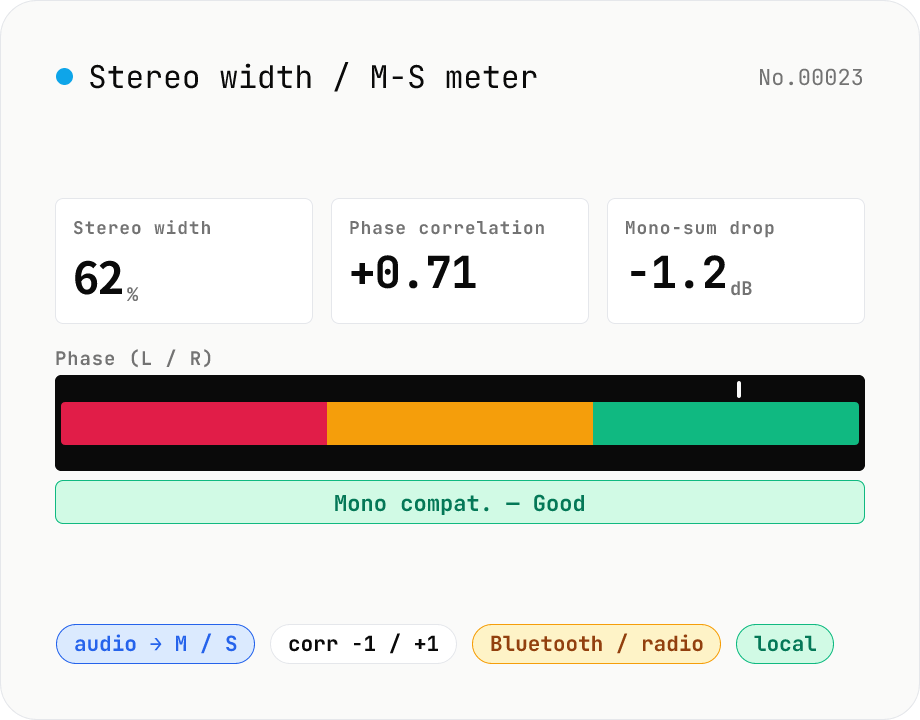
Stereo width / M-S analysis — phase correlation & mono compatibility check
Drop a stereo audio file (MP3 / WAV / M4A / FLAC / OGG / Opus) to run an in-browser M-S analysis (Mid = (L+R)/2, Side = (L-R)/2). We surface stereo width (%), phase correlation (-1 to +1), Side energy (dB), Mid energy (dB), and the level drop when summed to mono. Catches the dropouts and thin-sounding mixes that show up on Bluetooth speakers, Spotify Mobile, AM/FM radio and centre-channel TV downmixes before they reach listeners. Negative correlation triggers a phase-issue warning. Audio stays in your browser.
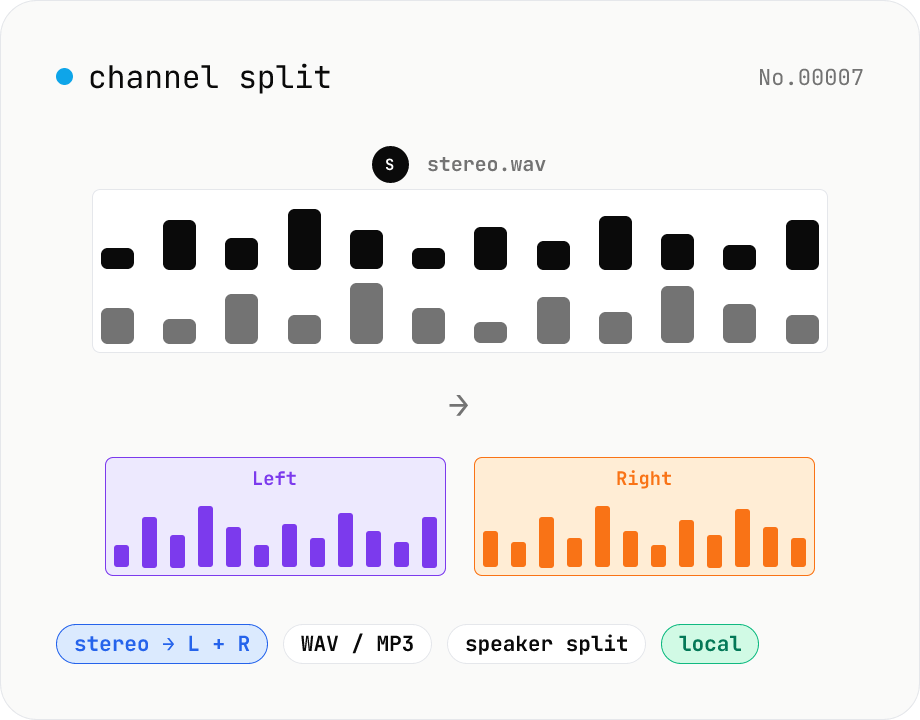
Audio channel split — stereo to two mono files
Split a stereo audio file (MP3 / WAV / M4A / FLAC / OGG) into separate left and right mono WAV / MP3 files. Useful for interview / dictation / Zoom recordings captured with one speaker per channel, isolating noise on one side, or pulling a single channel into your DAW. Mono input passes through as a single file. Everything stays in your browser.
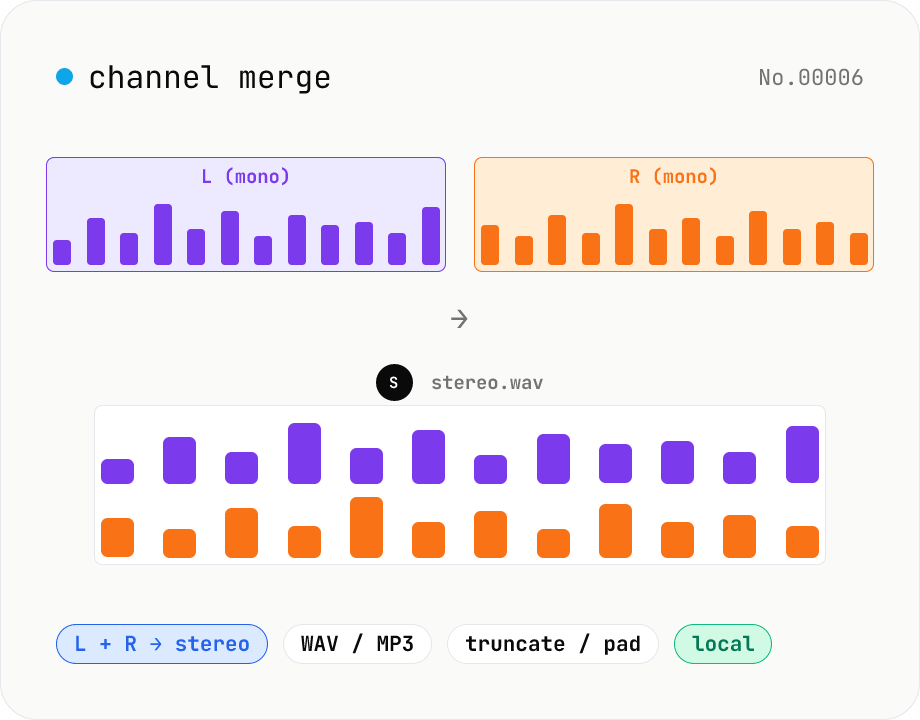
Audio channel merge — two mono files into a stereo L + R
Combine two mono audio files (MP3 / WAV / M4A / FLAC / OGG) into one stereo file. The first file becomes the left channel, the second becomes the right; we interleave them and output one stereo WAV / MP3. Useful for putting two-mic interview takes into a single L/R file, faking stereo from a mono source, or reversing audio-channel-split. When lengths differ, truncate to the shorter file or pad the shorter one with silence — your choice. Everything stays in your browser.
Audio format convert — MP3 / WAV / M4A / OGG / FLAC
Convert audio files to mp3 / wav / m4a / ogg / flac. ffmpeg.wasm picks an encoder based on the chosen extension and re-encodes the file entirely in your browser. Supports batch processing and a single ZIP download.