
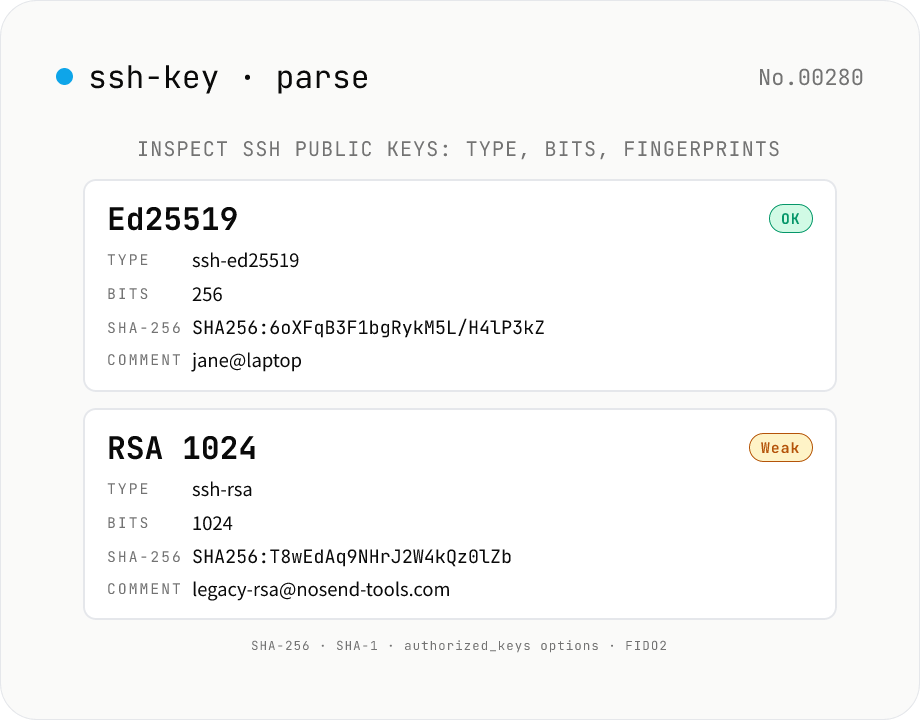
SSH Public Key Parser — Inspect type, bits, comment, and fingerprints
Paste an SSH public key (`id_rsa.pub`, `id_ed25519.pub`, `authorized_keys`, etc.) or pick a file — every line is decoded into its **algorithm** (`ssh-rsa` / `ssh-ed25519` / `ecdsa-sha2-nistp256` / `ssh-dss` / FIDO2 security keys / OpenSSH certificates), **bit length** (RSA modulus / ECDSA field), **ECDSA curve** (nistp256 / nistp384 / nistp521), **comment** (the trailing `user@host`), and **options** (the `command=` / `no-pty` / `from=` prefix used in `authorized_keys`). The **SHA-256 fingerprint** (`SHA256:base64`, the modern `ssh-keygen -l -f` default) and **SHA-1 fingerprint** (colon-hex) are computed with **Web Crypto**. Handles **multi-line `authorized_keys`** input — every key renders as its own card. Weak / deprecated keys (RSA < 2048-bit, DSA) are flagged. Pure browser-side — keys are never uploaded. Private keys (PEM / OpenSSH) are intentionally not supported.
How to use
Paste the contents of an `id_*.pub` or `authorized_keys` file (or pick one) and press **Parse**. Each line renders as its own card with **algorithm / bits / curve / comment / authorized_keys options / SHA-256 fingerprint / SHA-1 fingerprint / base64 payload**. Use **Sample** to load a demo with RSA / Ed25519 / ECDSA / options entries. Fingerprints and comments are one-click copyable. **RSA < 2048-bit** and **DSA** are flagged as **Weak / Legacy**.
In depth
What an SSH public key reveals beyond the cryptographic material
SSH public keys cannot be used to reconstruct the private key, but the metadata they carry is richer than it looks. The comment field typically encodes an email address, hostname, creation date, or purpose — not just ‘user@laptop’ but identifiers that map to real accounts and systems. The authorized_keys format extends this with per-key options: command="/usr/local/bin/deploy-prod" names a real script; from="10.0.0.0/8" names an internal network range; permitopen="db.internal:5432" identifies an internal host and port.
Pasting an authorized_keys file into an online tool therefore shares the full access-control design: who can log in, from where, with what restrictions. For organizations using OpenSSH certificates, pasting a cert line exposes the CA principals, validity window, and extension set. The public/private asymmetry holds for the key material itself, but not for the surrounding metadata.
The gap between ‘public key’ and ‘safe to upload’
The label ‘public key’ lowers the perceived risk of pasting into a third-party tool. But the risk is less about the key material and more about the operational intelligence it carries in context. A list of keys with comments like user@company.internal reveals account naming conventions. A key with a deploy-bot comment reveals CI/CD architecture. Weak algorithm flags reveal that certain servers have not been maintained.
Additionally, computing a fingerprint requires the full key string. If an online fingerprint calculator sends the input to a server, the key’s entire body travels with it — even though only the hash was wanted. Doing fingerprint computation locally avoids this mismatch between intent and transmission.
Parsing SSH wire format and computing fingerprints in the browser
This tool implements its own SSH wire format parser in TypeScript. After Base64-decoding the key’s binary section, the parser follows the length-prefixed string and mpint (multi-precision integer) encoding: for RSA it reads the key type, public exponent e, and modulus n; for ECDSA it reads the curve name and the compressed or uncompressed point Q; for Ed25519 it reads the 32-byte public key. No external SSH library is used.
Fingerprints are computed with Web Crypto API: crypto.subtle.digest('SHA-256', keyBytes) for the modern SHA256: fingerprint and crypto.subtle.digest('SHA-1', keyBytes) for the legacy colon-hex format. No network requests are issued. An entire authorized_keys file can be parsed and audited without any data leaving the browser.
Periodic key audits and weak-algorithm detection
SSH key hygiene requires periodically checking that registered keys still meet current strength standards. This tool lets you paste an authorized_keys file and scan for Weak / Legacy chips (RSA < 2048-bit, DSA) in one pass. Keys that show those flags should be regenerated with ssh-keygen -t ed25519. The comment column is equally useful for identifying keys belonging to departed team members that should be removed from authorized_keys.
SSH wire format (RFC 4253 §6.6) and per-algorithm binary layout
An OpenSSH public key line is <algorithm-name> <base64> <optional comment> in text, but the base64 payload follows the RFC 4253 §6.6 SSH wire format. The basic encoded types are: (1) string — a 4-byte big-endian length prefix followed by raw bytes; (2) mpint — a length-prefixed signed big-endian integer with a leading 0x00 inserted when the most significant bit would otherwise indicate negative; (3) name-list — a comma-separated list serialised as a string.
Per-algorithm layouts: RSA (ssh-rsa) is string("ssh-rsa") + mpint(e) + mpint(n) where e is usually 65537 (0x010001) and the bit length is the bit-length of n. ECDSA (ecdsa-sha2-nistp256 and similar) is string("ecdsa-sha2-…") + string("nistp256") + string(Q), where Q is the SEC1 uncompressed point 0x04 || X || Y. Ed25519 (ssh-ed25519) is the simplest: string("ssh-ed25519") + string(32-byte public key). OpenSSH certificates (*-cert-v01@openssh.com) extend this with a nonce, principals list, validity window, critical options, extensions, CA key, and signature appended in order. This parser walks the wire format directly without depending on node-forge or sshpk.
Fingerprint formats, current strength guidance, and post-quantum context
There are two fingerprint formats. The modern one is SHA256:base64 (unpadded), defaulted in OpenSSH 6.8 (2015): take the SHA-256 of the wire-format binary and base64 the digest. The legacy MD5:xx:xx:... colon-hex format pre-dates that; it should not be used for new comparisons. This tool shows both SHA-256 and SHA-1 digests; the SHA-256 output matches ssh-keygen -l -E sha256 -f.
Practical strength guidance: (1) RSA keys should be at least 3072-bit (NIST SP 800-57); new keys should be Ed25519 by default; (2) DSA was disabled in OpenSSH 7.0 (2015) for both generation and acceptance and should be removed from any active authorized_keys; (3) ECDSA on nistp256 is cryptographically fine (~128-bit security) but some projects prefer Ed25519 for not depending on the NIST-chosen curves; (4) FIDO2 hardware keys via sk-ssh-ed25519@openssh.com (OpenSSH 8.2+) require a physical touch and resist remote theft. For post-quantum security, RSA, ECDSA, and Ed25519 all fall to Shor’s algorithm on a sufficient quantum computer; NIST has standardised ML-KEM and ML-DSA, but SSH-side post-quantum profiles are still draft. In the near term, Ed25519 plus periodic rotation is the practical baseline. To inspect related artifacts in the same audit pass, use pem-parse for X.509 certificates and raw RSA / ECDSA PEM files, and use hash-generate when you need to compare the wire-format fingerprint against another digest algorithm (SHA-512, BLAKE2) outside the SSH defaults.
FAQ
- Is my input uploaded?
- No — our own parser decodes the OpenSSH **SSH wire format** (length-prefixed strings / mpint), and the **SHA-256 / SHA-1 fingerprints** are computed by **Web Crypto** (`crypto.subtle.digest`). No external APIs.
- Which key types are supported?
- Ed25519, RSA (`ssh-rsa`), ECDSA P-256 / P-384 / P-521, DSA (legacy), Ed448, FIDO2 security keys (`sk-ssh-ed25519@openssh.com` / `sk-ecdsa-sha2-nistp256@openssh.com`), and OpenSSH certificates (`*-cert-v01@openssh.com`). Ed25519 is the modern default.
- Do fingerprints match `ssh-keygen -l -f`?
- Yes. SHA-256 is `SHA256:base64(no-padding)` (ssh-keygen's modern default); SHA-1 is colon-hex (`a1:b2:c3:...`). Useful for sanity-checking that the key you just installed on a server matches what you intended.
- Why no MD5 fingerprint?
- Deliberate. MD5 fingerprints have been deprecated since OpenSSH 6.8 (2015) and aren't available in the Web Crypto API. Staying zero-dep is more important than legacy MD5 output.
- What are `authorized_keys` options?
- Per-key restrictions such as `command="..."`, `no-pty`, `from="10.0.0.0/8"`, `permitopen="..."`. They're written as a comma-separated prefix before the key. We extract them into an **Options** chip — handy for auditing deploy / backup keys.
- What's the comment?
- The trailing label (e.g. `jane@laptop`, `deploy-bot-2026-06`) — purely a human-readable note SSH itself ignores. `ssh-keygen -C "..."` rewrites it. Teams often store email + purpose + creation date.
- How many bits should RSA have?
- 2048-bit is the modern floor; 3072 or 4096 is preferred. 1024-bit RSA / DSA is computationally breakable and we flag it. Ed25519 at 256-bit has equivalent or better security and shorter keys — `ssh-keygen -t ed25519` is the recommended new-key default.
- What are FIDO2 security keys (`sk-` prefix)?
- SSH keys whose private half lives inside a YubiKey / Titan / other FIDO2 token. Losing your laptop doesn't lose the key. Created with `ssh-keygen -t ed25519-sk`. We tag them as **Security key**.
- What is `ssh-rsa-cert-v01@openssh.com`?
- An **OpenSSH certificate** — an SSH key signed by a CA, with principals (allowed usernames), validity window, and options. Common in larger orgs. We tag it as **OpenSSH cert** and show the underlying base type. Use `ssh-keygen -L -f` for the full certificate body.
- Can I paste private keys (`-----BEGIN OPENSSH PRIVATE KEY-----`)?
- Intentionally not supported — this tool is public-key only. Pasting a private key raises an error. Run `ssh-keygen -y -f private_key > public_key.pub` first to derive the matching public key.
- How does this relate to pem-parse / jwt-decode?
- Same read-only metadata viewer family — paste a key / cert / token and inspect every field, never edit or sign.
How to verify nothing is uploaded
This tool never sends your input outside your browser. The pages below explain how it works, how to audit it, and how the site is run.
Related tools
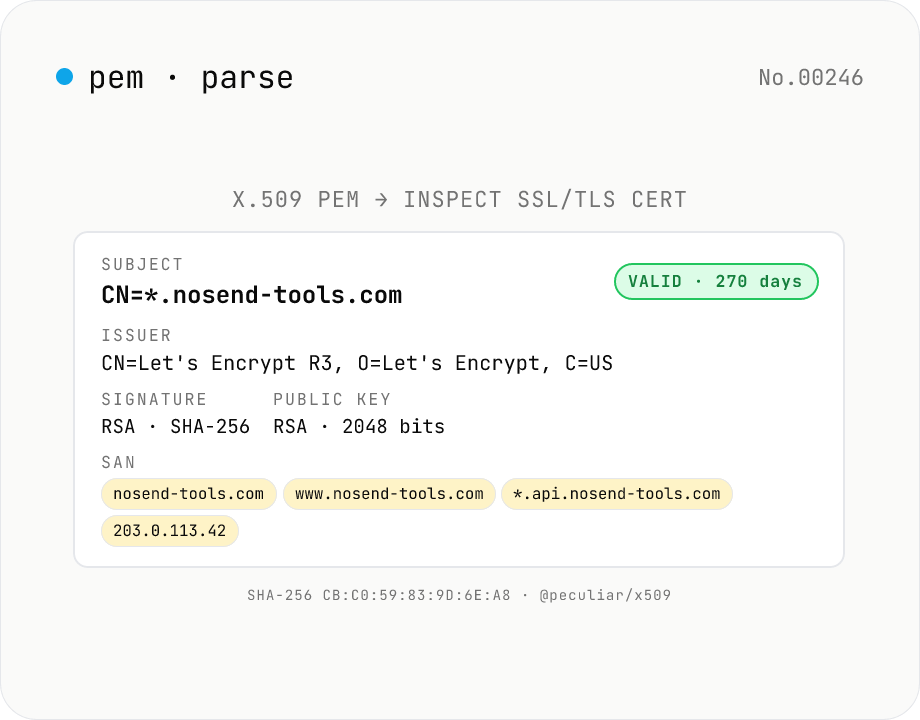
X.509 PEM Certificate Parser — SSL/TLS Cert Inspector & Validity Checker
Paste any **X.509 PEM certificate** (between `-----BEGIN CERTIFICATE-----` and `-----END CERTIFICATE-----`) and inspect every field at a glance: **Subject** (CN / O / OU / C / ST / L / EMAIL), **Issuer**, **validity period** (Not Before / Not After / days remaining + expired badge), **serial number**, **signature algorithm** (RSA-SHA256 / ECDSA-SHA384…), **public key details** (RSA 2048 / EC P-256…), **SHA-1 / SHA-256 fingerprints**, **SAN** (DNS / IP / email / URI), **Key Usage** & **Extended Key Usage**, **Basic Constraints** (CA flag / path length), **SKI / AKI**. Multiple PEM blocks parse as a **chain**. Ideal for SSL/TLS troubleshooting, expiry monitoring, SAN/DNS verification, and Let's Encrypt automation debugging. Powered by **@peculiar/x509 + Web Crypto API** entirely in your browser — certificates are never uploaded.
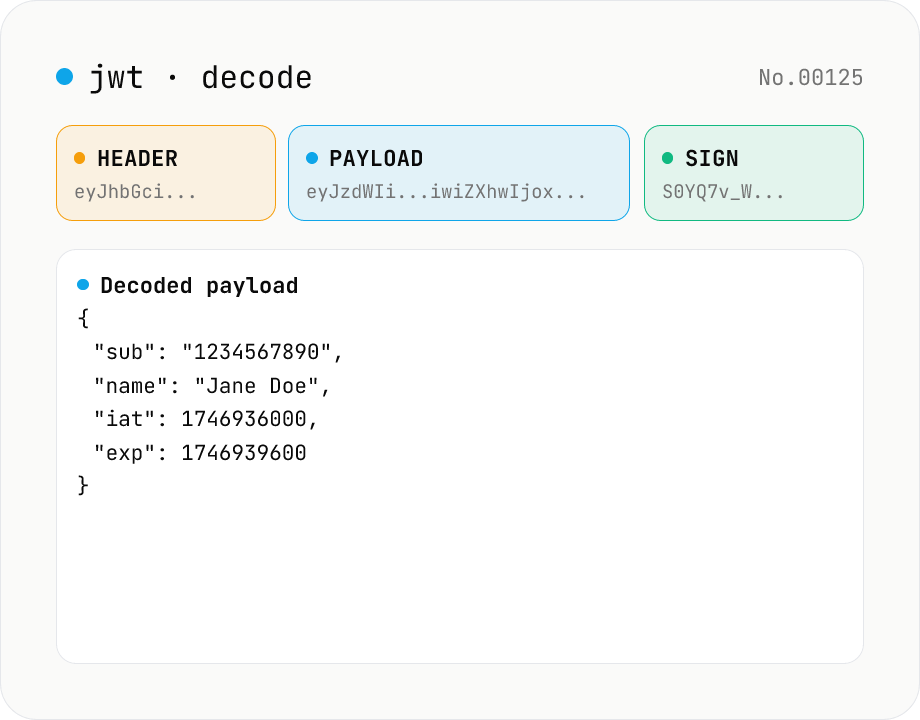
JWT decode — inspect header & payload
Paste a JWT and break it down into Header / Payload / Signature. Numeric claims like exp / iat / nbf are translated into human-readable timestamps. No signature verification — purely for inspection. Runs entirely in your browser.
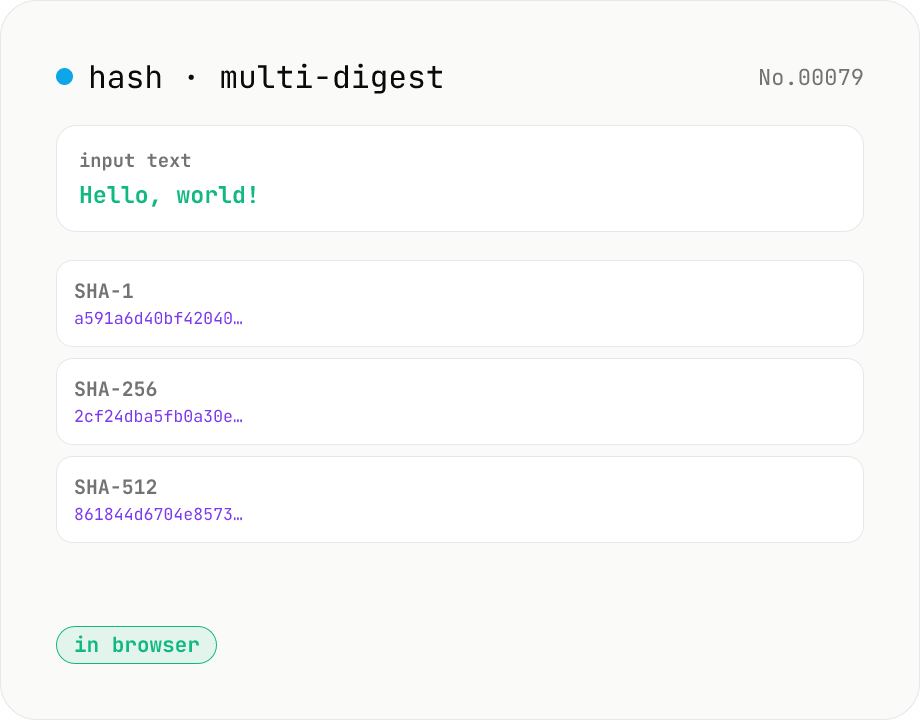
Hash generator — SHA-1 / 256 / 384 / 512
Generate SHA-1, SHA-256, SHA-384, and SHA-512 digests from text in parallel. Powered by the Web Crypto API and runs entirely in your browser.
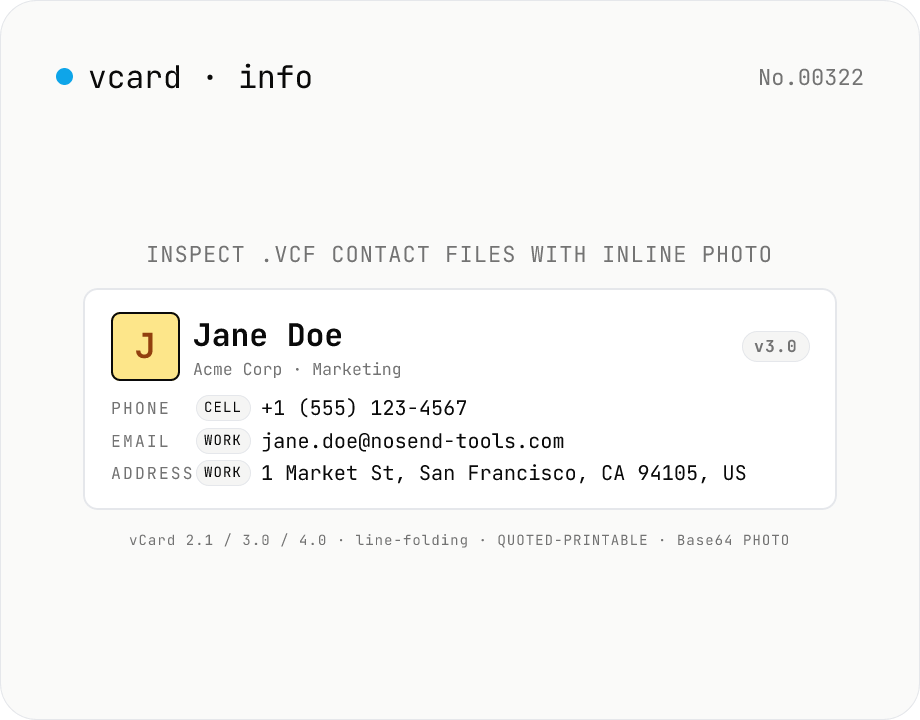
vCard (.vcf) Parser — Inspect contacts, photos, and structured addresses
Paste a `.vcf` file or pick one — every standard field is parsed and displayed: **name** (N / FN), **phone numbers** (CELL / WORK / HOME / FAX grouped by TYPE), **emails**, **structured addresses** (post code / region / locality / street / country), **organization** (ORG), **title / role**, **nickname**, **birthday** (BDAY), **anniversary**, **inline photo** (Base64 → data URL), **URLs**, **categories**, **notes**, and any **X-** extension fields. Supports **vCard 2.1 / 3.0 / 4.0**; multiple concatenated cards parse as a chain. Handles **line folding** (75-char continuation), **QUOTED-PRINTABLE** (v2.1 international text), and inline **Base64 photos**. Pure browser-side — your contacts are never uploaded. Works with `.vcf` exports from Google Contacts, iCloud, Apple Contacts, Outlook, and most CRMs. Great for migrating contacts, verifying business-card imports, or auditing legacy `.vcf` files.