
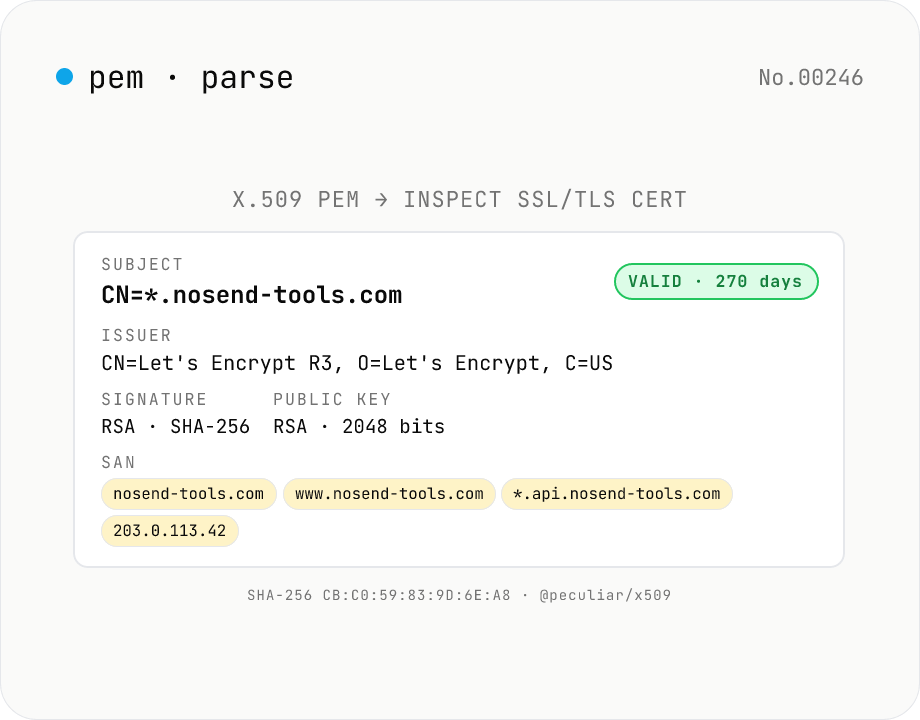
X.509 PEM Certificate Parser — SSL/TLS Cert Inspector & Validity Checker
Paste any **X.509 PEM certificate** (between `-----BEGIN CERTIFICATE-----` and `-----END CERTIFICATE-----`) and inspect every field at a glance: **Subject** (CN / O / OU / C / ST / L / EMAIL), **Issuer**, **validity period** (Not Before / Not After / days remaining + expired badge), **serial number**, **signature algorithm** (RSA-SHA256 / ECDSA-SHA384…), **public key details** (RSA 2048 / EC P-256…), **SHA-1 / SHA-256 fingerprints**, **SAN** (DNS / IP / email / URI), **Key Usage** & **Extended Key Usage**, **Basic Constraints** (CA flag / path length), **SKI / AKI**. Multiple PEM blocks parse as a **chain**. Ideal for SSL/TLS troubleshooting, expiry monitoring, SAN/DNS verification, and Let's Encrypt automation debugging. Powered by **@peculiar/x509 + Web Crypto API** entirely in your browser — certificates are never uploaded.
How to use
Paste an X.509 PEM certificate (starting with `-----BEGIN CERTIFICATE-----`) and press **Parse** — Subject / Issuer / validity / SAN / Key Usage / EKU / public-key info / signature algorithm / SHA-1 + SHA-256 fingerprints / SKI + AKI all show up at a glance. Multiple PEM blocks parse as a chain. **Sample** loads a Let's-Encrypt-style self-signed cert (`*.nosend-tools.com`, valid 2026-01-01..2027-04-01). Fingerprints and serial number are one-click copyable.
In depth
Certificates sit at the top of the infrastructure trust hierarchy
An X.509 PEM certificate carries the public key that backs TLS — and the private key paired with it lets anyone decrypt the encrypted traffic of a server or impersonate it entirely. Even without the private key, a certificate file reveals Subject and SAN domain names, issuing CA, validity window, fingerprints, and Key Usage flags. For an internal PKI issuing client certificates, the Subject CN/OU can expose employee names, department names, or system identifiers that belong firmly inside the trust boundary.
The riskier mistake is accidentally including the private key. PEM bundles used by nginx, HAProxy, and similar servers often concatenate the certificate and the -----BEGIN RSA PRIVATE KEY----- or -----BEGIN OPENSSH PRIVATE KEY----- block in one file. Pasting that bundle into an online decoder sends both to a remote server. Closing the browser tab afterwards does not undo the disclosure.
Why online certificate decoders are the wrong environment for this job
Certificate inspection sites are popular precisely because the PEM format is not human-readable at a glance. The same properties that draw users there — convenience, no local tooling required — also mean the operator receives the full PEM payload in plaintext on their server. Whether inputs are logged, forwarded to analytics pipelines, or retained for any period is invisible from the user’s side. Some terms of service explicitly grant the operator a licence to use submitted data for service improvement.
The structural problem is timing: you find out what was in the bundle after you decode it, not before you paste it. When the decoded view reveals a private-key block that you meant to leave out, the key is already on the remote server. Building a default workflow that keeps PEM inspection local eliminates that race entirely.
What @peculiar/x509 and Web Crypto API do inside the browser
This tool Base64-decodes the PEM armor back to DER bytes and hands the ASN.1 structure to @peculiar/x509 (MIT licence) for parsing. OID decoding, SAN entry-type classification (DNS / IP / Email / URI), Key Usage bitfield interpretation, Basic Constraints CA flag extraction, and SKI/AKI byte extraction all execute client-side. SHA-1 and SHA-256 fingerprints are computed by the browser’s own Web Crypto API (crypto.subtle.digest) — no additional dependencies involved.
All processing stays in page memory. Open DevTools Network while you paste and click Parse: no outbound requests appear. The tool also detects -----BEGIN PRIVATE KEY----- and similar private-key headers and aborts with an error rather than processing them, so there is no path through which a private key could be quietly processed and inadvertently cached or surfaced.
A checklist to run before you deploy or distribute a certificate
Before installing a TLS certificate on a server or distributing a client certificate, use this tool to verify that the SAN DNS entries match the intended hostnames, the validity window is correct, and the Key Usage / Extended Key Usage flags match the purpose (serverAuth for a web server, clientAuth for mutual TLS). Catching a SAN mismatch or an expired certificate here costs nothing; catching it in production during an incident costs a lot. Copy the fingerprint from the output directly into your inventory or monitoring tool — one click, no manual transcription error. To inspect a JWT signed by the same certificate, jwt-decode handles the claim view and jwt-verify the signature check.
PEM, DER, ASN.1, and the X.509 v3 extension model
PEM (RFC 7468) is the Base64 textual armor wrapping DER bytes between -----BEGIN ...----- and -----END ...----- lines. The DER payload follows ITU-T X.690 Distinguished Encoding Rules — a nested Tag-Length-Value (TLV) structure. RFC 5280 defines the certificate ASN.1: Certificate ::= SEQUENCE { tbsCertificate, signatureAlgorithm, signature }, with the tbsCertificate containing Subject and Issuer Name fields (each an RDNSequence), a Validity window, a SubjectPublicKeyInfo block, and the v3 extension list.
The SAN this tool surfaces comes from extension OID 2.5.29.17 (id-ce-subjectAltName), whose GeneralName choice carries dNSName, iPAddress, rfc822Name, and uniformResourceIdentifier entries that the parser classifies by tag. KeyUsage (OID 2.5.29.15) packs flags like digitalSignature, keyEncipherment, and keyCertSign into a bit string; ExtendedKeyUsage (OID 2.5.29.37) is a sequence of OIDs such as serverAuth (1.3.6.1.5.5.7.3.1) and clientAuth (1.3.6.1.5.5.7.3.2). BasicConstraints with cA = TRUE marks an intermediate or root CA; otherwise (or when the extension is absent) the certificate is an end-entity leaf.
CA/Browser Forum Baseline Requirements and field pitfalls
Publicly trusted TLS certificates follow the CA/Browser Forum Baseline Requirements. Since September 2020 the maximum validity is 398 days; anything longer must be from a private PKI or pre-dates the change. Industry discussion in 2024–2025 has pointed toward further shortening (200-day and then 100-day caps are under consideration), so long-fixed renewal cycles are increasingly unsafe to assume. Let’s Encrypt has always issued 90-day certificates, which is why ACME-based automation dominates that ecosystem.
Common operational mistakes the parser helps catch: (1) a SAN list that includes www.example.com but not the bare example.com, breaking the apex; (2) a wildcard *.example.com that does not match a.b.example.com because wildcards only cover one label; (3) a server configuration that omits intermediate certificates, producing an unknown issuer warning in clients; (4) a chain that still uses SHA-1 signatures, which modern browsers and Java releases reject. By comparing each cert’s Subject Key Identifier (SKI) against the next cert’s Authority Key Identifier (AKI) in the chain, you can verify the linkage holds. Note that RFC 2818 and RFC 6125 deprecate Common Name (CN) based hostname matching — current clients only consult SAN, so a certificate without a SAN extension will fail validation regardless of what the CN says.
FAQ
- Is my input uploaded?
- No — @peculiar/x509 (MIT) and the browser's Web Crypto API (`crypto.subtle.digest`) do everything client-side. Safe for internal / private certs.
- Which formats are supported?
- X.509 v3 in PEM (Base64) form only — the format used by Let's Encrypt, DigiCert, GlobalSign, government PKIs, and most internal CAs. **DER** (binary) and **PKCS#12** (.p12 / .pfx bundles) aren't supported — convert first (`openssl x509 -inform DER -in cert.der -out cert.pem`).
- Chain (intermediate + server)?
- Yes — paste multiple consecutive `BEGIN CERTIFICATE` blocks (e.g. straight from `openssl s_client -connect nosend-tools.com:443 -showcerts`). Each cert renders as its own card, so you can walk **Issuer == next Subject** to verify order.
- How is validity computed?
- Browser-time comparison. `now < notBefore` → **Not yet valid**, `now > notAfter` → **Expired**, otherwise **Valid** + days remaining. Uses your local clock, so wrong PC time will mislead. Cross-check with an external SSL monitor for production.
- SAN vs. Common Name?
- Modern TLS (RFC 6125) uses SAN DNS entries; CN is legacy fallback. We show every SAN entry (DNS / IP / email / URI). Browsers may warn on certs with only CN and no SAN.
- SHA-1 vs. SHA-256 fingerprints?
- Prefer **SHA-256** — collision-resistant, current standard. **SHA-1** lingers for legacy pinning and log diffing. Both rendered as colon-separated uppercase hex (OpenSSL / Chrome / Firefox style).
- Key Usage vs. Extended Key Usage?
- Key Usage = what the key can do (9 bit flags: digitalSignature, keyCertSign, …). Extended Key Usage = which **applications** the cert is for (OIDs: TLS server `1.3.6.1.5.5.7.3.1`, TLS client `…3.2`, code signing, email protection, …). Typical TLS server cert: KU `digitalSignature + keyEncipherment`, EKU `serverAuth` (+ optional `clientAuth`). We label the 9 most common EKU OIDs and show others as raw OIDs.
- What does `CA: TRUE` mean?
- Certificate Authority flag — this cert can sign other certs. Root CAs and intermediates are `TRUE`, server / client certs are `FALSE`. **Path Length** caps how many intermediate CAs may follow (0 = only end-entity certs allowed below).
- SKI / AKI?
- Subject Key Identifier (this cert's public-key hash, usually SHA-1) and Authority Key Identifier (the SKI of the CA that signed this cert). Matching SKI ↔ AKI binds a chain reliably (more robust than DN matching).
- Equivalent OpenSSL commands?
- `openssl x509 -in cert.pem -text -noout` for everything, `-fingerprint -sha256`, `-dates`, `-subject -issuer`, `-ext subjectAltName`. This tool collapses all of those into one view.
- How is this different from jwt-decode / jwt-verify?
- **jwt-decode**: JWT payload + header (no signature check). **jwt-verify**: JWT verified against a PEM public key. **pem-parse** (this tool): inspect the PEM itself. Useful when you're investigating the key used for JWT verification.
How to verify nothing is uploaded
This tool never sends your input outside your browser. The pages below explain how it works, how to audit it, and how the site is run.
Related tools
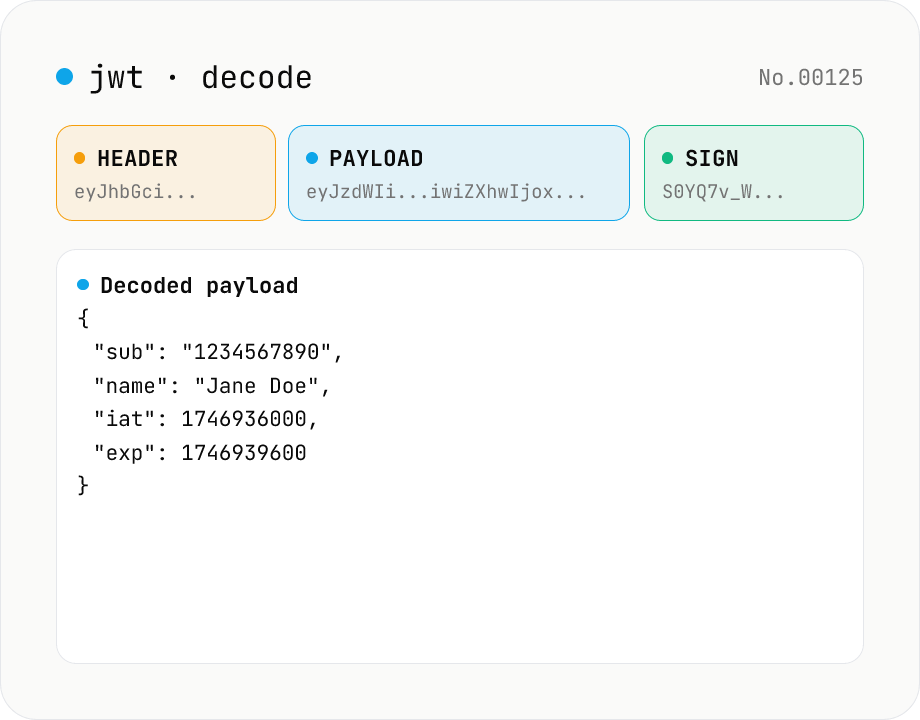
JWT decode — inspect header & payload
Paste a JWT and break it down into Header / Payload / Signature. Numeric claims like exp / iat / nbf are translated into human-readable timestamps. No signature verification — purely for inspection. Runs entirely in your browser.
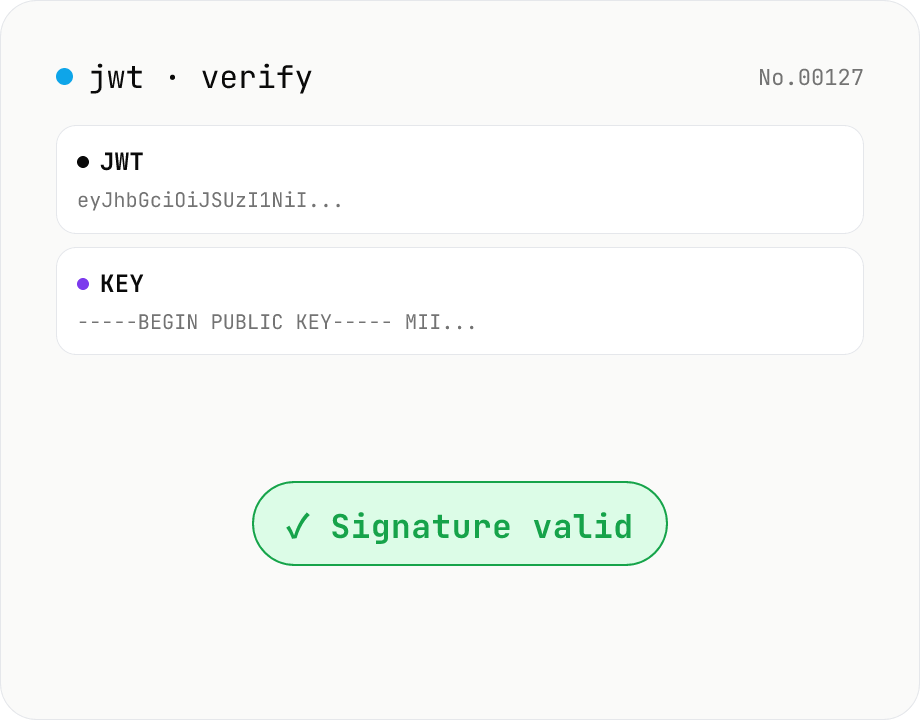
JWT signature verify — HMAC / RSA / ECDSA
Verify a JWT signature using WebCrypto — supports HS / RS / PS / ES with SHA-256/384/512. Paste an HMAC secret for HS*, or an SPKI PEM / JWK public key for RSA / ECDSA. exp / nbf are checked alongside the signature. Nothing leaves your browser.
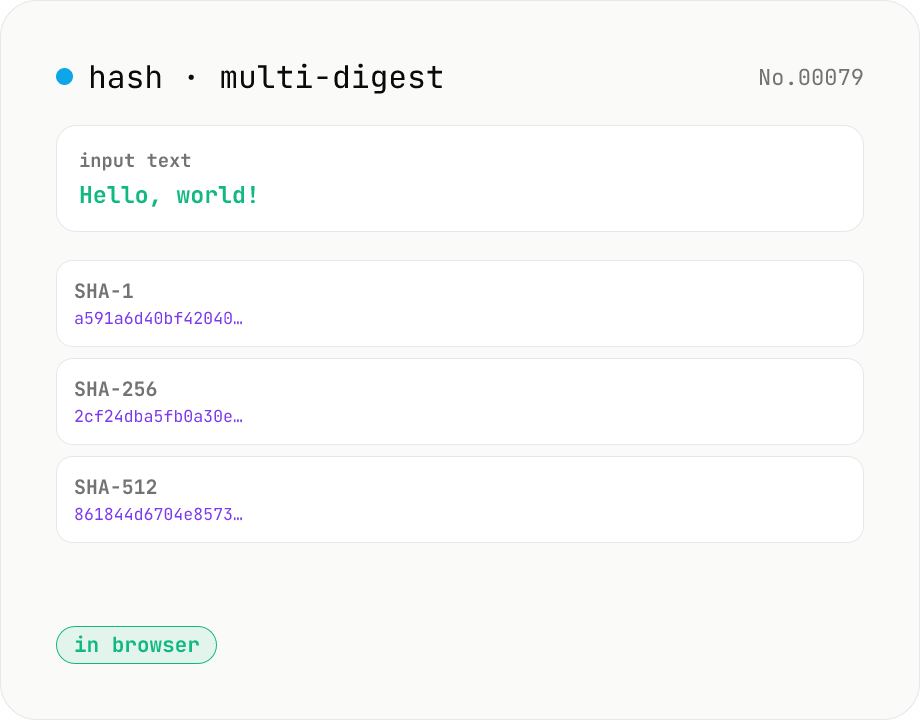
Hash generator — SHA-1 / 256 / 384 / 512
Generate SHA-1, SHA-256, SHA-384, and SHA-512 digests from text in parallel. Powered by the Web Crypto API and runs entirely in your browser.
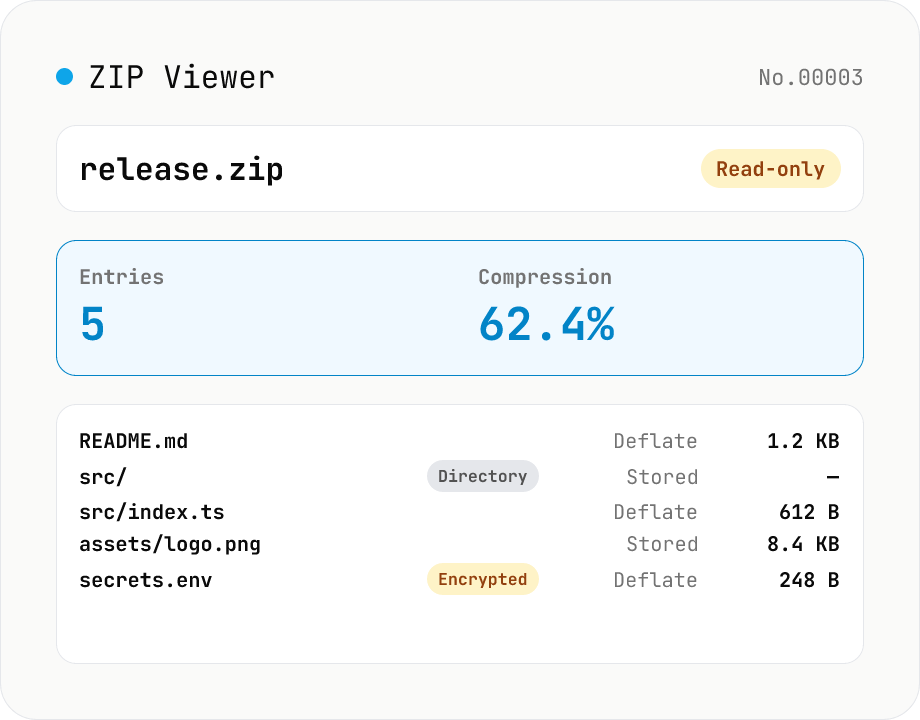
ZIP Archive Viewer
Drop a ZIP file to inspect its contents without extracting. See total entry count, archive size, compression ratio, archive comment, plus per-entry path, original / compressed size, compression method (Stored / Deflate / Deflate64 / BZIP2 / LZMA / Zstandard), last modified time, CRC32, encryption flag, and directory marker. Runs via a hand-rolled Central Directory parser — entry data is never decompressed and nothing is uploaded.