
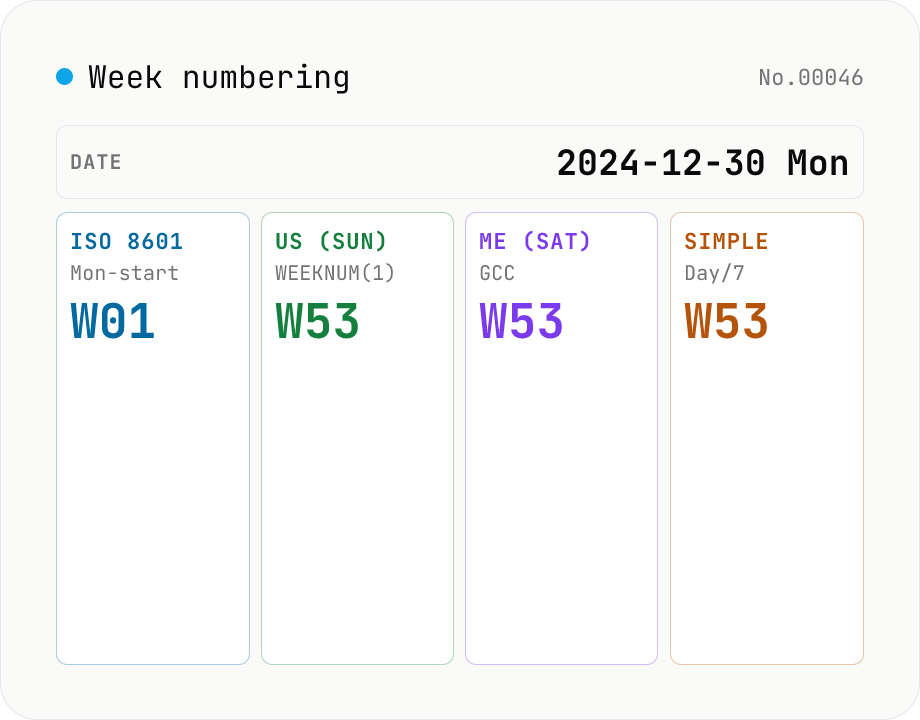
Week numbering — ISO 8601 / US / Middle East / simple side by side + calendar view
For any date, see all four common **week-numbering systems** side by side: **ISO 8601** (Monday start, week-of-Jan-4 = W01); **US** (Sunday start, week-of-Jan-1 = W01); **Middle East** (Saturday start, ISO-style anchor); **Simple** (Jan 1 = Day 1, then every 7 days). Useful for sprint planning across SaaS tools (Linear / Jira week-of-year), or for debugging the classic "W21 means different dates in Berlin and Boston" problem. Scroll through months and hover the calendar to see how each system numbers the weeks; year-boundary edge cases show clearly. Sister tool to `iso-week` (single ISO conversion); this tool focuses on **comparison and calendar visualisation**. Runs entirely in your browser.
How to use
Pick a target date (defaults to today). Month / year buttons move the calendar. Four cards (ISO / US / Middle East / Simple) show that date's year, week, day-of-week per scheme. Below the cards a month-grid calendar lists each week's number under all four schemes; hover any day for a full tooltip. The URL stays in sync so shared links reproduce the same view.
In depth
Week numbers and the schedules they encode
‘Deliverable in W21’, ‘Q2 Sprint 3 release’ — week numbers are a shorthand for project timelines used across IT, manufacturing, logistics, and finance. When you enter a week number into a converter, the underlying question is about a specific project milestone. Logging that query on a server means a third party can observe the rhythm of your schedule.
The mismatch between week-numbering systems is a real source of planning errors in global teams. ISO W21 and US W21 can refer to different calendar weeks. Getting that wrong means a delivery date or meeting invitation lands in the wrong week — the kind of mistake that is obvious only after the deadline passes.
What sending a week number to an online converter means
Week-number tools that run on a server log every query with date, IP, and parameters. Sprint planning dates, shipment scheduling, release window adjustments — every use leaves a trace of your project’s timing with the service operator. For companies that treat release cadences or supply-chain windows as sensitive, this matters.
Accuracy is also a concern: year-boundary edge cases (W53 vs W01, ISO Year vs calendar year drift) are implemented incorrectly in some tools. A wrong conversion that goes unnoticed can shift an entire project schedule by a week.
Four schemes, computed locally with Date arithmetic
This tool implements all four week-numbering systems using JavaScript’s Date object — no server. ISO 8601 uses the ‘W01 contains 4 January’ rule, derives the ISO Year (which can drift up to 3 days from the calendar year), and starts weeks on Monday. The US scheme follows Excel WEEKNUM(type=1): Sunday-start, Jan 1 always in W1. The Middle East scheme is Saturday-start with ISO-style W01 anchoring. The Simple scheme fixes Jan 1 as W1 Day 1 unconditionally.
The month-grid calendar shows all four week numbers side by side for every week, making year-boundary splits immediately visible. All math is local. Open DevTools Network and you will see no additional requests.
Confirming the scheme before scheduling globally
Before agreeing to ‘meet in W21,’ confirm which system your counterpart uses. Year-boundary weeks are the highest-risk zone: late December and early January routinely produce ISO W01 / US W53 splits, where the same physical week has different numbers in different systems. Use the calendar view here to establish which dates you are actually talking about.
Every calculation runs in your browser’s local Date engine. You can run as many schedule scenarios as you need without any project milestone dates leaving your device.
How each of the four schemes is computed
ISO 8601 is defined by three rules: W01 is the week containing January 4, weeks start on Monday, and the ISO year is determined by week boundaries (drifting up to three days from the calendar year). The standard implementation finds the Thursday of the week containing the target date (thursdayOfWeek = date + (4 - dayOfWeek)) and takes the calendar year of that Thursday as the ISO year. The week number is then derived by counting from the first Thursday of the ISO year. This Tomohiko-Sakamoto-style approach (1971) is what date-fns getISOWeek and luxon weekNumber use today.
The US scheme — WEEKNUM(date, 1) in Excel — applies the simple rule “Sunday-start, W1 contains January 1,” which can produce a W53 at year boundaries. The Middle East scheme is the ISO 8601 logic with Saturday as week start, used in countries like Saudi Arabia and the UAE where the weekend is not Saturday–Sunday. The Simple scheme — also seen as “Calendar Week” in some SAP and Oracle systems — counts seven days at a time from January 1. This tool computes all four in parallel so the same date can be inspected under each interpretation.
Regional conventions and the year-boundary edge cases
European businesses, especially in Germany and the Nordics, default to ISO 8601 — KW21 or Vecka 21 is everyday vocabulary for meeting weeks and delivery deadlines. US teams typically refer to a week by its calendar date (week of May 18) instead. Mixing the two conventions in one project produces obvious confusion. Japanese organisations are gradually adopting ISO 8601, but internal systems often default to the US scheme (Excel’s default WEEKNUM), and reconciling the two becomes a recurring chore.
The trickiest edge cases occur at year boundaries. 2024-12-30 is 2025-W01-1 in ISO but either 2024-W53 or 2025-W01 in the US scheme depending on implementation. 2026-01-01 lands in 2025-W53-4 under ISO in some years. SCM and ERP systems that filter records by week must store the (isoYear, isoWeek) pair, not just isoWeek, or filtering across year boundaries breaks silently. This tool’s calendar visualisation makes those boundaries inspectable side by side — toggle to late December or early January to see exactly how each scheme handles the rollover. When you only need the single ISO 8601 YYYY-Www-D form, iso-week is a more compact view; to convert “the start and end of W21” into a business-day span that respects Japanese holidays, pair the result with business-day-jp.
FAQ
- How is this different from iso-week?
- iso-week converts between an ISO date and `2026-W21-3` notation. This tool focuses on **comparing four schemes** and **calendar visualisation**. Use this to debug "why does W21 mean different dates in Berlin vs Boston?".
- Why four numbering systems?
- (1) **ISO 8601** dominates in Europe. (2) **US** matches Excel `WEEKNUM(type=1)` and traditional US calendars. (3) **Middle East** is Saturday-first (Saudi Arabia, UAE, Qatar). (4) **Simple** matches Excel `WEEKNUM(type=21)` / ASP.NET, with Jan 1 always Day 1 of Week 1.
- Year-boundary gotchas?
- (1) Mon 2024-12-30 is ISO 2025-W01 (week containing Jan 4 belongs to the new year) but US 2024-W53. (2) Thu 2026-01-01 is ISO 2026-W01-4 but Simple 2026-W01-Day 1. The calendar visualises these splits directly.
- Exact ISO 8601 rules?
- (1) Monday-start. (2) Week W01 contains 4 Jan (= the first Thursday). (3) Equivalent: W01 is the week with ≥ 4 days in the new year. (4) Some years have 53 ISO weeks (2026 does). The ISO year can drift 1 – 3 days from the calendar year.
- Does the US scheme match Excel?
- Yes — `WEEKNUM(date, 1)` (type 1) matches. `WEEKNUM(date, 2)` (Monday-first) is ISO-ish and not duplicated here. `WEEKDAY` and `ISOWEEKNUM` are separate Excel functions.
- Source for the Middle East scheme?
- Reflects Saudi Arabia / UAE / Qatar / Oman week-start conventions: Sat = 1, Sun = 2, …, Fri = 7 (Friday rest day). For week anchoring we use the ISO style (week with ≥ 4 days = W01) since there's no single international spec. Local usage varies between companies and sectors.
- Is anything uploaded?
- No — local `Date` math only.
How to verify nothing is uploaded
This tool never sends your input outside your browser. The pages below explain how it works, how to audit it, and how the site is run.
Related tools
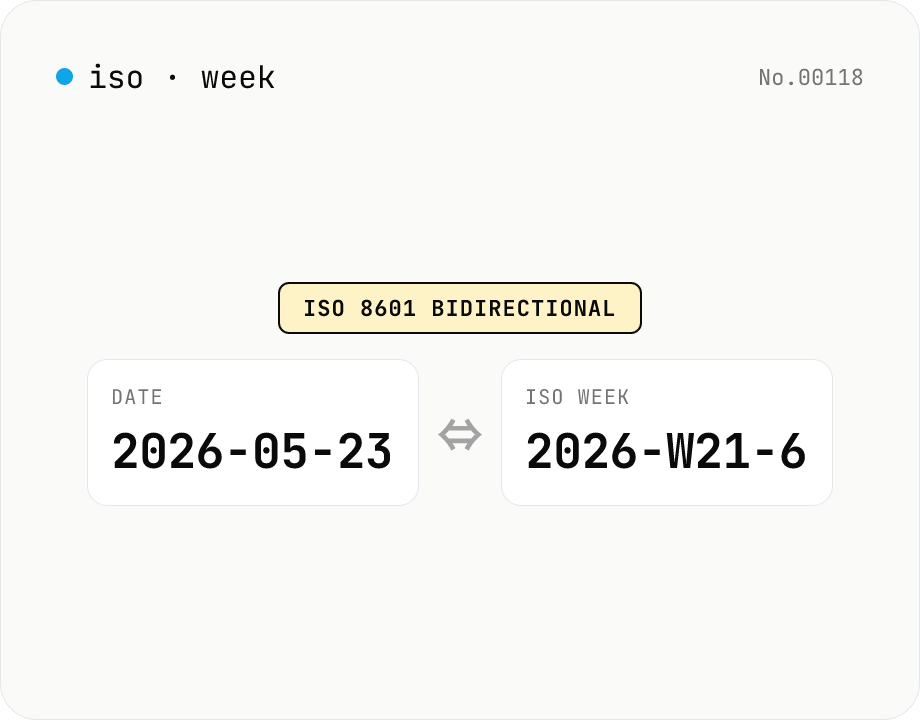
ISO 8601 week number ⇔ date — find week-of-year & week start
Convert between ISO 8601 week numbers (e.g. 2026-W21-6) and calendar dates (e.g. 2026-05-23). Pick the output format with a mode toggle. Week-only input (2026-W21) is parsed as the Monday of that week. Follows ISO rules: W01 is the week containing 4 Jan, weeks start on Monday, and year-boundary cases (2024-12-30 = 2025-W01-1) are handled correctly. Runs entirely in your browser.
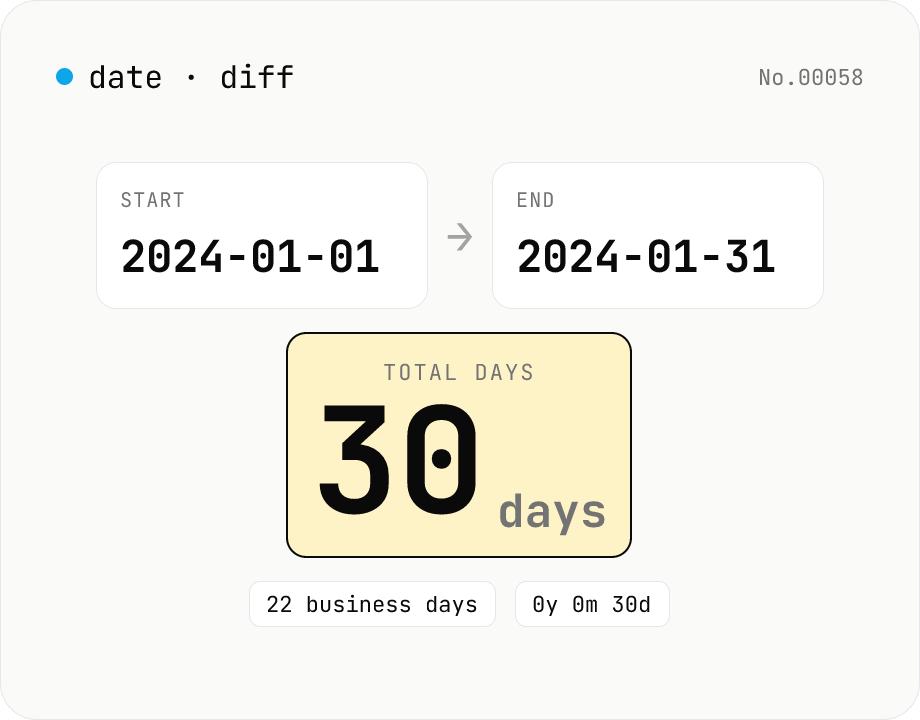
Date difference calculator — days / weeks / months / years
Compute the gap between two dates in days, weeks, business days, a years-months-days breakdown, and (optionally) hours/minutes/seconds. Toggle inclusivity and time-of-day with a checkbox. Everything runs inside your browser.
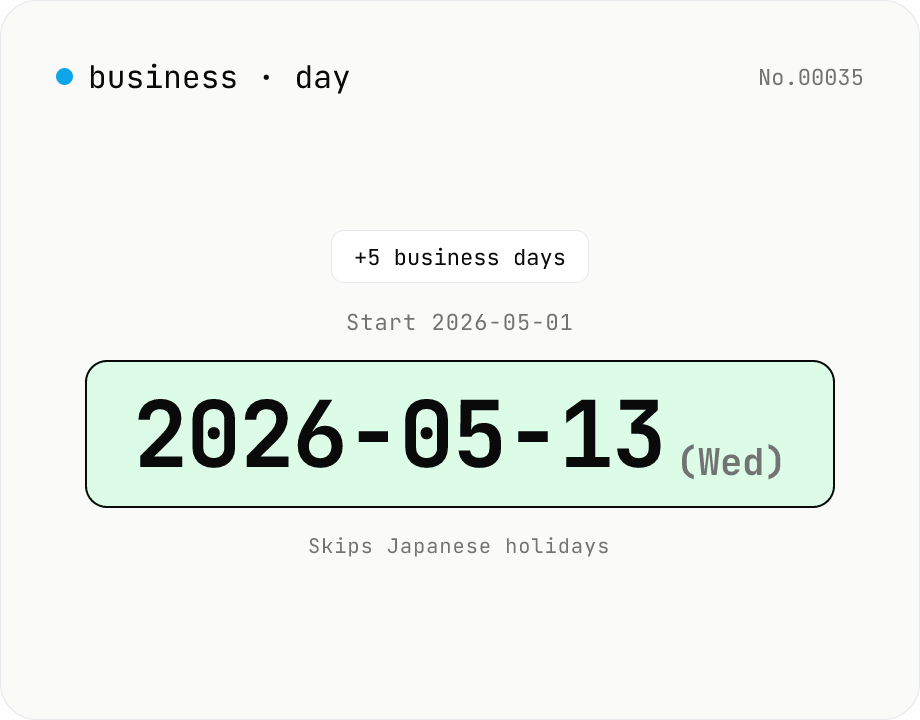
JP business-day calculator — count workdays excluding holidays
Compute the date that is N business days before or after a given date, skipping Japanese national holidays plus weekends. Handles substitute holidays, citizen's holidays, and vernal/autumnal equinoxes (1955-2099). Useful for due dates, settlement dates, and Japan-side delivery scheduling. Runs entirely in your browser.
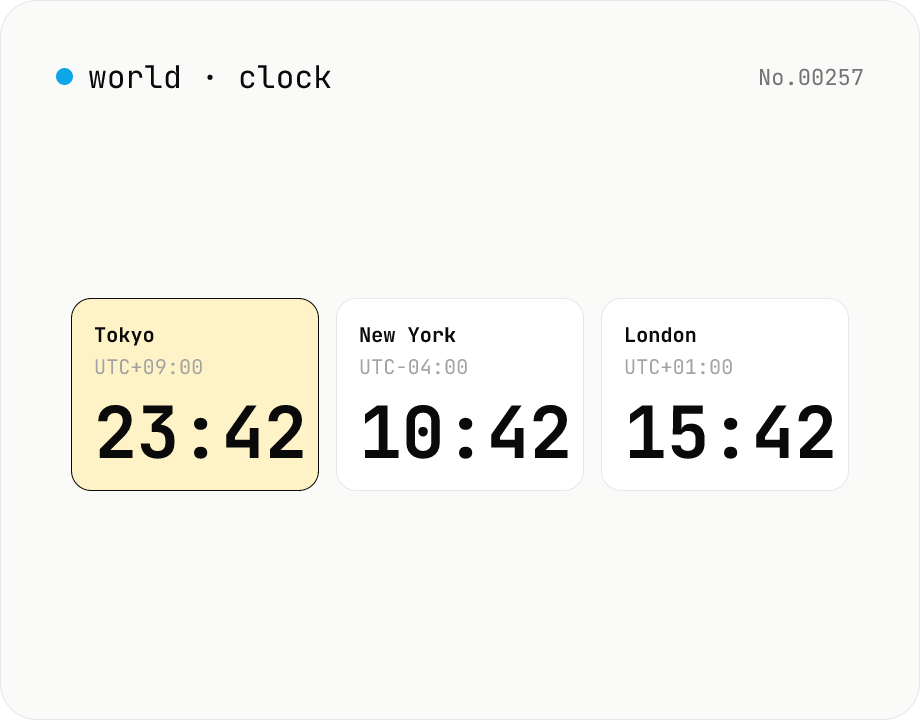
World clock — real-time current time across major global cities
Show the current time across multiple cities live, side by side. Pin one city's time as the base and the rest update to the matching local time. Cities can be added or removed freely.